Need help?
Do you have a question about the Pioneer HTP-076 and is the answer not in the manual?
Select speaker layouts and check connection methods and default settings.
Connect the unit to a TV, considering ARC support for audio return.
Connect AV components and other devices like Blu-ray players.
Connect a pre-main amplifier for 2-channel audio output in a separate room.
Connect the supplied FM and AM antennas for radio reception.
Connect the power cord after all other connections are completed.
Play audio from AV components such as Blu-ray disc players through this unit.
Wirelessly play audio from BLUETOOTH-enabled devices like smartphones.
Tune into and listen to AM/FM radio stations using the built-in tuner.
Enjoy audio in a separate room (ZONE B) simultaneously with the main room (ZONE A).
Use features like PERSONAL PRESET to register and recall settings easily.
Change and select various audio listening modes during playback.
Configure advanced settings for an optimized and enjoyable user experience.
Quickly adjust frequently used settings like tone, sound delay, and volume on the TV.
Resolve issues like unexpected shutoffs or system lockups by restarting or resetting the unit.
Troubleshoot power-related issues, including error messages and automatic standby.
Resolve audio problems such as no sound, distorted sound, or noise from speakers or headphones.
Troubleshoot issues with selecting or outputting audio in various listening modes.
Address video problems like no image, flickering, or video/audio synchronization issues.
Resolve problems with HDMI linked operations and CEC-compliant device interactions.
Fix poor reception, noise, or tuning issues with the AM/FM radio tuner.
Troubleshoot connection, playback, and audio quality issues with BLUETOOTH devices.
Resolve problems related to audio output to the ZONE B separate room.
Check and fix issues if the remote controller is not functioning correctly.
Troubleshoot problems where the unit's display is not lighting up or is too dim.
Address miscellaneous issues like strange noise, function errors, or power supply limitations.
Explains HDMI interface, CEC, ARC, 3D, 4K support, and copyright protection.
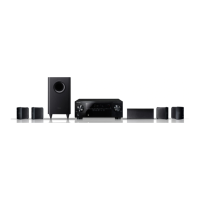
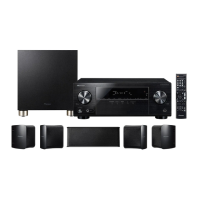
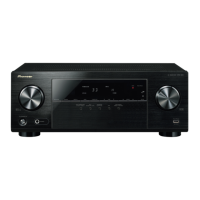
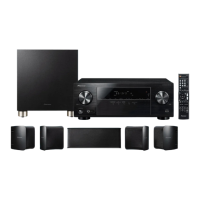
Lists technical specifications for amplifier, tuner, Bluetooth, HDMI, and supported formats.
 General
| Coloration | Monochromatic |
|---|---|
| Apple docking | No |
| Audio amplifier | Yes |
| Bluetooth profiles | A2DP, AVRCP |
| Type | Home audio midi system |
| Product color | Black |
| Channels quantity | 5.1 channels |
| Supported radio bands | AM, FM |
| Preset stations quantity | 80 |
| Speaker type | 1-way |
| RMS rated power | 450 W |
| Number of speakers | 5 |
| Number of subwoofers | 1 |
| Audio decoders | DTS-HD HR, DTS-HD Master Audio, DTS:X, Dolby Atmos, Dolby Digital Plus, Dolby Surround, Dolby TrueHD |
| Optical disc player type | Not included |
| Video formats supported | - |
| Tweeter diameter | 77 mm |
| Soundbar speaker RMS power | 150 W |
| Bluetooth version | 4.2 |
| HDMI in | 4 |
| Digital audio coaxial out | 0 |
| AC input voltage | 220 - 240 V |
| AC input frequency | 50 - 60 Hz |
| Power consumption (standby) | 0.2 W |
| Power consumption (typical) | 465 W |
 Weight and Dimensions
| Receiver weight | 800 g |
|---|---|
| Subwoofer weight | 4600 g |
| Center speaker weight | 600 g |
| Receiver dimensions (WxDxH) | 435 x 321 x 148 mm |
| Subwoofer dimensions (WxDxH) | 230 x 331 x 393 mm |
| Front speaker dimensions (WxDxH) | 90 x 108.5 x 131.5 mm |
| Center speaker dimensions (WxDxH) | 220 x 100 x 97 mm |


 To Next Page