Need help?
Do you have a question about the Pioneer HTS-560DV and is the answer not in the manual?
Covers warnings for electrical shock, lightning, and not opening the unit.
Notes on protecting the appliance from moisture, FCC compliance, and digital device standards.
Details on unauthorized modifications and the location of the serial number.
Covers reading instructions, cleaning, ventilation, power sources, location, and accessories.
Instructions on grounding, polarization, power cord protection, and lightning protection.
Guidelines for preventing object entry, servicing, and managing heat.
Specific warnings about power cord handling, plugs, and product chemicals.
Advice on maintaining safe listening volumes and decibel level examples.
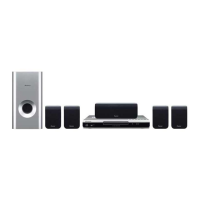
A list of all items included in the package.
General safety advice for assembling and handling speakers to prevent injury.
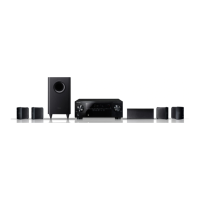
Overview of a standard 5.1 channel home theater speaker arrangement.
Instructions for securing speakers to walls and related cautions.
Procedure and safety notes for mounting the center speaker on a wall.
Guidelines for positioning front, surround, and center speakers for best sound.
Initial steps for connecting the DVD player and display unit to the receiver.
Detailed steps for connecting the DVD player using a coaxial digital audio cable.
Instructions for connecting AM/FM antennas, speakers, and the subwoofer cable.
Guide for connecting the system to a TV and plugging in power cords.
Instructions and safety considerations for mounting the display unit on a wall.
Steps to connect TV audio output for enjoying surround sound.
Explanation of the front panel display, buttons, and indicator lights.
Detailed guide to the functions of each button on the remote control.
Guidance on proper use, range, and potential interference for the remote control.
Instructions for installing batteries and important cautions regarding battery use.
Guide on how to correctly switch on the display unit, DVD player, and TV.
Steps to configure the DVD player and receiver subwoofer for first-time use.
Overview of common operations like watching DVDs, listening to CDs, and tuning radio.
How to enable or disable the automatic demo feature of the system.
Guide to using the automatic acoustic calibration system for optimal sound.
Detailed steps and troubleshooting for performing the Auto MCACC setup.
How to choose the automatic listening mode for various audio sources.
Guide to selecting different surround sound listening modes.
Adjusting Center Width, Dimension, and Panorama for Dolby Pro Logic II Music.
Using various additional surround sound effects for different audio types.
Restoring CD-quality sound to compressed audio sources.
How to listen in stereo and manage Acoustic Calibration EQ settings.
Adjusting dialogue clarity, low-volume listening modes, and bass levels.
Fine-tuning the overall sound balance by adjusting bass and treble.
How to tune FM/AM stations using manual, auto, and high-speed methods.
Tips for enhancing FM reception quality and AM sound.
Adjusting noise reduction settings for better audio quality.
Saving favorite stations as presets and accessing them.
Changing tuning increments for compatibility with different regions.
Guide to accessing and using the system's setup menu options.
Manually adjusting the volume level for each speaker.
Setting the distances of speakers from the listening position for optimal imaging.
Controlling the volume range for Dolby Digital and DTS soundtracks.
Specifying how dual mono audio tracks are played.
Using test tones to equalize speaker volume levels for balanced sound.
Connecting CD recorders or MD players via optical digital output.
Using AUX input jacks to connect analog audio devices like tape players.
General instructions for connecting and playing external analog and digital audio sources.
Guidelines for installing external AM and FM antennas for better reception.
Connecting and utilizing features with a Pioneer plasma display.
Configuring SR+ features for controlling the unit via a plasma display.
How the unit automatically mutes the plasma display's volume.
Enabling automatic input switching on the plasma display when the unit's input changes.
Steps to enable or disable the SR+ mode for plasma display control.
Using the Control Out jack to link and control other Pioneer components.
Setting the sleep timer and adjusting the display brightness.
Configuring DTS CD playback and resetting system settings to factory defaults.
Tips for installation, maintenance, and programming the remote to control a TV.
Mapping remote buttons to TV functions like power, input, and volume.
Definitions for Dolby Digital, Dolby Pro Logic II, and DTS audio technologies.
A list of manufacturer codes for programming the remote control.
Guidance for resolving common problems like no power, no sound, or remote control issues.
Solutions for radio noise, tuning problems, and explanations of error messages.
Technical specifications of the unit and a list of included accessories.
Contact information for service, parts, and manuals in the USA.
Contact information for service, parts, and manuals in Canada.
Contact details for Pioneer service and support in various international regions.
 General
| Brand | Pioneer |
|---|---|
| Model | HTS-560DV |
| Category | Home Theater System |
| Language | English |


 To Next Page