EasyManua.ls Logo

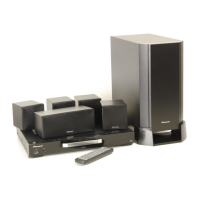
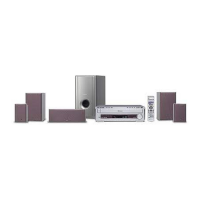
Pioneer XV-HTD330 - User Manual

Pioneer XV-HTD330
92 pages
Print Icon
To Next Page IconTo Next Page
Loading...
00
1
En
DVD/CD Receiver
XV-HTD330
Speaker System
S-HTD330
Operating Instructions
XV-HDT330_new.book 1 ページ 2003年1月16日 木曜日 午後4時12分

Table of Contents

Other manuals for Pioneer XV-HTD330

Questions and Answers

  • C
    Christine LittleJul 31, 2025
    Why does my Pioneer Receiver turn off immediately after I turn it on?
    • M
      marypattersonJul 31, 2025
      If your Pioneer Receiver shuts off soon after being turned on, and the Function is DVD, the voltage at Pin 17 of the VDET terminal of the microcomputer may be the issue. If the voltage is either 0.5 Vdd or less, or 0.85 Vdd or more, adjust it to stay between 0.5 and 0.85 Vdd.
  • J
    Jennifer RoseAug 7, 2025
    How to troubleshoot a Pioneer Receiver that will not turn on?
    • C
      Cynthia FrazierAug 7, 2025
      If your Pioneer Receiver cannot be turned on, there could be several reasons: * The microcomputer may not have been reset. Check if the level of the terminal XRESET (Pin 8) is 'H.' If not, check the RESET circuit. * The AC pulse may not be input. Check if the AC pulse is input to Pin 4 of the AC input terminal. If not, check the AC pulse generation circuit. * The oscillation circuit of the microcomputer may not be functioning. The microcomputer or the oscillation circuit might be broken. Consider changing the microcomputer or the oscillation circuit.
  • A
    Alicia LinAug 14, 2025
    What to do if DVD does not operate on Pioneer Receiver?
    • D
      Daniel CraneAug 14, 2025
      If the DVD does not operate at all on your Pioneer Receiver, it could be due to a communication issue with the DVD microcomputer. Check that the terminal (Pins 23-25, 29, and 30) for communication with the DVD microcomputer is live. If it is not, check if the flexible cable is disconnected. Also, check if an 'H' signal is output to Pin 93 of the XDVDRST terminal.
  • J
    James WagnerAug 22, 2025
    What to do if all operation keys are disabled on my Pioneer Receiver?
    • B
      Brianna GutierrezAug 22, 2025
      If all operation keys on your Pioneer Receiver are disabled, and no key is actually pressed, the unit might mistakenly recognize a key as being pressed. Check the voltage at Pins 18 and 19 of the KEY input terminal. If the voltage is not 5 V, the operation switch on the line might be faulty.

Summary

01 Before you start

Whats in the box

Lists all included accessories and components.

02 Connecting up

Connecting the speakers

Guides on how to connect speaker cables to the system and speakers.

Connecting to your TV

Instructions for connecting the system to a television for video output.

Connecting the power

Steps to connect the system to a power outlet.

03 Controls and displays

Front panel

Identifies and explains buttons and indicators on the system's front panel.

Remote control

Details all buttons and functions of the remote control for system operation.

04 Getting started

Switching on and setting up

Guide for initial system power-on and basic setup procedures.

Playing discs

Basic controls for inserting and playing DVD, CD, and other disc types.

05 Home theater sound

Listening in surround sound

How to select and enjoy various surround sound listening modes.

06 Playing audio and video discs

08 Using the timer

Setting the wake-up timer

Configures the system to turn on and play a specific source at a set time.

09 Surround sound setup

Setting up surround sound

Basic configuration for surround sound using Room Setup feature.

Setting the channel levels

Adjusts individual speaker volume levels for optimal surround experience.

11 Initial Settings menu

Video Output settings

Configures TV screen aspect ratio and output signal type.

12 Additional information

Troubleshooting

Provides solutions for common problems and malfunctions.

Pioneer XV-HTD330 Specifications

General IconGeneral
Audio Channels5.1
Total Power Output600 W
Frequency Response20 Hz - 20 kHz
HDMI Inputs3
Component Video Inputs1
Optical Inputs1
Coaxial Inputs1
Weight3.5 kg
TypeHome Theater System
DVD playerYes
Subwoofer Power100 W
Surround Sound FormatsDolby Digital, DTS
HDMI Output1
Component Video Output1
Composite Video Output1
Radio TunerFM
USB PortYes
BluetoothNo
Playback FormatsDVD, CD, MP3

Related product manuals