EasyManua.ls Logo

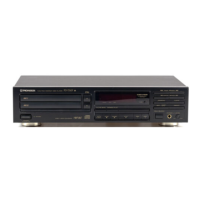
Pioneer PD-TM3 - SINGLE-DISC MAGAZINE OPERATION; Loading Disc into Single Magazine; Removing Disc from Single Magazine

Pioneer PD-TM3
24 pages
Print Icon
To Next Page IconTo Next Page
To Previous Page IconTo Previous Page
Loading...
BEFORE
OPERATING
THE
PLAYER
Disc
tray
Bottom
panel
of
the
single-disc
magazine
LOADING
A
DISC
INTO
THE
SINGLE-DISC
MAGAZINE
(for
multi-voitage
and
Australian
models
only)
1
Insert
the
single-disc
magazine
without
a
disc,
pushing
it
in
until
a
click
sound
is
heard.
2
Press
EJECT.
3
Place
a
disc
with
the
label
side
down
and
push
in
the
disc
tray
until
a
click
sound
is
heard.
TO
REMOVE
THE
DISC
FROM
THE
SINGLE-DISC
MAGAZINE
4.
After
ejecting
the
disc
tray,
remove
the
disc
and
put
it
into
its
case.
2.
Remove
the
magazine
by
pulling
the
disc tray
toward
you
and
push
the
disc
tray
into
the
magazine.
If
a
disc
is
still
in
magazine.
Press
the
hook
on
the
bottom
panel
of
the
single-disc
magazine.
The
disc
tray
will
come
out.
Be
careful
not
to
drop
the
disc
when
the
disc
tray
comes
out.
NOTE:
Explanations
are
given
for
operations
when
using
the
6-disc
magazine,
but
the
operations
are
the
same
when
using
the
single-
disc
magazine.
The
only
difference
is
that
the
DISC
number
buttons
and
Dise
Hi-Lite
scan
functions
cannot
be
used.
9
«<PRB1188>
En

Related product manuals