EasyManua.ls Logo

Pioneer PL-470 - User Manual

Pioneer PL-470
12 pages
Print Icon
To Next Page IconTo Next Page
Loading...
Operating
:
STEREO
TURNTABLE
PL-470
Instructions
Thank
you
for
buying
this
Pioneer
product.
Please
read
through
these
operating
instructions
so
you
will
know
how
to
operate
your
model
properly.
After
you
have
finished
reading
the
instructions,
put
them away
in
a
safe
place
for
future
reference.
In
some
countries
of
regions,
the
shape
of
the
power
plug
and
power
outlet
may
sometimes
differ
from
that
shown
in
the
explanatory
drawings.
However,
the
method
of
connecting
and
operating
the
unit
is
the
same.
LINE
VOLTAGE
SELECTOR
SWITCH
Only
multi-voltage
models
are
provided
with
this
switch.
U.S.,
Canadian,
European,
U.K.,
and
Australian
models
are
not
provided
with
this
switch.
The
line
voltage
selector
switch
is
located
on
the
top
of
the
cabinet
of
this
turntable.
Before
your
turntable
is
shipped
from
the
factory,
the
switch
is
set
to
the
power
requirements
of
the
turntable’s
destination.
Check
that
it
is
set
properly
before
WARNING:
to
prevent
Fine
OR
SHOCK
HAZARD.
DO
NOT
EXPOSE
THIS
APPLIANCE
TO
RAIN
OR
MOISTURE.
IMPORTANT
NOTICE
[For
U.S.
and
Canadian
models]
The
serial
number
for
this
equipment
is
located
on
the
rear
panel.
Please
write
this
serial
number
on
your
enclosed
war-
ranty
card
and
keep
in
a
secure
area.
This
is
for
your
security.
“This
product
is
manufactured
to
comply
with
the
radio
in-
terference
requirements
of
EEC
Directive
76/889/EEC
and
82/499/
EEC.”
plugging
the
power
cord
into
the
outlet.
If
the
voltage
is
not
properly
set
or
if
you
move
to
an
area
where
the
voltage
re-
quirements
differ,
adjust
the
selector
switch
as
follows:
@
Use
a
medium-sized
screwdriver,
Insert
the
tip
of
the
screwdriver
into
the
groove
of
the
selector
switch
and
turn
it
so
that
the
power
voitage
marking
of
your
area
points
to
the
arrow.
YQ
PIONEER’
Question and Answer IconNeed help?

Do you have a question about the Pioneer PL-470 and is the answer not in the manual?

Summary

Operating Instructions Overview

Important Product Information

Includes thank you note, reading instructions, and plug/outlet variations.

Safety and Voltage Warnings

Critical warnings about moisture, shock hazards, and setting the line voltage selector.

Safety Instructions

General Safety Precautions

Guidelines for operation, location, ventilation, heat, power, cord protection, polarization, and cleaning.

Specific Electrical Safety

Precautions regarding power lines, outdoor antenna grounding, and electrical shock.

Features and Handling Cautions

Product Features Overview

Details on auto-return, DC servo motor, S/N ratio, flutter, and cartridge replacement ease.

Environmental and Installation Cautions

Advice on installation location, temperature, humidity, and proximity to other equipment.

Record Maintenance and Care

Recommendations for record cleaning and avoiding static electricity.

Pre-Operation and Maintenance

Stylus and Cartridge Maintenance

Instructions for replacing the stylus and cartridge, emphasizing genuine parts.

Accessory Check

Instruction to confirm all supplied accessories are present before operating the turntable.

Turntable Assembly

Assembling the Unit

Step-by-step guide for removing clampers, installing platter and mat, and securing the tone arm/stylus.

Connecting the Turntable

Audio and Power Connections

Detailed instructions for connecting the ground lead, output cords, and power cord to an amplifier.

Parts and Controls Identification

Turntable Component Labels

Identification and brief use of parts like EP adaptor, dust cover, platter, and tone arm.

Main Control Switches

Explanation of the SPEED Selector, STOP switch, and ARM ELEVATION switch functions.

Playing Records

Record Playback Procedure

Step-by-step guide to playing a record, including setting speed and tone arm placement.

Stopping and Auto-Return

How to stop playback, including automatic tone arm return after the last track.

Advanced Operation and Maintenance

Interrupting and Resuming Play

Instructions for temporarily lifting and lowering the tone arm to pause and resume playback.

Stylus Care and Replacement

Procedures for cleaning the stylus with a brush or cleaner, and replacing the stylus holder.

Troubleshooting Guide

Common Playback Issues

Solutions for platter not rotating, no sound, noise, scratch sounds, and distorted audio.

Record Surface and Stylus Problems

Remedies for sound jumps, distortion due to warped records, and dirty styluses.

Advanced Troubleshooting

Hum Noise and Tempo Anomalies

Troubleshooting hum noise from speakers and abnormal sound tempo issues like speed variations.

Technical Specifications

Motor, Tone Arm, and Cartridge Specs

Details on motor type, drive system, platter, tone arm, supplied cartridge, output, and stylus pressure.

Power, Dimensions, and Accessories

Specifications for power supply, consumption, external dimensions, net weight, and supplied accessories.

Summary

Operating Instructions Overview

Important Product Information

Includes thank you note, reading instructions, and plug/outlet variations.

Safety and Voltage Warnings

Critical warnings about moisture, shock hazards, and setting the line voltage selector.

Safety Instructions

General Safety Precautions

Guidelines for operation, location, ventilation, heat, power, cord protection, polarization, and cleaning.

Specific Electrical Safety

Precautions regarding power lines, outdoor antenna grounding, and electrical shock.

Features and Handling Cautions

Product Features Overview

Details on auto-return, DC servo motor, S/N ratio, flutter, and cartridge replacement ease.

Environmental and Installation Cautions

Advice on installation location, temperature, humidity, and proximity to other equipment.

Record Maintenance and Care

Recommendations for record cleaning and avoiding static electricity.

Pre-Operation and Maintenance

Stylus and Cartridge Maintenance

Instructions for replacing the stylus and cartridge, emphasizing genuine parts.

Accessory Check

Instruction to confirm all supplied accessories are present before operating the turntable.

Turntable Assembly

Assembling the Unit

Step-by-step guide for removing clampers, installing platter and mat, and securing the tone arm/stylus.

Connecting the Turntable

Audio and Power Connections

Detailed instructions for connecting the ground lead, output cords, and power cord to an amplifier.

Parts and Controls Identification

Turntable Component Labels

Identification and brief use of parts like EP adaptor, dust cover, platter, and tone arm.

Main Control Switches

Explanation of the SPEED Selector, STOP switch, and ARM ELEVATION switch functions.

Playing Records

Record Playback Procedure

Step-by-step guide to playing a record, including setting speed and tone arm placement.

Stopping and Auto-Return

How to stop playback, including automatic tone arm return after the last track.

Advanced Operation and Maintenance

Interrupting and Resuming Play

Instructions for temporarily lifting and lowering the tone arm to pause and resume playback.

Stylus Care and Replacement

Procedures for cleaning the stylus with a brush or cleaner, and replacing the stylus holder.

Troubleshooting Guide

Common Playback Issues

Solutions for platter not rotating, no sound, noise, scratch sounds, and distorted audio.

Record Surface and Stylus Problems

Remedies for sound jumps, distortion due to warped records, and dirty styluses.

Advanced Troubleshooting

Hum Noise and Tempo Anomalies

Troubleshooting hum noise from speakers and abnormal sound tempo issues like speed variations.

Technical Specifications

Motor, Tone Arm, and Cartridge Specs

Details on motor type, drive system, platter, tone arm, supplied cartridge, output, and stylus pressure.

Power, Dimensions, and Accessories

Specifications for power supply, consumption, external dimensions, net weight, and supplied accessories.

Overview

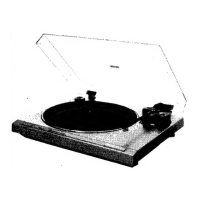
The Pioneer PL-470 is a stereo turntable designed for playing records. It features an auto-return mechanism, providing convenience and protecting your records and stylus. The turntable is equipped with a high-performance DC servo motor and an SH rotor, contributing to its excellent audio specifications.

Function Description:

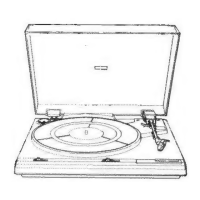
The PL-470 is a belt-drive turntable that supports two speeds: 33-1/3 rpm and 45 rpm, allowing it to play both LPs and singles. It comes with an integrated straight pipe tone arm and a PC-295T MM type cartridge. The turntable offers auto-return and auto-cut functions, meaning the tone arm will automatically return to its rest position and the platter will stop rotating after the last track has been played. It also includes an arm elevation feature for manual play, temporarily stopping playback, or changing tracks.
Important Technical Specifications:

  • Motor Type: DC servo motor
  • Drive System: Belt drive system
  • Speeds: 33-1/3 rpm, 45 rpm
  • Wow and Flutter: 0.05% WRMS, ±0.07% WTD Peak (DIN)
  • S/N Ratio: 68 dB (DIN-B)
  • Platter: Diameter 304 mm, aluminium die-cast
  • Cartridge (PC-295T):
    • Type: MM type
    • Replacement Stylus: PN-295T
    • Stylus: 0.6 mil diamond
    • Output Voltage: 2.5 mV (1 kHz, 5 cm/s LAT Peak)
    • Suitable Stylus Pressure: 1 - 1.5 g (optimum value 1.25 g)
    • Frequency Response: 10 Hz - 30,000 Hz
    • Load Resistance: 50 kΩ
    • Weight: 6 g
  • Power Requirements:
    • European, U.K., Australian models: AC 220 V - 240 V, 50/60 Hz
    • U.S., Canadian models: AC 120 V, 60 Hz
    • Other destination models: AC 110 V - 120 V/220 V - 240 V (switchable), 50/60 Hz
  • Power Consumption: 2 W (for all models)
  • External Dimensions (W x H x D): 420 x 99 x 374 mm (16-1/2 x 3-1/8 x 14-3/4 in)
  • Net Weight: 3.9 kg (8 lb 10 oz)

Usage Features:

  • Easy Setup: The manual provides clear instructions for assembling the unit, including installing the platter, platter mat, and removing protective elements like clampers, plastic bands, and stylus covers.
  • Record Playback:
    1. Set the stereo amplifier for playing a record.
    2. Open the dust cover.
    3. Place a record on the platter.
    4. Set the SPEED selector switch to the appropriate speed (45 or 33 rpm).
    5. Elevate the tone arm using the ARM ELEVATION switch (UP position).
    6. Manually move the tone arm over the desired record track.
    7. Lower the tone arm using the ARM ELEVATION switch (DOWN position).
    8. Adjust the volume and tone controls on the stereo amplifier.
  • Stopping Playback: Pressing the STOP switch initiates the auto-return function, causing the tone arm to return automatically and the platter to stop rotating after a few seconds.
  • Temporary Interruption: The ARM ELEVATION switch can be used to temporarily lift the stylus off the record (UP position) while the platter continues to rotate, allowing for pauses in playback. Setting it back to DOWN resumes play.
  • EP Adaptor: An EP adaptor is supplied for playing records with a doughnut hole (singles). It is placed over the platter spindle.
  • Connections: The turntable connects to an amplifier via output cords (white for left channel, red for right channel) and a ground lead. It is crucial to connect to the amplifier's PHONO MM terminals. The power cord can be plugged into an auxiliary power outlet on the amplifier or a household wall outlet.
  • Line Voltage Selector Switch: Multi-voltage models (excluding U.S., Canadian, European, U.K., and Australian models) have a line voltage selector switch on top of the cabinet. This switch should be set to match the local power requirements using a medium-sized screwdriver.

Maintenance Features:

  • Stylus Replacement:
    • The stylus life is approximately 800 to 1,000 hours.
    • Only the Pioneer PN-295T replacement stylus, marked with the PIONEER logo, should be used to ensure proper performance and avoid damage to records.
    • To replace, grip the stylus holder and pull it in the direction of the arrow to remove, then install the new stylus holder into the cartridge. This should be done with the amplifier volume set to minimum.
  • Stylus Care:
    • Use a soft brush to remove dust and lint from the stylus point by moving the brush in a forward direction. Avoid using fingers to prevent damage.
    • For stubborn dirt, use a commercially available stylus cleaner, being careful to avoid plastic parts or the stylus damper, as cleaning fluid can cause damage.
  • Record Care: Use good quality damp type cleaners and anti-static sprays to effectively remove dust and prevent static electricity buildup, which can cause noise.
  • Cleaning the Unit: The appliance should be cleaned only with a polishing cloth or a soft dry cloth. Avoid furniture wax, benzine, insecticides, or other volatile liquids, as they may corrode the cabinet.
  • Troubleshooting Guide: The manual includes a comprehensive troubleshooting section to help users identify and resolve common issues such as the platter not rotating, no sound, noise, sound jumps, distorted sound, abnormal sound tempo, and hum noise. This guide suggests probable causes and remedies, from checking connections and power to cleaning records and replacing the stylus.

Pioneer PL-470 Specifications

General IconGeneral
BrandPioneer
ModelPL-470
CategoryTurntable
LanguageEnglish

Related product manuals