EasyManua.ls Logo

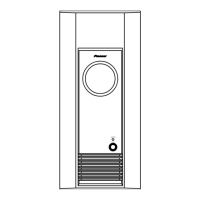
Pioneer S-W110S-QL - User Manual

Pioneer S-W110S-QL
15 pages
Print Icon
To Next Page IconTo Next Page
Loading...
MARQUE: PIONEER
REFERENCE: SW 110S-K NOIR
CODIC: 1689525

Other manuals for Pioneer S-W110S-QL

Questions and Answers

  • A
    Amanda CollierAug 1, 2025
    What to do if my Pioneer Subwoofer has no sound but the indicator is lit?
    • W
      williamsdavidAug 1, 2025
      If your Pioneer Subwoofer indicator is lit but there's no sound, the speaker or accessory RCA plug cord might be incorrectly connected or disconnected. Double-check the connections and ensure they are correctly connected. Also, the LEVEL knob might be set to MIN. Try turning it clockwise slowly to increase the level.
  • S
    Stacey WellsAug 6, 2025
    What to do if Pioneer Subwoofer sound is weak?
    • K
      Kimberly AndersonAug 6, 2025
      If the sound from your Pioneer Subwoofer is weak even with the LEVEL knob turned up, the polarity of the speaker cords (from the amplifier or receiver to this unit) might be reversed. Confirm the polarity of the wires and connect them correctly.
  • R
    Ryan MyersAug 11, 2025
    Why is my Pioneer Subwoofer sound distorted?
    • J
      Jerry BatesAug 11, 2025
      If the sound from your Pioneer Subwoofer is distorted, it could be due to the level being too high. Try turning the LEVEL knob counter-clockwise to lower the level. Alternatively, the input level might be too high; in that case, turn the amplifier’s output level (volume, bass control, bass boost) counter-clockwise to lower it.
  • B
    Brian WoodAug 17, 2025
    How to stop howling noise from Pioneer Subwoofer?
    • S
      Scott JohnsonAug 17, 2025
      If you're experiencing howling noise with your Pioneer Subwoofer, ensure that the power supply to the amplifier is on and the speaker switch is turned on. Also, the subwoofer level might be set too high. Try placing the subwoofer a good distance from the speakers and turn the LEVEL knob counter-clockwise to lower the volume.
  • J
    Joel KelleyAug 21, 2025
    Why Pioneer Subwoofer indicator does not light up?
    • P
      Paul EdwardsAug 21, 2025
      If your Pioneer Subwoofer's indicator doesn't light up when you turn on the power switch, it's likely that the power supply plug is not correctly inserted. Make sure to insert the plug securely.
  • L
    lauren88Aug 27, 2025
    Why is there so much noise when listening to AM/FM with my Pioneer Subwoofer?
    • A
      Angela CrawfordAug 27, 2025
      If you experience a lot of noise when listening to AM or FM broadcasts with your Pioneer Subwoofer, the AM loop antenna or the FM indoor antenna might be too close to the unit. Increase the distance between the AM or FM antenna (for indoor use) and the subwoofer.

Summary

Safety and Important Information

General Safety Warnings

Covers warnings about water, fire hazards, and general operational risks.

Electrical Safety Precautions

Details risks of electric shock, warnings against opening the unit, and proper installation.

Product Overview and Features

Installation Precautions and Maintenance

Installation Environment Precautions

Guidelines for ventilation, temperature, humidity, dust, and avoiding heavy objects.

Front Panel Description

Volume and Tone Controls

Explanation of the Level, Turnover, and Phase control knobs.

Rear Panel Connections

Connecting the Subwoofer

Power Cord Safety

Important precautions for handling and securing the power cord.

Operating the Subwoofer

Adjusting Bass and Volume

How to use the LEVEL, TURNOVER, and PHASE controls for optimal sound.

Troubleshooting Guide

Common Issues and Solutions

A table listing symptoms, causes, and remedies for common operational problems.

Pioneer S-W110S-QL Specifications

General IconGeneral
BrandPioneer
ModelS-W110S-QL
CategorySpeaker System
LanguageEnglish

Related product manuals