1
www.pioneerelectronics.com
IMPORTANT:
• The serial number for this equipment is located on the side
of the packing case. Please write this serial number on the
warranty page and keep it in a secure area for future
reference.
BEFORE USE
• Thank you for buying this Pioneer product.
• Please read through this operating guide before using your
speaker system to optimize performance.
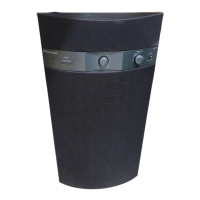
FRONT / CENTER / SURROUND SPEAKERS
In order to prevent damage to the speaker system resulting
from input overload, please observe the following precautions:
• When connecting or disconnecting cables, be sure amplifier
power is OFF.
• Do not use excessive amplifier volume if using a tone control
to emphasize high or low frequencies.
INSTALLATION PRECAUTIONS
FRONT / CENTER / SURROUND SPEAKERS
• Do not install these units near a stove or other heating
appliance, or put them in a place exposed to the sun. Such
locations may cause the cabinet to change color and the
speaker system to break down.
• The front, center and surround speakers supplied with this
system are magnetically shielded. However, placing them
extremely close to a television may result in color distortion on
the screen. If this happens, move the speakers a little further
away and switch off the television for 15 to 30 minutes.
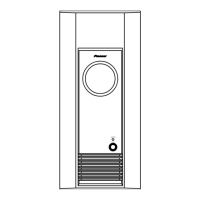
SUBWOOFER
• Do not place anything on top of the cabinet.
• Do not spill liquid on the cabinet.
• Place the subwoofer at least 8 inches from any wall or
curtain in order to avoid heat build-up.
• The subwoofer is not magnetically shielded and so should
not be placed near a TV or monitor. Magnetic storage media
(such as floppy discs and tape or video cassettes) should
also not be kept close to the subwoofer.
S-FCR4700
OPERATING GUIDE
S-FCR3700
S-W3700
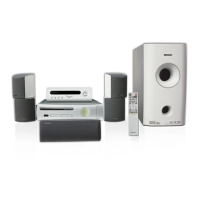
SPEAKER SYSTEM
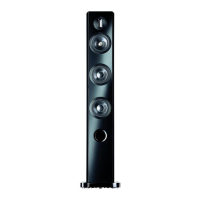
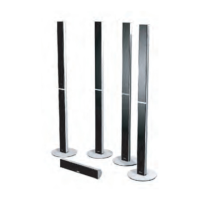
• Speaker stand bases
x 4 (S-FCR4700)
x 2 (S-FCR3700)
• Screws (for bases) • Screws
(for Spealer stand)
• Speaker stands
x 12 (S-FCR4700)
x 2 (S-FCR3700)
x 2 (S-FCR3700)
x 6 (S-FCR3700)
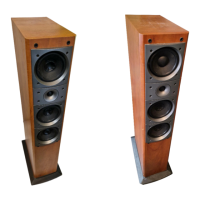
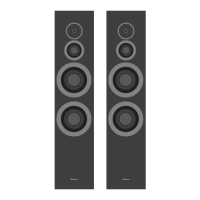
• Front speakers x 2
• Non-skid pads (Large) • Non-skid pads (Small)
x 4
(For subwoofer)
x 8 (S-FCR3700)
(For speaker stand bases)
x 16 (S-FCR4700)
(For speaker stand bases)
x 4 (S-FCR4700)
(For center speaker)
x 12 (S-FCR3700)
(For center and
surround speakers)
• Surround speakers x 2
(S-FCR3700)
• Center speaker• Surround speakers x 2
(S-FCR4700)
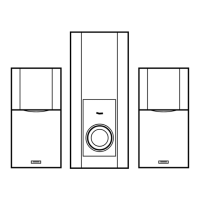
• Subwoofer
• Speaker cords x 6
Front left (White) Front right (Red) Surround left (Blue) Surround right (Grey) Center (Green) Subwoofer (Purple)
• Operating guide
WHAT’S IN THE BOX



 To Next Page

 General