Pioneer Electronics (USA) Inc.
Customer Relationship Management
Service Engineering Department
Rev. 1-203-086-703-093
A/V Receiver Models SC-55 and SC-57 Firmware Ver.: 1-203-086-703-093
Update Instructions Using a USB Storage Device
Use this procedure to update the A/V receiver’s firmware using a USB storage device. If you have any difficulty carrying out
these instructions, please call Pioneer’s Customer Support Center toll free in the USA at 1-800-421-1404 for assistances.
1)
Required Items:
a)
USB Storage device formatted FAT 16 or 32 and no files or folders stored on the device.
b) The latest Firmware Update file that can be downloaded from Pioneer’s website at:
http://www.pioneerelectronics.com/PUSA/Home/AV-Receivers.
Select your model class Pioneer or Elite.
Select the “Products” tab near the top of the page.
Select the
at the bottom of the section.
Page down to find your model number and select “Firmware Updates”.
Download the file by selecting the Firmware Update
text and save the file AVR_1_203086703093.zip to a folder on
your PC.
CAUTION:
CONFIRM THE FIRMWARE FILES AND APPROPRIATE PROCEDURE ARE FOR THE MODEL
YOU ARE UPDATING. USING THE INCORRECT FILES MAY RENDER THE UNIT INOPERABLE AND
REQUIRE REPAIR.
DO NOT
TURN OFF OR DISCONNECT THE POWER CORD FROM THE A/V RECEIVER DURING THE
UPDATE PROCESS!
DO NOT
DISCONNECT THE USB STORAGE DEVICE DURING THE UPDATE PROCESS!
Note:
The setting for the Network (including account information), Favorite, Preset and Recently Played may reset to the
factory default after the update. Write down these settings before the update as they may need to be set up again.
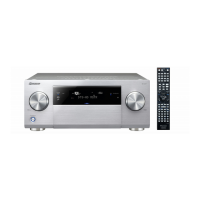
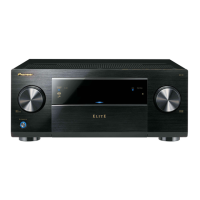
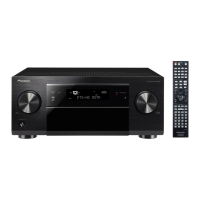
The buttons, knobs, and connector mentioned in the following procedures are located on the Receiver’s Front Panel
or the Remote Control as shown in Figure 1.
Figure 1 (SC-55)

 Need help?

 To Next Page
 General