
 Need help?
Do you have a question about the Pioneer VSX-72TXV-S and is the answer not in the manual?
Notice about the serial number for security purposes.
Information on how alterations may invalidate user rights.
Caution regarding the use of shielded cables to prevent interference.
Safety instructions for proper grounding and plug usage.
Warnings against inserting objects or spilling liquids into the unit.
Instructions to refer all servicing to qualified personnel to prevent hazards.
List of included accessories.
Guidelines for ensuring proper unit airflow for heat dissipation.
Recommendations for placement and avoiding unsuitable locations.
Instructions for inserting batteries into the remote control.
Explanation of home theater and surround sound concepts.
Basic steps for setting up and enjoying surround sound.
Guide to using Auto MCACC for acoustic calibration.
Overview of the receiver's rear panel connection terminals.
Details on connecting HDMI devices for audio and video.
Connecting an IR receiver for multi-room control.
Connecting components for automatic power switching.
Connecting monitors and TVs using composite or S-video.
Connecting various audio/visual sources like DVD players or VCRs.
Connecting using component video for superior picture quality.
Connecting digital audio components for playback and recording.
Connecting set-top boxes for audio and video signals.
Connecting analog or digital video devices like recorders and VCRs.
Connecting components using component video for superior picture quality.
Connecting digital audio components for playback and digital recording.
Information on the WMA9 Pro decoder and its playback capabilities.
Connecting analog audio sources like tape decks and turntables.
Using front panel inputs for portable equipment like camcorders.
Guide to connecting speakers and a subwoofer.
Instructions on correctly connecting speaker wires to terminals.
Procedures for preparing and connecting bare speaker wires.
Guidelines for optimal speaker placement for surround sound.
Speaker placement guidelines for THX certified systems.
Connecting AM and FM antennas for radio reception.
Instructions for assembling and connecting the AM loop antenna.
Instructions for connecting the FM wire antenna.
Improving FM reception with external antennas.
Final steps for connecting the receiver and plugging it into power.
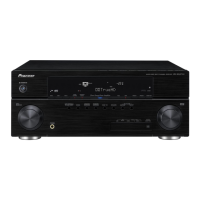
Overview of the receiver's front panel controls and indicators.
Function of the dial for selecting input sources.
Button to switch the receiver between on and standby.
Button to switch phase correction and check MCACC presets.
Explanation of indicators and information on the receiver's display.
Indicators showing the currently selected input signal.
Indicators reflecting active channels in digital sources.
Indicators showing detected signal formats.
Detailed breakdown of the remote control's buttons and functions.
Buttons used to select and control other components.
Number buttons and general controls for receiver and component operation.
Buttons for tuner operation and system setup access.
Automatic detection and selection of playback modes.
Guide to enjoying surround sound based on speaker setup.
Basic modes for surround sound on stereo and multichannel sources.
Utilizing THX standards for cinema-like audio.
Applying advanced surround effects for varied listening experiences.
Listening through front speakers with downmixed multichannel sources.
Bypassing processing for purest sound reproduction.
Switching between stored acoustic calibration settings.
Selecting the appropriate input signal type for a component.
Tuning FM/AM radio broadcasts using automatic and manual methods.
Entering specific station frequencies directly using number buttons.
Adjusting settings for better FM stereo sound quality in weak signals.
Storing radio station frequencies for easy recall.
Assigning custom names to saved radio presets.
Recalling previously saved radio station presets.
Overview of making detailed receiver settings via the System Setup menu.
Advanced MCACC setup options for detailed acoustic calibration.
Options for configuring surround back speaker channels.
Viewing calibrated settings for MCACC presets.
Making detailed manual adjustments to speaker settings and EQ.
Adjusting the overall balance of speaker system levels.
Setting precise speaker delay for effective surround sound.
Controlling overly resonant low frequencies in the listening room.
Adjusting room equalizer settings for speaker balance and tone.
Advanced EQ calibration using direct sound and graphical output.
Managing MCACC presets by checking, copying, renaming, and clearing.
Checking the settings for any of your MCACC presets.
Copying settings from one MCACC preset to another.
Renaming MCACC presets for easier identification.
Removing unwanted MCACC presets from memory.
Making detailed manual settings for speaker size, level, distance, and equalization.
Specifying speaker configuration, size, number, and crossover frequency.
Adjusting the overall balance of speaker system levels.
Setting speaker distance for proper sound depth and separation.
Preventing bass distortion by setting a bass limiter.
Adjusting tonal balance for movie soundtracks.
Setting THX audio parameters for optimal THX mode results.
Connecting and controlling an iPod using the receiver's interface.
Physical connection steps for an iPod to the receiver.
Navigating and playing music stored on an iPod through the receiver.
Browsing iPod music by playlist, artist, album, song, genre, or composer.
Information about the XM satellite radio service and its features.
Steps for connecting an XM Radio receiver and antenna.
Selecting channels, browsing genres, and saving XM Radio presets.
Memorizing XM radio channels for easy recall.
Accessing additional XM Radio features like memory recall.
Connecting HDMI-equipped components for high-definition digital video and audio.
Explanation of HDMI technology and its capabilities.
Connecting i.LINK components for high-speed digital audio and data transfer.
Information about the i.LINK interface, its capabilities, and trademarks.
Guidelines for chaining multiple i.LINK components.
Connecting DVD players with multichannel analog outputs.
Activating analog multichannel inputs for surround sound.
Connecting a computer to the receiver for audio playback via USB.
Setting up a second zone of speakers for independent stereo playback.
Connecting speakers to separate amplifiers for improved crossover performance.
Connecting speakers using two cords for potentially better sound quality.
Adding external amplifiers to expand the system's audio capabilities.
Setting up independent audio systems in multiple rooms.
Available input sources for sub rooms (ZONE 2 and ZONE 3).
Connecting a basic multi-room setup for Zone 2.
Options for setting up primary (Zone 2) and secondary (Zone 3) sub rooms.
Connecting a digital output for Zone 3 audio playback in a second sub room.
Adjusting sub room volume and selecting sources using front panel controls.
Using an optional IR receiver for controlling systems in closed cabinets.
Connecting components for automatic on/off switching with the receiver.
Connecting a Pioneer plasma display for enhanced features.
Utilizing SR+ mode features for easier operation with Pioneer plasma displays.
Connecting a PC to the receiver for graphical output of MCACC results.
Analyzing MCACC results using PC software.
Assigning input functions to specific terminals based on connected components.
Table of default assignments and possible connections for input terminals.
Accessing customized settings for multi-room, SR+, OSD, and i.LINK checks.
Specifying volume settings and IR receiver type for multi-room configurations.
Configuring SR+ features for Pioneer plasma displays.
Adjusting the position of the on-screen display for better visibility.
Adjusting sound and picture settings like Center Image, Dynamic Range, and HDMI.
Recording audio or video from connected sources or the built-in tuner.
Listening to a different source while a recording is in progress.
Using the input attenuator to lower strong analog signal levels.
Selecting different video and audio sources simultaneously.
Setting a timer to automatically switch the receiver to standby.
Adjusting the brightness level of the front panel display.
Setting speaker impedance to match 6-ohm or 8-ohm speakers.
Displaying current settings for surround back processing and MCACC presets.
Restoring all receiver settings to factory defaults.
Table of default settings for various receiver parameters.
Assigning input source buttons to control other components using preset codes.
Directly selecting preset codes for controlling components with the remote.
Teaching the remote individual commands from another remote control.
Removing a programmed button setting and restoring the default.
Erasing all programmed remote control settings and preset codes.
Checking which preset code is assigned to an input source button.
Customizing the names displayed on the remote LCD for input sources.
Controlling one component while playing another, or disabling this feature.
Programming sequences of commands for multiple components or system shutdown.
Starting programmed multi-operation sequences.
Executing programmed System Off sequences to shut down components.
Using the remote control to operate assigned TV components.
Using the remote control to operate various other components.
Linking Pioneer components to use a single remote sensor for control.
Guidance for resolving common operational problems and malfunctions.
Troubleshooting steps related to power issues and automatic shutoffs.
Troubleshooting steps for issues related to no sound output from speakers.
Solutions for common audio issues like radio noise, downmixing, and scanning noise.
Troubleshooting steps when audio recording fails.
Addressing issues with low subwoofer output levels.
Troubleshooting steps for problems related to video output and recording.
Troubleshooting common issues with MCACC setup and speaker distance adjustments.
Troubleshooting issues related to the receiver's display being dark or indicators not lighting.
Troubleshooting common problems with the remote control's operation.
Troubleshooting issues related to the i.LINK interface, including sound and connectivity problems.
Explanation of various messages displayed when using the i.LINK interface.
Troubleshooting steps for issues with USB audio playback.
Troubleshooting common problems with HDMI connections, including picture and sound issues.
Explanations for common error messages related to iPod connectivity.
Troubleshooting common issues with XM radio reception and operation.
Descriptions of various surround sound formats like Dolby Digital, DTS, and Pro Logic.
Explanation of THX technologies including Cinema processing, Re-Equalization, Timbre Matching, and Adaptive Decorrelation.
Information about THX Select2 certification and its features.
Details on THX Surround EX technology for enhanced surround sound.
Charts showing available listening modes based on input signal and SBch processing.
Tables detailing listening modes for multichannel signal formats based on SBch processing.
Charts showing audio output based on input signal and Stream Direct mode selection.
Technical specifications for the receiver's amplifier section.
Technical specifications for the receiver's audio input and output sections.
Technical specifications for composite and S-video connections.
Technical specifications for component video connections.
Pioneer's commitment to delivering high-quality home theater listening experiences.
Overview of key receiver features like Advanced MCACC and Phase Correction.
 General
| Channels | 7.1 |
|---|---|
| HDMI Outputs | 1 |
| Component Video Inputs | 3 |
| Component Video Outputs | 1 |
| Digital Audio Inputs (Optical) | 3 |
| Digital Audio Inputs (Coaxial) | 2 |
| Total Harmonic Distortion | 0.09% |
| Phono Input | Yes |
| USB Port | No |
| Ethernet Port | No |
| Wi-Fi | No |
| Bluetooth | No |
| Audio Formats Supported | Dolby Digital, DTS, DTS Neo:6, DTS 96/24 |
| Video Formats Supported | 1080p |
| Input Sensitivity | 200mV |
| Input Impedance | 47k ohms |


 To Next Page