EasyManua.ls Logo

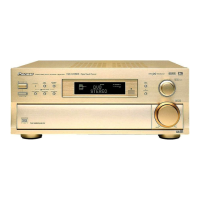
Pioneer VSX-909RDS - User Manual

Pioneer VSX-909RDS
96 pages
Print Icon
To Next Page IconTo Next Page
Loading...
Operating Instructions
AUDIO/VIDEO
MULTI-CHANNEL RECEIVER
VSX-909RDS
VSX-909RDS-G

Table of Contents

Other manuals for Pioneer VSX-909RDS

Questions and Answers

  • M
    Michele NguyenSep 3, 2025
    What to do if the Dolby Digital / DTS indicator doesn't light up even when playing a Dolby Digital / DTS source on my Pioneer VSX-909RDS Receiver?
    • R
      Ryan RamirezSep 4, 2025
      If the Dolby Digital / DTS indicator on your Pioneer Receiver doesn't light up even when playing a Dolby Digital / DTS source, ensure the source is playing and not paused or stopped. Check the audio output settings on your player, referring to its manual. Also, the current track may not be in Dolby Digital / DTS format.
  • W
    William HutchinsonSep 18, 2025
    What to do if when playing a Dolby Digital / DTS source the 5.1 Channel indicator doesn't light on my Pioneer VSX-909RDS?
    • T
      Terry LaneSep 18, 2025
      If the 5.1 Channel indicator doesn't light up when playing a Dolby Digital / DTS source on your Pioneer Receiver, the Dolby Digital / DTS source may not be 5 channels. There is no problem with the receiver, but if you want 5 channel sound, you must play a 5 channel source.
  • B
    brandy01Sep 16, 2025
    What to do if when playing an LD the SIGNAL SELECT is on 2 RF but there is still no sound from my Pioneer Receiver?
    • J
      John PhillipsSep 16, 2025
      If when playing an LD with the SIGNAL SELECT set to 2 RF there is still no sound from your Pioneer Receiver, the LD may not be a Dolby Digital compatible disc. Set the SIGNAL SELECT to analog and ensure your LD player is connected with analog connections in addition to digital and 2 RF connections.
  • W
    wgambleSep 14, 2025
    What to do if there is noise audible on the soundtrack when playing a Dolby Digital / DTS format LD on my Pioneer VSX-909RDS?
    • A
      Amanda HamiltonSep 14, 2025
      If there is noise audible on the soundtrack when playing a Dolby Digital / DTS format LD on your Pioneer Receiver, and you are using a digital source, there may be too much information for the receiver to handle. For 2/DTS sources, put the receiver in STANDARD mode. If you are using an analog source, set the SIGNAL SELECT to DIGITAL.
  • K
    Kevin CruzSep 12, 2025
    Why broadcast stations cannot be selected automatically on my Pioneer VSX-909RDS?
    • A
      Alexander RobinsonSep 12, 2025
      Broadcast stations cannot be selected automatically on your Pioneer Receiver due to weak radio signals. Connect an outdoor antenna.
  • D
    Donald GutierrezSep 12, 2025
    What to do if I can't get DIGITAL to come up when using the SIGNAL SELECT button on my Pioneer VSX-909RDS Receiver?
    • S
      sleeSep 12, 2025
      If you can't get DIGITAL to appear when using the SIGNAL SELECT button on your Pioneer Receiver, verify that the digital connections and the DIGITAL IN SELECT choices are correct. Also, ensure that the TAPE2 MONITOR mode is OFF.
  • Z
    Zachary MitchellSep 9, 2025
    What to do if my Pioneer VSX-909RDS is not playing in EX mode when using THX AUTO mode?
    • T
      Theodore AndersonSep 9, 2025
      If your Pioneer Receiver is not playing in EX mode when using THX AUTO mode, it's likely because you are not using a source with a Surround EX flag. If you want to hear 7 channel sound, use a Surround EX source.
  • K
    kimberly81Sep 7, 2025
    How to fix intermittent sound when playing DTS software on Pioneer VSX-909RDS Receiver?
    • A
      adickersonSep 7, 2025
      If the sound is output intermittently when software with DTS is played back on your Pioneer Receiver, use the STANDARD mode to get the best results.
  • G
    George PenaSep 5, 2025
    What to do if no sound is output or a noise is output when software with DTS is played back on my Pioneer Receiver?
    • B
      Bradley MeyerSep 6, 2025
      If no sound or noise occurs when playing software with DTS on your Pioneer Receiver, ensure you have digital connections and set SIGNAL SELECT to “AUTO”. Refer to the DVD player's manual to ensure it is compatible with DTS and correctly configured. Set the digital volume level of the player to full or neutral, and ensure the speakers are turned ON.
  • L
    Linda SwansonAug 20, 2025
    What to do if my Pioneer Receiver does not respond when the buttons are pressed?
    • A
      Andre BaileyAug 21, 2025
      If your Pioneer Receiver does not respond when the buttons are pressed, disconnect the power plug from the outlet, and then re-insert it.

Summary

Quick Start Guide

Hooking Up Your DVD Player & TV

Guide for connecting DVD player and TV for surround sound.

Speaker Connections

Instructions for connecting speakers and subwoofer to the receiver.

Setting up the Remote Control & Unit

Steps to set up the remote control and turn on the receiver.

Digital Input Assignment

Procedure to assign digital inputs for connected digital components.

Playing a DVD with Surround Sound

Steps to play a DVD and achieve surround sound.

For Better Surround Sound

Tips for optimizing surround sound settings and speaker setup.

Features

Multi Channel Stereophonic Concept

Details on the receiver's multi-channel stereophonic design.

Universal Player Compatibility

Information on the receiver's compatibility with audio formats.

Decoding of Next Generation Digital Source Film Formats

Explains support for THX, Dolby Digital, DTS, and MPEG formats.

Advanced Theater Modes & DSP Surround Modes

Features for enhancing movie soundtracks and music.

RDS (Radio Data System)

Explanation of the RDS system for FM radio reception.

The Energy-saving Design

Details on the receiver's low standby power consumption.

Before You Start

Checking the Supplied Accessories

List of accessories to check for upon purchase.

How to Use This Manual

Guidance on navigating and understanding the manual's structure.

Preparing the Remote Control

Instructions for loading batteries into the remote control.

Operating range of remote control unit

Information on the effective range and conditions for remote operation.

Operating other PIONEER components

How to control other Pioneer components using the receiver's remote.

Installing the Receiver

Guidance on proper installation and ventilation for the receiver.

Opening the Front Panel

Instructions on how to open the receiver's front panel.

Connecting Your Equipment

Audio Components

Instructions for connecting analog audio sources like turntables and recorders.

Cassette deck placement

Advice on positioning a cassette deck to avoid noise interference.

Digital Connections

Guide for making coaxial and optical digital audio connections.

Example Connection for a DVD;LD or LD player

Specific connection diagram for DVD/LD players.

Digital Input Assignment

Procedure to match digital inputs with connected components.

Video Components

Instructions for connecting various video sources like DVD/LD players and VCRs.

Satellite TV Components

Guide for connecting satellite TV tuners to the receiver.

TV

Instructions for connecting the TV or monitor to the receiver.

Multi Channel Input (External Decoder)

How to connect an external multi-channel decoder.

Connecting the Radio Antennas

Guide for connecting AM and FM antennas for better reception.

Speakers

Instructions for connecting various speaker configurations.

Speaker impedance

How to adjust speaker impedance settings on the receiver.

Placing Your Speakers

Tips and diagrams for optimal speaker placement for surround sound.

Connecting Additional Amplifiers

Guide for connecting external amplifiers to the receiver.

Plugging In (Except for the U.K. model)

Information on using the receiver's AC outlets for powering components.

Displays & Controls

Display

Explanation of the receiver's front panel display indicators and symbols.

Remote Control

Detailed explanation of the functions of each button on the remote control.

Front Panel

Overview of the receiver's front panel controls and their functions.

Initial Set Up

On Screen Display

Rules for ensuring the on-screen display is visible on the TV.

Switching video system between PAL and NTSC

Procedure to set the video system (PAL/NTSC) for the OSD.

Setting Up for Surround Sound

Comprehensive guide to setting up surround sound parameters.

Digital-In Select

Assigning digital inputs for connected digital components.

Speaker Setting

Specifying connected speaker types, sizes, and configurations.

Channel Delay

Setting speaker delay times based on listening position distance.

Channel Level

Balancing the sound output levels of individual speakers.

Crossover Network

Adjusting the frequency for dividing bass signals to subwoofer/speakers.

Bass Peak Level

Setting maximum output level for the LFE channel.

Dynamic Range Control

Compressing dynamic range for better low-volume surround sound.

Multi Channel In Setting

Configuring sound level settings for multi-channel external decoders.

Basic Playback

Sound Modes

Overview of available sound modes like STANDARD, THX, DSP.

STANDARD mode

Details on STANDARD, STANDARD 7.1, and STANDARD AUTO modes.

HOME THX CINEMA mode

Explanation of THX CINEMA, SURROUND EX, and AUTO modes.

ADVANCED THEATER modes

Description of four Advanced Theater settings for sound enhancement.

DSP modes

Explanation of DSP modes like HALL, JAZZ, DANCE, THEATER.

STEREO mode

How to use STEREO mode for standard stereo playback.

Selecting a Sound Mode

Procedure for selecting different sound modes using the remote.

Playing Sources with Dolby Digital, DTS or MPEG

Steps for playing back sources with advanced audio formats.

Playing Stereo Sources

Instructions for playing standard stereo audio sources.

Switching Analog and Digital Signal Input

How to select between analog, digital, and RF signal inputs.

Reducing Noise During Playback

Using DIGITAL NR to reduce extraneous noise during playback.

Listening in Midnight Mode

Feature to improve surround sound at low listening volumes.

Listening the Loudness Mode

Boosting bass and treble for music listening at low volumes.

Adjusting Bass and Treble

How to adjust bass and treble frequencies for different speakers.

MULTI CHANNEL IN Playback

Using MULTI CH IN to enjoy specialized disc formats.

96 kHz 24 bit Performance

Information on playing back high-resolution audio formats.

Direct Playback

Playing sound sources in their purest form without tone adjustments.

Adjusting the Brightness of the Display

How to adjust the receiver's fluorescent display brightness.

DUAL MONO Setting

Selecting audio channels for Dolby Digital discs with dual mono soundtracks.

Using the Tuner

Automatic and Manual Tuning

Steps for tuning FM and AM radio broadcasts using automatic/manual functions.

Direct Access Tuning

How to tune directly to a specific radio frequency.

Memorizing Frequently Used Stations

Procedure to store up to 30 radio stations in memory.

Recalling Memorized Stations

How to recall stored radio stations using the remote or front panel.

Memorizing a broadcast station name (Manual Station Name Memory)

Assigning custom names to memorized broadcast stations.

An Introduction to RDS & EON

Explanation of Radio Data System and EON information features.

Basics of EON

How EON function automatically switches to traffic or news broadcasts.

The receivers internal Program Identification function

Details on the PI function for identifying broadcast stations.

RDS (Radio Data System) Broadcast Reception

How to display RDS data like RT, PS, and PTY from broadcast stations.

Searching for a program by program type (PTY)

How to search for radio programs based on their type.

Using EON search

Activating EON search for traffic announcements or news programs.

Remote Control of Other Components

Setting Up the Remote Control to Control Other Components

Instructions for programming the remote to control other devices.

Recalling Preset Codes

How to recall and assign preset codes for component control.

Learning Commands from Other Remote Controls

Procedure for teaching the remote new commands.

DVD or LD Player Operations

Remote control operations for DVD and LD players.

VCR & DVD Recorder Operations

Remote control operations for VCRs and DVD recorders.

CD & CD-R Player Operations

Remote control operations for CD and CD-R players.

MD Operations

Remote control operations for MD recorders.

STB (satellite tuner) Operations

Remote control operations for satellite and cable TV tuners.

TV Operations

Remote control operations for controlling televisions.

Cassette Deck Operations

Remote control operations for cassette decks.

Using Other Functions

Recording from Audio Components

How to record analog or digital audio signals.

Recording from Digital Audio Components

How to make exact digital copies of digital audio sources.

Recording from Video Components

How to record audio and video from connected VCRs.

Multi Operations

Programming a single button for a sequence of commands.

Performing Multi Operations

How to use programmed Multi Operations.

System Off

Programming the receiver and components to turn off simultaneously.

Using the System Off Button

How the SYSTEM OFF feature works and its limitations.

Setting Up the Direct Function

Enabling direct control of external video sources.

Remote Back Light

Adjusting or turning off the remote control's backlight.

Resetting the Remote Control

Erasing settings stored in the remote control.

Erasing Multi Operations

Erasing programmed Multi Operation settings.

Erasing Learned Remote Control Commands

Erasing commands learned from other remote controls.

Erasing All Learned Commands and Preset Codes

Clearing all learned commands and preset codes from the remote.

Video Select

Listening to one sound source while watching a different video source.

Techno Tidbits & Problem-solving

Dolby Digital

Explanation of Dolby Digital compression format and its application.

MPEG Audio

Details on MPEG audio encoding system for high-quality sound.

DTS

Information on DTS sound recording format and its advantages.

THX

Explanation of THX technologies for accurate cinema sound reproduction.

STATION CALL button memo

Recommendation to note preset stations for easy recall.

Warning about DTS test mode

Caution against activating DTS test mode, which erases settings.

Troubleshooting

Guide to diagnosing and resolving common operational problems and malfunctions.

Specifications

Amplifier Section

Technical specifications for the receiver's amplifier section.

Audio Section

Technical specifications for audio inputs, outputs, and tone controls.

Video Section

Technical specifications for video inputs and outputs.

Component Video Section

Technical specifications for component video inputs and outputs.

FM Tuner Section

Technical specifications for the FM tuner section.

AM Tuner Section

Technical specifications for the AM tuner section.

Miscellaneous

Specifications for power requirements, dimensions, and weight.

Furnished Parts

List of parts supplied with the receiver.

Pioneer VSX-909RDS Specifications

General IconGeneral
TypeAV Receiver
Channels5.1
Impedance8 Ohms
THD0.08%
Input Sensitivity200 mV
Speaker Load Impedance6 - 16 Ohms
Video ConnectionsComposite, S-Video
Digital Inputs2 Optical, 1 Coaxial
Tuner TypeFM/AM
Power Output per Channel100 Watts (8 ohms, 1 kHz, 0.09% THD)
Video Inputs/Outputs3 x Composite In, 1 x Composite Out

Related product manuals