EasyManua.ls Logo

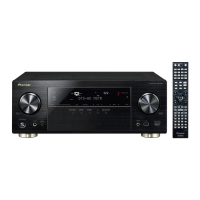
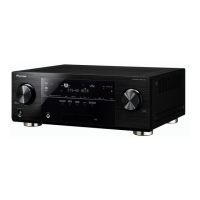
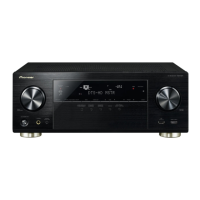
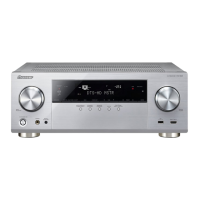
Pioneer VSX-921-K - Service Manual

Pioneer VSX-921-K
76 pages
Print Icon
To Next Page IconTo Next Page
Loading...
ORDER NO.
PIONEER CORPORATION 1-1, Shin-ogura, Saiwai-ku, Kawasaki-shi, Kanagawa 212-0031, Japan
PIONEER ELECTRONICS (USA) INC. P.O. Box 1760, Long Beach, CA 90801-1760, U.S.A.
PIONEER EUROPE NV Haven 1087, Keetberglaan 1, 9120 Melsele, Belgium
PIONEER ELECTRONICS ASIACENTRE PTE. LTD. 253 Alexandra Road, #04-01, Singapore 159936
PIONEER CORPORATION
2011
2011 Printed in Japan
VSX-821-K
RRV4167
AUDIO/VIDEO MULTI-CHANNEL RECEIVER
VSX-821-K
VSX-921-K
VSX-521-K
THIS MANUAL IS APPLICABLE TO THE FOLLOWING MODEL(S) AND TYPE(S).
Model Type Power Requirement Remarks
VSX-821-K CUXCNSM AC 120 V
VSX-921-K UXCNCB AC 120 V
VSX-521-K CUXCNSM AC 120 V
For details, refer to "Important Check Points for good servicing".
K-IZV MAR.

Table of Contents

Other manuals for Pioneer VSX-921-K

Questions and Answers

  • R
    Roy BergerAug 19, 2025
    What to do if my Pioneer VSX-921-K Receiver shows OVERHEAT and turns off?
    • A
      angelajonesAug 19, 2025
      If the display shows 'OVERHEAT' and the power turns off, it means the unit's internal temperature is too high. Try to improve ventilation by moving the Pioneer Receiver. You can also try lowering the volume.
  • L
    lawrencelisaAug 21, 2025
    Why does my Pioneer VSX-921-K Receiver say TEMP and the volume goes down?
    • D
      Donald DorseyAug 21, 2025
      If the display shows 'TEMP' and the volume drops, it indicates the internal temperature of the Pioneer Receiver is too high. Try to improve ventilation by moving the unit. Alternatively, lower the volume level.
  • C
    Christopher CoxAug 23, 2025
    How to fix no sound from subwoofer on Pioneer Receiver?
    • S
      Scott RiosAug 25, 2025
      If there's no sound from your subwoofer, first ensure the subwoofer is powered on and the volume knob is turned up, if available. If you are listening to Dolby Digital or DTS source that may not have an LFE channel, switch the subwoofer setting in Speaker Setting to YES or PLUS. Also, try switching the LFE ATT (LFE Attenuate) to LFEATT 0.
  • S
    sarah39Aug 26, 2025
    Why can't I operate the remote control for my Pioneer Receiver?
    • T
      Timothy WilliamsAug 26, 2025
      If you can't operate the remote control for your Pioneer Receiver, try these steps: Replace the batteries. Ensure you are within 7 meters (23 ft.) and 30º of the remote sensor. Remove any obstacles between the remote and the receiver, or operate from a different position. Avoid exposing the remote sensor to direct light.
  • D
    Donald WeaverAug 27, 2025
    What to do if no sound is output when an input function is selected on Pioneer Receiver?
    • J
      James Evans PhDAug 27, 2025
      If there's no sound output when an input function is selected on your Pioneer Receiver, try the following: Use MASTER VOLUME to increase the volume. Press MUTE on the remote to turn muting off. Press SPEAKERS to select the correct speaker set. Set the SIGNAL SEL to H (HDMI), C1/O1/O2 (digital) or A (analog) based on your connections. Ensure the component is connected correctly. Check the audio output settings of the source component.
  • A
    Andrew JonesAug 30, 2025
    Why is my Bluetooth device not connecting to my Pioneer VSX-921-K Receiver?
    • J
      jacob68Aug 30, 2025
      If you're experiencing issues with your Bluetooth device connecting to the Pioneer Receiver, ensure that there are no devices emitting electromagnetic waves in the 2.4 GHz band nearby. Make sure the Bluetooth device isn't too far from the unit and there are no obstructions between them. Verify that the Bluetooth ADAPTER and the ADAPTER PORT are correctly connected. Check that pairing is correct.
  • N
    nfranklinSep 1, 2025
    Why does my Pioneer Receiver have no sound, or sound suddenly ceases?
    • A
      April RussoSep 1, 2025
      If you experience no sound or sudden sound cessation with your Pioneer Receiver, verify that the Audio Parameter setting is set to HDMI AMP/THRU. If using a DVI device, ensure a separate audio connection. Be aware that HDMI format digital audio transmissions may require more time to be recognized. Turning on/off a device connected to the unit’s HDMI OUT terminal during playback may cause noise or interrupted audio.
  • H
    hebertkurtSep 3, 2025
    What to do if no sound is output or a noise is output when software with DTS is played back on Pioneer VSX-921-K Receiver?
    • T
      Todd SmithSep 3, 2025
      If there is no sound, or a noise is output when playing software with DTS, ensure the player’s settings are correct and/or the DTS signal out is on.
  • J
    Jill PriceSep 5, 2025
    Why doesn’t the Phase Control feature seem to have an audible effect on my Pioneer VSX-921-K Receiver?
    • J
      Jessica GarciaSep 5, 2025
      If the Phase Control feature on your Pioneer Receiver doesn't seem to have an audible effect, check that the lowpass filter switch on your subwoofer is off, or the lowpass cutoff is set to the highest frequency setting, if applicable. Also, make sure the speaker distance setting is correct for all speakers.
  • S
    stephanie25Sep 7, 2025
    Why is synchronized operation not possible using Control with HDMI function on my Pioneer Receiver?
    • S
      shawsandraSep 7, 2025
      If you are experiencing synchronized operation issues using the Control with HDMI function on your Pioneer Receiver, check the HDMI connections and ensure the cables are not damaged. Also, verify that the Control with HDMI setting is turned ON.

Summary

SAFETY INFORMATION

SAFETY PRECAUTIONS

General guidelines for service technicians and customer safety.

PRODUCT SAFETY NOTICE

Information on special safety characteristics of components and risks of substitutes.

Important Check Points for Good Servicing

Product safety

Conformance to regulations and safe servicing environment.

Adjustments

Procedures for optimum product performance and characteristic confirmation.

SPECIFICATIONS

Amplifier section

Technical details of the amplifier's power output and impedance.

Digital In;Out Section

Specifications for HDMI, USB, and other digital interfaces.

BASIC ITEMS FOR SERVICE

CHECK POINTS AFTER SERVICING

Procedures to confirm after service to ensure product quality and customer satisfaction.

JIGS LIST

List of specialized jigs required for diagnosis and firmware updates.

BLOCK DIAGRAM

OVERALL WIRING DIAGRAM

A high-level overview of the unit's internal connections and signal flow.

AUDIO BLOCK DIAGRAM (for VSX-821-K, VSX-521-K)

Detailed block diagram of the audio processing path for specific models.

POWER SUPPLY and MAIN UCOM BLOCK DIAGRAM

Block diagram of the power supply and main control unit.

DIAGNOSIS

TROUBLESHOOTING

Step-by-step guide to diagnose and resolve common operational issues.

HDMI TROUBLESHOOTING

ERROR MESSAGE

ADAPTER ERROR MESSAGE

Explanation of adapter port overcurrent detection and error display.

USB; iPod ERROR MESSAGE

Details on error messages related to USB and iPod connectivity.

SERVICE MODE

[1] Display mode for numbers of protection detections

How to view and interpret protection detection counts.

[2] Reset mode for numbers of protection detections

Procedure to clear protection detection counts.

DISASSEMBLY

1. Discharging

Procedures for safely discharging capacitors before servicing.

[1] Front Panel Section

Step-by-step instructions for disassembling the unit's front panel.

[3] D-MAIN Assy

Steps for removing and replacing the D-MAIN circuit board.

EACH SETTING AND ADJUSTMENT

8.1 ADJUSTMENT REQUIRED WHEN THE UNIT IS REPAIRED OR REPLACED

Identifies when adjustments are needed after part or assembly replacement.

8.2 UPDATING OF THE FIRMWARE

Guide for updating the unit's firmware for main and sub microcomputers.

8.3 IDLE CURRENT ADJUSTMENT

Detailed procedure for adjusting idle current on the amplifier channels.

EXPLODED VIEWS AND PARTS LIST

9.1 PACKING SECTION

Exploded view of the packing contents and list of parts.

9.2 EXTERIOR SECTION (for VSX-821-K, VSX-921-K)

Exploded view of the unit's exterior parts for specific models.

Pioneer VSX-921-K Specifications

General IconGeneral
Display-
Product colorBlack
Audio decodersDolby Digital EX, Dolby Digital Plus, Dolby Pro Logic IIz, Dolby TrueHD, DTS Neo:6, DTS-HD
Apple docking compatibilityiPad, iPhone, iPod
Impedance16 Ω
Receiver typeSurround
Audio output channels7.1 channels
Audio A/D Converter (ADC)24-bit/96kHz
Signal-to-Noise Ratio (SNR)98 dB
Power output per channel (1KHz@6 Ohm)125 W
Power output per channel (1KHz@8 Ohm)110 W
Power output per channel (20-20KHz@8 Ohm)80 W
HDMI in4
Digital audio coaxial in1
Digital audio optical in2
Multichannel audio input typeTerminals
Headphone outputs7
Headphone connectivity3.5 mm
Connectivity technologyWired
Wi-FiNo
Audio formats supportedAAC, MP3, WMA
Video formats supportedMPEG4
AM band range530 - 1700 kHz
FM band range87.5 - 108 MHz
Supported radio bandsAM, FM
Preset stations quantity30
AC input voltage120 V
AC input frequency60 Hz
Power consumption (standby)0.4 W
Power consumption (typical)500 W
Weight and Dimensions IconWeight and Dimensions
Depth362.5 mm
Width435 mm
Height168 mm
Weight9600 g

Related product manuals