EasyManua.ls Logo

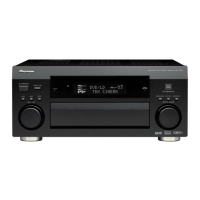
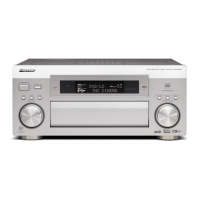
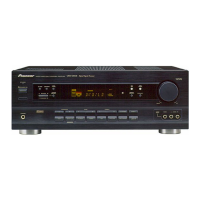
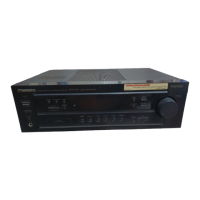
Pioneer VSX-D2011-S - Service Manual

Pioneer VSX-D2011-S
150 pages
Print Icon
To Next Page IconTo Next Page
Loading...
ORDER NO.
PIONEER CORPORATION 4-1, Meguro 1-chome, Meguro-ku, Tokyo 153-8654, Japan
PIONEER ELECTRONICS (USA) INC. P.O. Box 1760, Long Beach, CA 90801-1760, U.S.A.
PIONEER EUROPE NV Haven 1087, Keetberglaan 1, 9120 Melsele, Belgium
PIONEER ELECTRONICS ASIACENTRE PTE. LTD. 253 Alexandra Road, #04-01, Singapore 159936
PIONEER CORPORATION 2002
STANDBY/ON
MOVIE MUSIC
MULTI JOG
ENTER STEREO/DIRECT MULTI CH IN
MASTER VOLUME
ACOUSTIC EQ
STANDBY
MULTI CHANNNEL
ACOUSTIC CALIBRATION
VSX-D2011
AUDIO/VIDEO MULTI-CHANNEL RECEIVER
PHONES
SPEAKERS
SIGNAL
SELECT
SB CH
MODE
EON
MODE
CHARACTER/
SEARCH
HI-BIT
HI-SAMPLING
SETUP
MIC
DIGITAL IN
S-VIDEO VIDEO
VIDEO INPUT
AUDIOLR
SET UP RETURN
TONE
TONE CONTROL
BASS/TREBLE
CLASSBAND
STATION TUNING
MULTI JOG/ENTER
MULTI JOG CONTROL
SELECT
TUNER
EDIT
VSX-D2011-S
RRV2661
AUDIO/VIDEO MULTI-CHANNEL RECEIVER
VSX-D2011-S
VSX-D1011-S
VSX-D1011-K
THIS MANUAL IS APPLICABLE TO THE FOLLOWING MODEL(S) AND TYPE(S).
*:Alter the wiring of the power-supply block at the primary winding of Power transformer referring to the Line Voltage Selection
described in Service Manual.
Model Type Porew Requirement
The voltage can be converted by the
following method.
VSX-D2011-S HYXJI AC220-230V AC240V, *
VSX-D1011-S HYXJI AC220-230V AC240V, *
VSX-D1011-K HYXJI AC220-230V AC240V, *
For details, refer to "Important symbols for good services" .
T-ZZK AUG. 2002 printed in Japan

Table of Contents

Question and Answer IconNeed help?

Do you have a question about the Pioneer VSX-D2011-S and is the answer not in the manual?

Summary

SAFTY INFORMATION

1. SAFETY PRECAUTIONS

Describes essential safety measures and leakage current checks for safe operation.

2. PRODUCT SAFETY NOTICE

Highlights specific safety characteristics of replacement components and potential hazards.

Important symbols for good services

1. Product safety

Conforming to product regulations and ensuring safety during servicing procedures.

1. SPECIFICATIONS

Amplifier Section

Details power output, sensitivity, impedance, and frequency response of the amplifier.

2. EXPLODED VIEWS AND PARTS LIST

2.2 EXTERIOR SECTION

Illustrates the external parts of the receiver through an exploded view.

2.3 REAR PANEL SECTION

Shows the layout and components of the rear panel.

2.5 FRONT PANEL SECTION

Illustrates the components and layout of the front panel assembly.

3. BLOCK DIAGRAM AND SCHEMATIC DIAGRAM

3.1 AUDIO BLOCK DIAGRAM

Illustrates the audio signal flow and component interconnections.

3.2 DSP BLOCK DIAGRAM

Shows the digital signal processing block diagram and component relationships.

3.3 VIDEO BLOCK DIAGRAM

Illustrates the video signal flow and component interconnections.

3.4 POWER AMP BLOCK DIAGRAM

Depicts the block diagram of the power amplifier stages.

3.5 OVERALL WIRING DIAGRAM

Provides a comprehensive overview of the system's wiring connections.

3.6 FM;AM TUNER MODULE

Presents the schematic diagram of the FM/AM tuner module.

3.7 7.1 CH I;O, V-AUDIO IN, FRONT IN and OPTICAL IN ASSYS

Shows schematics for various audio input and output assemblies.

3.8 INPUT CONNECT and COAXIAL IN ASSYS

Provides schematics for input connection and coaxial input assemblies.

3.9 VIDEO ASSY

Presents the schematic diagram for the video assembly.

3.11 MAIN CONTROL ASSY (1;3)

Part one of the main control assembly schematic.

3.12 MAIN CONTROL ASSY (2;3)

Part two of the main control assembly schematic.

3.13 MAIN CONTROL ASSY (3;3)

Part three of the main control assembly schematic.

3.16 DSP ASSY (1;2)

Part one of the digital signal processing assembly schematic.

3.17 DSP ASSY (2;2)

Part two of the digital signal processing assembly schematic.

3.21 POWER AMP-L ASSY

Schematic diagram of the left power amplifier assembly.

3.22 POWER AMP-R and POWER AMP-C ASSYS

Schematics for the right and center power amplifier assemblies.

4. PCB CONNECTION DIAGRAM

5. PCB PARTS LIST

6. ADJUSTMENT

FM Tuner Section

Details the procedure for adjusting the FM tuner's T-METER.

7. GENERAL INFORMATION

7.1 DIAGNOSIS

Covers protection circuits, thermal/fan detection, overload, and DC detection.

7.1.2 DIAGNOSTICS OF AMPLIFIER SECTION

Guides on diagnosing amplifier section issues and checking specific parts.

7.1.3 TROUBLE SHOOTING

Provides a troubleshooting flowchart for sound issues and DSP Assy failures.

7.2 PARTS

7.2.1 IC

Lists IC components and their pin functions.

Flow of USB Input Data

Help of Non-failure Decision

Provides troubleshooting steps for sound output issues related to USB input.

7.4 REMOTE CONTROL UNIT

8. PANEL FACILITIES

8.1 FRONT PANEL

Explains all controls and indicators on the front panel of the receiver.

8.2 DISPLAY

Explains the meaning of all indicators and symbols shown on the front panel display.

8.3 REAR PANEL

Explains all terminals and connections available on the rear panel.

8.4 REMOTE CONTROL UNIT

Describes the function of each button on the provided remote control.

Summary

SAFTY INFORMATION

1. SAFETY PRECAUTIONS

Describes essential safety measures and leakage current checks for safe operation.

2. PRODUCT SAFETY NOTICE

Highlights specific safety characteristics of replacement components and potential hazards.

Important symbols for good services

1. Product safety

Conforming to product regulations and ensuring safety during servicing procedures.

1. SPECIFICATIONS

Amplifier Section

Details power output, sensitivity, impedance, and frequency response of the amplifier.

2. EXPLODED VIEWS AND PARTS LIST

2.2 EXTERIOR SECTION

Illustrates the external parts of the receiver through an exploded view.

2.3 REAR PANEL SECTION

Shows the layout and components of the rear panel.

2.5 FRONT PANEL SECTION

Illustrates the components and layout of the front panel assembly.

3. BLOCK DIAGRAM AND SCHEMATIC DIAGRAM

3.1 AUDIO BLOCK DIAGRAM

Illustrates the audio signal flow and component interconnections.

3.2 DSP BLOCK DIAGRAM

Shows the digital signal processing block diagram and component relationships.

3.3 VIDEO BLOCK DIAGRAM

Illustrates the video signal flow and component interconnections.

3.4 POWER AMP BLOCK DIAGRAM

Depicts the block diagram of the power amplifier stages.

3.5 OVERALL WIRING DIAGRAM

Provides a comprehensive overview of the system's wiring connections.

3.6 FM;AM TUNER MODULE

Presents the schematic diagram of the FM/AM tuner module.

3.7 7.1 CH I;O, V-AUDIO IN, FRONT IN and OPTICAL IN ASSYS

Shows schematics for various audio input and output assemblies.

3.8 INPUT CONNECT and COAXIAL IN ASSYS

Provides schematics for input connection and coaxial input assemblies.

3.9 VIDEO ASSY

Presents the schematic diagram for the video assembly.

3.11 MAIN CONTROL ASSY (1;3)

Part one of the main control assembly schematic.

3.12 MAIN CONTROL ASSY (2;3)

Part two of the main control assembly schematic.

3.13 MAIN CONTROL ASSY (3;3)

Part three of the main control assembly schematic.

3.16 DSP ASSY (1;2)

Part one of the digital signal processing assembly schematic.

3.17 DSP ASSY (2;2)

Part two of the digital signal processing assembly schematic.

3.21 POWER AMP-L ASSY

Schematic diagram of the left power amplifier assembly.

3.22 POWER AMP-R and POWER AMP-C ASSYS

Schematics for the right and center power amplifier assemblies.

4. PCB CONNECTION DIAGRAM

5. PCB PARTS LIST

6. ADJUSTMENT

FM Tuner Section

Details the procedure for adjusting the FM tuner's T-METER.

7. GENERAL INFORMATION

7.1 DIAGNOSIS

Covers protection circuits, thermal/fan detection, overload, and DC detection.

7.1.2 DIAGNOSTICS OF AMPLIFIER SECTION

Guides on diagnosing amplifier section issues and checking specific parts.

7.1.3 TROUBLE SHOOTING

Provides a troubleshooting flowchart for sound issues and DSP Assy failures.

7.2 PARTS

7.2.1 IC

Lists IC components and their pin functions.

Flow of USB Input Data

Help of Non-failure Decision

Provides troubleshooting steps for sound output issues related to USB input.

7.4 REMOTE CONTROL UNIT

8. PANEL FACILITIES

8.1 FRONT PANEL

Explains all controls and indicators on the front panel of the receiver.

8.2 DISPLAY

Explains the meaning of all indicators and symbols shown on the front panel display.

8.3 REAR PANEL

Explains all terminals and connections available on the rear panel.

8.4 REMOTE CONTROL UNIT

Describes the function of each button on the provided remote control.

Pioneer VSX-D2011-S Specifications

General IconGeneral
THD0.09 %
Input Sensitivity200 mV
Weight16.3 kg
Audio Formats SupportedDolby Digital, DTS
Signal-to-Noise Ratio100dB
Digital inputsCoaxial, Optical
Video ConnectionsComposite, S-Video
Frequency Response10Hz-100kHz
Power Output100W per channel (6 ohms, 1kHz, THD 0.9%, 1ch driven)

Related product manuals