EasyManua.ls Logo

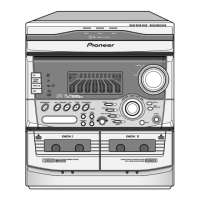
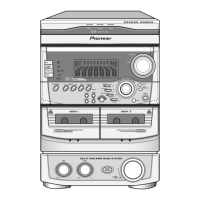
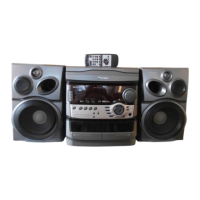
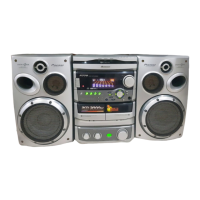
Pioneer XR-A550 - User Manual

Pioneer XR-A550
60 pages
Print Icon
To Next Page IconTo Next Page
Loading...
fAoneer
XR-A330
S-A330
XR-A550
S-A550
XR-A660
S-A555
XR-A770
S-A660
,
S-A770V
COMPACT
MINi
COMPONENT
MINI-CHAINE
HI-Fl
COMPACTE
Operating
Instructions
Mode
d'emploi
COMPACT
DIGITAL
AUDIO
The
illustration
shows
XR-A660/S-A660.
L'illustration
montre
la
XR-A660/S-A660.
Energy-saving
design
This
system
is
designed
to
use
minimal
electricity
when-
power
is
switched
OFF
(during
Standby).
Regarding
the
value
of
the
Power
Consumption
in
standby
mode,
refer
to
specifications
on
page
58.
WARNING:
To
PREVENT
FIRE
OR
SHOCK
HAZARD,
DO
NOT
EXPOSE
THIS
APPLIANCE
TO
RAIN
OR
MOISTURE.
INERINGEMENT
OF
COPYRIGHT
Recording
and
playback
of
copyrighted
material
may
require
consent.
See
copyright
Act
1956
and
the
performers’
Protection
Acts
1958
and
1972.
This
product
complies
with
the
Low
Voltage
Directive
(73/23/
EEC),
EMC
Directives
(89/336/EEC,
92/31/EEC)
and
CE
Marking
Directive
(93/68/EEC).
IMPORTANT
A
The
lightning
flash
with
arrowhead
symbol,
within
an
CAUTION:
equilateral
triangle,
is
intended
to
alert
the
user
to
the
TO
PREVENT
THE
RISK
OF
ELECTRIC
SHOCK,
DO
NOT
The
exclamation
point
within
an
equilateral
triangle
is
presence
of
uninsulated
“dangerous
voltage"
within
the
©
REMOVE
COVER
(OR
BACK).
NO
USER-SERVICEABLE
intended
to
alert
the
user
to
the
presence
of
important
product's
enclosure
that
may
be
of
sufficient
magnitude
PARTS
INSIDE.
REFER
SERVICING
TO
QUALIFIED
SER-
operating
and
maintenance
(servicing)
instructions
in
to
constitute
a
risk
of
electric
shock
to
persons.
VICE
PERSONNEL.
CAUTION
RISK
OF
ELECTRIC
SHOCK
DO
NOT
OPEN
Conception
visant
a
réduire
la
consomma-
tion
électrique
Cet
ensemble
a
été
con¢u
de
telle
sorte
que
la
consomma-
tion
d’énergie
électrique
est
aussi
réduite
que
possible
pendant
les
périodes
de
veille.
Pour
connaitre
Ja
valeur
de
la
puissance
consommée
pen-
dant
Jes
périodes
de
veille,
veuillez
vous
reporter
aux
car-
actéristiques
techniques
qui
figurent
aux
pages
59.
ATTENTION:
AFIN
DE
PREVENIR
TOUS
RISQUES
DE
CHOC
ELECTRIQUE
OU
DE
DEBUT
D’ENCENDIE,
NE
PAS
EXPOSER
CET
APPAREIL
A
L'HUMIDITE
OU
A
LA
PLUIE.
Ce
produit
est
conforme
ala
directive
relative
aux
appareils
basse
tension
(73/23/CEE},
aux
directives
relatives
4
la
compatibilité
électromagnétique
(89/336/CEE,
92/31/CEE)
et
a
la
directive
CE
relative
aux
marquages
(93/
68/CEE).
A
the
literature
accompanying
the
appliance.

Table of Contents

Other manuals for Pioneer XR-A550

Question and Answer IconNeed help?

Do you have a question about the Pioneer XR-A550 and is the answer not in the manual?

Summary

Operating Instructions

System Connections

Antenna and Speaker Connections

Connecting AM/FM antennas and front speakers, plus pad placement.

Antenna Connections

Importance of proper antenna connection for radio reception.

Main Unit Controls and Indicators

XR-A330, XR-A550 Front Panel Layout

Identification and function of buttons and indicators on the front panel.

XR-A660, XR-A770 Front Panel Layout

Identification and function of buttons and indicators on the front panel.

Setting the Clock

Clock Setting Procedure

Step-by-step guide to setting the current time using the unit's controls.

Turning the Unit On and Off

Standby;On Switch Operation

How to switch the unit between standby and on states.

Tuning into Radio Stations

Station Tuning Methods

Manual, auto, and high-speed manual tuning procedures.

Memorizing Radio Stations

Manual Presetting Procedure

Step-by-step guide to memorizing up to 24 FM/AM stations.

RDS Broadcast Reception

What is RDS?

Explanation of the Radio Data System and the types of data transmitted.

RDS Data Display and Operation

Listening to Compact Discs

Playing a Compact Disc

Steps to load and play CDs, including disc change and selection.

Programmed Playback

Compact Disc Handling Cautions

Playing Tapes

Basic Tape Playback

Steps for loading tapes, selecting deck, and playing tapes.

Tape Music Search and Recording

Recording on Tape

Instructions for recording onto tape, including tape type compatibility.

Recording Procedure

Step-by-step guide to recording from various sources onto tape.

CD to Tape Recording (A.S.E.S.)

What is A.S.E.S.?

Explanation of the Auto Synchro Editing System for CD to tape recording.

A.S.E.S. Recording Procedure

Steps for recording from CD to tape using A.S.E.S.

Tape Copying (COPY)

Tape Copy Procedure

Steps for copying tapes from Tape I to Tape II using the ASES/COPY function.

Sound Morphing (Sound Presence;Tone)

Timer Playback and Recording

Setting the Wake-Up Timer

Steps to set the timer for automatic playback at a specific time.

Timer Recording Setting

Timer Recording Procedure

Steps to set the tuner to record a station onto tape at a specific time.

Sleep Timer Operation

Maintenance Procedures

Troubleshooting Guide

No Sound from Speakers

Troubleshooting steps for when speakers produce no sound.

Cassette Door Issues

Troubleshooting for when the cassette door does not open.

Recording Problems

Solutions for muffled sound, previous sounds remaining, or inability to record.

Sound Quality Issues

Troubleshooting muffled sound, strong treble, or distorted sound.

Tuner and CD Player Issues

Problems with music search, playback start, antenna, and stereo sound.

Timer and Remote Control Issues

Troubleshooting for timer malfunction and remote control not working.

Troubleshooting: Speaker and Cassette Issues

Checks for no sound from speakers and cassette door problems.

Troubleshooting: Recording and Sound Issues

Solutions for recording failure and muffled or distorted sound.

Troubleshooting: Tuner, CD, Timer, Remote

Fixes for tuner, CD player, timer, and remote control malfunctions.

Specifications

Continuous Power Output

Technical specifications for power output of different models.

Speaker Systems Specifications

Specifications for S-A330, S-A550, S-A555, and S-A660 speaker systems.

Tuner, CD, and Cassette Deck Specifications

Technical details for tuner, CD player, and cassette deck sections.

Pioneer XR-A550 Specifications

General IconGeneral
Track System4-track, 2-channel stereo
Tape Speed4.8 cm/s
Total Harmonic Distortion1.0%
InputsLine In
TypeCassette Deck
Heads1 x record/playback
MotorDC motor
Signal to Noise Ratio58dB
OutputLine Out
OutputsLine Out
Frequency Response30Hz to 16kHz (Metal tape)
Wow and Flutter0.08% (WRMS)

Related product manuals