EasyManua.ls Logo

Pioneer XR-P260F - User Manual

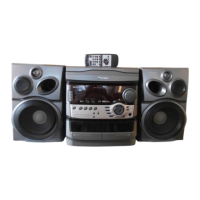
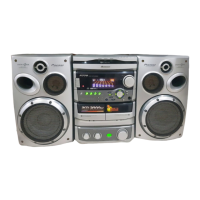
Pioneer XR-P260F
32 pages
Print Icon
To Next Page IconTo Next Page
Loading...
Operating
Instructions
SPARE
PARTS
MASTER
STEREO
FILE-TYPE
CD
CASSETTE
DECK
RECEIVER
XR-P260F
'XR-P560F
|
SPEAKER
SYSTEM
_
S-P260
'
S-P760
(ise
G25
Thank
you
for
buying
this
Pioneer
product.
Please
read
through
these
operating
instructions
so
you
will
know
how
to
operate
your
model
properly.
After
you
have
finished
reading
the
instructions,
put
them
away
in
a
safe
place
for
future
reference,
In
some
countries
or
regions,
the
shape
of
the
power
plug
and
power
outlet
may
sometimes
differ
from
that
shown
in
the
explanatory
drawings.
However,
the
method
of
connecting
and
operating
the
unit
is
the
same.
{For
Canadian
model]
CAUTION:
to
prevent
ELECTRIC
SHOCK
DO
NOT
USE
THIS
(POLARIZED)
PLUG
WITH
AN
EXTENSION
CORD,
RECEPTACLE
OR
OTHER
OUTLET
UNLESS
THE
BLADES
CAN
BE
FULLY
INSERTED
TO
PREVENT
BLADE
EXPOSURE.
WARNING:
to
prevent
Fine
oR
SHOCK
HAZARD,
DO
NOT
EXPOSE
THIS
APPLIANCE
TO
RAIN
OR
MOISTURE.
@
PIONEER’
The
Art
of
Entertainment
COMPACT
DIGITAL
AUDIO
Iustrations
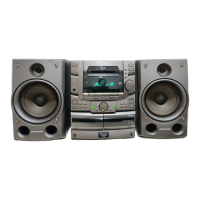
shows
XR-P260F
and
S-P260.
DEMO
FUNCTION
ff
you
connect
the
power
plug
to
a
wall
outlet,
power
to
the
unit
switches
ON,
and
DEMO
mode
operation
starts.
And
if
the
P.BASS.
{DEMO)
button
is
pressed
when
the
power
is
OFF,
the
demonstration
mode
wiil
be
selected
and
power
will
be
turned
ON
automatically.
#To
exit
the
demo
mode,
press
either
the
POWER
STANDBY/ON
switch
or
P.BASS
(DEMO)
button
on
the
main
unit
or
the
POWER
button
on
the
remote
control
unit.
ATTENTION
:
Pour
PREvVENIR
Les
CHocS
ELECTRIQUES
NE
PAS
UTILISER
CETTE
FICHE
POLARISEE
AVEC
UN
PROLONGATEUR
UNE
PRISE
DE
COURANT
OU
UNE
AUTRE
SORTIE
DE
COURANT,
SAUF
SI
LES
LAMES
PEUVENT
ETRE
INSEREES
A
FOND
SANS
EN
LAISSER
AUCUNE
PARTIE
A
DECOUVERT.
IMPORTANT
NOTICE
[For
U.S.
and
Canadian
models]
The
serial
number
for
this
equipment
is
located
on
the
rea’
panel.
Please
write
this
serial
number
on
your
enclosed
warrar
card
and
keep
it
in
a
secure
area-This
is
for
your
security,

Other manuals for Pioneer XR-P260F

Question and Answer IconNeed help?

Do you have a question about the Pioneer XR-P260F and is the answer not in the manual?

Summary

Important Information and Safety Instructions

Handling Cautions and Installation

Location Guidance

Guidance on choosing a suitable installation site to prevent damage or malfunction.

Installation Precautions

Advice on avoiding heat sources, proximity to TVs, and ensuring proper ventilation.

Supplied Accessories and Remote Control

Confirm Supplied Accessories

List of items included with the system, such as remote control, batteries, and antennas.

Loading Remote Control Batteries

Step-by-step guide for correctly inserting batteries into the remote control unit.

Remote Control Operations

Information on the operating range and conditions for the remote control unit.

System Connections

Speaker Setup and Impedance

Details on connecting speakers, including impedance requirements and precautions.

Speaker Connection Precautions

Warnings and advice regarding speaker connections, including amplifier compatibility and magnetic shielding.

Antenna Connections and Unit Handling

Rear Speaker Wall Mounting

Instructions for securely mounting rear speakers on a wall, including safety checks.

Antenna Setup and Placement

Guidance on connecting FM and AM antennas for optimal reception, including external options.

Front Panel Facilities Overview

Front Panel Controls Identification

Detailed identification and brief function of all buttons and indicators on the front panel.

Panel and Remote Control Operations

Remote Control Button Functions

Identification and function of buttons on the remote control unit for various operations.

Remote Control and Clock Setting

Remote Control Operations

Details on remote control buttons for volume, function selection, and playback operations.

Setting the Clock

Step-by-step instructions for setting the unit's 24-hour clock.

Power and Tuning Operations

Station Memorization

CD Player Operation

Compact Disc Listening Features

Convenient CD Functions

CD Programmed Playback

CD Repeat and Random Play

CD Track and Disc Scanning

Tape Playback Operation

Recording Operations

Recording on Tape

Instructions for recording FM/AM broadcasts or other sources onto cassette tapes.

Auto Synchro Editing System (A.S.E.S.)

Sound Field Effects

Karaoke Functions

Timers and Sleep Function

Setting the Wake-up Timer

Step-by-step guide to setting the timer for the unit to turn on at a specific time.

Timer Recording

Setting Timer Recording

Instructions to record FM/AM broadcasts automatically at a scheduled time.

Sleep Timer Operation

Connecting a CD Player

Maintenance Procedures

Pioneer XR-P260F Specifications

General IconGeneral
BrandPioneer
ModelXR-P260F
CategoryCassette Player
LanguageEnglish

Related product manuals