EasyManua.ls Logo

Pitney Bowes OfficeRight DF800 - User Manual

Pitney Bowes OfficeRight DF800
56 pages
Print Icon
To Next Page IconTo Next Page
Loading...
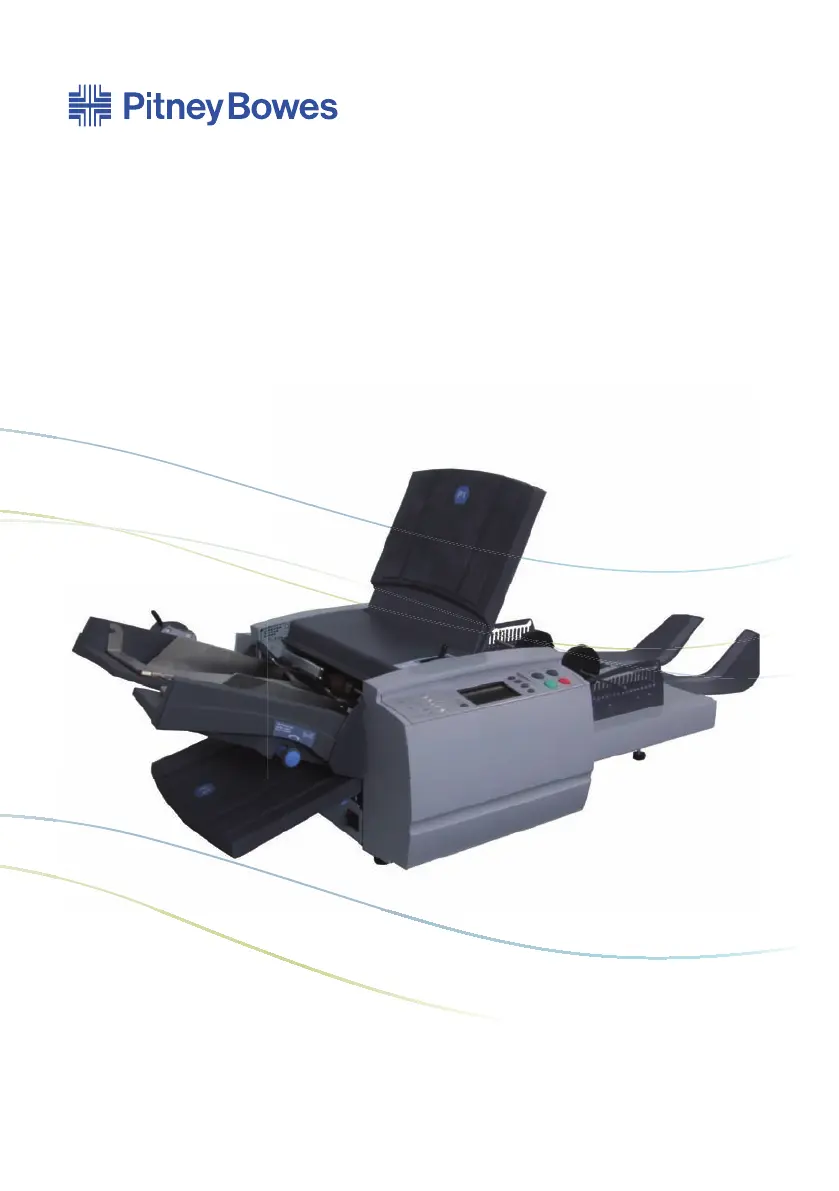
Offi ceRight™ Folding Machine
DF800/DF900
Operator Guide
English Version

Questions and Answers

  • C
    Casey KelleyAug 17, 2025
    Why does my Pitney Bowes Folding Machine run slowly?
    • T
      Tina GrantAug 17, 2025
      If your Pitney Bowes Folding Machine runs slowly, it might be due to the machine speed setting. Use the Edit function, or check while the job is running, to ensure the speed is set appropriately for the task.
  • S
    Sue SmithAug 19, 2025
    What to do if sheets skew in Pitney Bowes OfficeRight DF800 Folding Machines?
    • K
      kevin56Aug 19, 2025
      If sheets are skewing as they feed through your Pitney Bowes Folding Machine, first check that the side guides are adjusted correctly. If the problem persists, use the Skew Adjustment Knob to correct the paper skew.
  • C
    Courtney CrossAug 22, 2025
    How to change the language on Pitney Bowes Folding Machines?
    • H
      hpetersonAug 23, 2025
      If your Pitney Bowes Folding Machine displays the wrong language, turn the machine off, wait a few seconds, and then turn it back on. This should revert the language to the default setting. To change the language, go to the Home Screen, select Menu, then Display Preferences, and finally Language Soft Keys.
  • D
    diana53Aug 25, 2025
    What to do if double detect is not working on Pitney Bowes OfficeRight DF800 Folding Machines?
    • Q
      qedwardsAug 26, 2025
      If the Double Detect feature on your Pitney Bowes Folding Machine isn't working, verify its status. Press the Select Job Screen Key and then the Job Summary Screen Key to view job details. Ensure correct loading or have a supervisor correct the Job Definition if needed.
  • M
    michael85Aug 28, 2025
    Why are sheets creasing in Pitney Bowes OfficeRight DF800?
    • M
      Martin SextonAug 28, 2025
      If your Pitney Bowes Folding Machine is creasing sheets as they exit (DF900 Only), try reducing the running speed. Lighter material and larger sheets can sometimes crease when folding, so slowing the machine down may resolve the issue.
  • M
    Michael ToddAug 31, 2025
    What material specifications are needed for double detect on Pitney Bowes OfficeRight DF800 Folding Machines?
    • K
      Kristin BellAug 31, 2025
      If the material you're using doesn't meet the specifications for Double Detect on your Pitney Bowes Folding Machine, ensure the material weight is between 60 g/m2 and 120 g/m2 (16lb and 32lb). If it's outside these limits, turn Double Detect off.
  • L
    Lori GreenSep 2, 2025
    How to calibrate double detect on Pitney Bowes OfficeRight DF800?
    • H
      hbartonSep 2, 2025
      If the Double Detect on your Pitney Bowes Folding Machine isn't correctly calibrated, run a Trial Piece whenever you load a new batch of material. This recalibrates the Double Detect, accounting for slight differences in thickness.
  • L
    Lindsey MccoySep 5, 2025
    What to do if my Pitney Bowes Folding Machine has no power?
    • K
      Kendra SchmidtSep 5, 2025
      If your Pitney Bowes Folding Machine has no power, check that the power cord is firmly connected and the wall socket is switched ON.
  • W
    Wendy ForbesSep 8, 2025
    How to switch on Pitney Bowes OfficeRight DF800?
    • A
      antoniowoodsSep 8, 2025
      If your Pitney Bowes Folding Machine isn't switching ON, turn the power switch (located on the left side of the machine) ON.
  • B
    Bradley AllenSep 12, 2025
    How to adjust display on Pitney Bowes Folding Machines?
    • J
      Jennifer SolomonSep 12, 2025
      If the display on your Pitney Bowes Folding Machine is not clear, change the display contrast and brightness to an acceptable setting. At the Home Screen, select Menu, then select Display Preferences.

Pitney Bowes OfficeRight DF800 Specifications

General IconGeneral
ModelDF800
CategoryFolding Machines
ManufacturerPitney Bowes
Fold TypesLetter, Double Parallel
Maximum Paper Size8.5" x 14"
Minimum Paper Size3.5" x 5"
Hopper Capacity500 sheets
Power Requirements120V, 60Hz

Related product manuals