EasyManua.ls Logo

Pitney Bowes Relay 2500 - User Manual

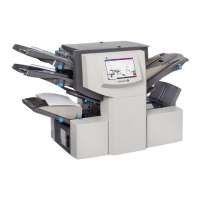
Pitney Bowes Relay 2500
182 pages
Print Icon
To Next Page IconTo Next Page
Loading...
Shipping & Mailing
Inserting
Relay2500, 3500,
4500
Inserting System
User Guide
US English Edition
SV63298 RevB
December 3, 2018

Table of Contents

Questions and Answers

  • L
    Lori HigginsAug 19, 2025
    How to fix a blank screen on Pitney Bowes Relay 2500?
    • J
      James BondAug 19, 2025
      If your Pitney Bowes Folding Machine's screen is blank, try the following: First, push the blue power button to wake up the tablet. Then, check that the power cord is firmly connected and the wall socket is switched on. Finally, turn the power switch to the ON position.
  • M
    martinlisaAug 21, 2025
    What to do if the inserter is not operating on Pitney Bowes Relay 2500?
    • C
      Connie HamiltonAug 21, 2025
      If the inserter on your Pitney Bowes Folding Machine isn't operating, make sure all covers are closed and check the display for any cover information. Also, remove and relocate all feeders and fold plates, ensuring they are in the correct position and properly seated.
  • M
    Mr. Michael SantiagoAug 23, 2025
    How to fix 'Error Opening COM' on Pitney Bowes Relay 2500?
    • S
      Scott HenryAug 23, 2025
      If you're getting an 'Error Opening COM' or communication failure on your Pitney Bowes Folding Machine, verify that the power cord is firmly connected and the wall socket is on. Also, ensure that the power switch is turned on.
  • C
    Carlos SmithAug 26, 2025
    Why is the envelope feed poor on Pitney Bowes Relay 2500 Folding Machines?
    • D
      Dr. Stephanie Mendez MDAug 26, 2025
      If your Pitney Bowes Folding Machine is experiencing poor envelope feed, adjust the envelope side guides to the envelope width and then back off 1/4 turn. Ensure that the envelopes are not curled and consider trying a new box. Remember to fan the stack before loading and load envelopes flap side up with the flap feeding last.
  • J
    jenniferwilsonAug 28, 2025
    Why does my Pitney Bowes Relay 2500 feed multiple sheets at once?
    • S
      Susan RuizAug 28, 2025
      If your Pitney Bowes Folding Machine feeds multiple sheets when only one is expected, check the job setup and the manual feed lever position. Also, make sure to fan the stack of sheets before loading them into the machine.
  • J
    Jeffrey BarnesAug 30, 2025
    How to resolve envelope sealing issues on Pitney Bowes Folding Machines?
    • J
      johnhoodAug 30, 2025
      If you're having envelope sealing issues with your Pitney Bowes Folding Machine, start by refilling the sealer unit. Check the job setup to ensure sealing mode is activated. If the problem persists, the sealing felts may need to be changed.
  • K
    kevin59Sep 1, 2025
    What to do if envelopes fail to open in Pitney Bowes Folding Machines?
    • A
      Anthony FordSep 1, 2025
      If envelopes are failing to open in your Pitney Bowes Folding Machine, load them flap side up with the flap feeding last. Ensure the envelopes are not stuck together due to dampness and try using a new box of envelopes.
  • K
    kristinpattersonSep 3, 2025
    How to troubleshoot poor sheet feed on Pitney Bowes Relay 2500 Folding Machines?
    • K
      kirstenpatelSep 3, 2025
      To resolve poor sheet feed on your Pitney Bowes Folding Machine: * Check the job setup. * Set the guides to the sheet width and back off 1/4 turn. * Verify the two insert feeder adjustments (number and letter settings) are set correctly for the type of insert you’re running.
  • J
    Joshua KnightSep 5, 2025
    How to troubleshoot poor insert feed on Pitney Bowes Relay 2500?
    • C
      christyhallSep 5, 2025
      If you're experiencing poor insert feed with your Pitney Bowes Folding Machine, check the job setup. Adjust the guides to the sheet width and back off 1/4 turn. Verify the two insert feeder adjustments (number and letter settings) are correctly set for the insert type. Fan the stack before loading, and consider changing the insert stack's orientation. Use the wedge to support the insert stack. Finally, check the specifications in this guide.
  • C
    Christopher McgeeSep 7, 2025
    Why is the address in the wrong position on Pitney Bowes Relay 2500 envelopes?
    • C
      Catherine MccannSep 8, 2025
      If the address is in the wrong position in the envelope window when using your Pitney Bowes Folding Machine, ensure that the address-bearing sheets are loaded correctly so the address appears through the window. Also, double-check the job setup.

Summary

1 - Safety

Safety Information

Precautions for safe operation and power usage of the inserting system.

Warning Labels and Cautions

Information about visual warning symbols and cautionary statements.

2 - Product Overview

Hardware Components Overview

Overview of hardware components and features of Relay inserter models.

Component Descriptions

Diagram and description of the various components of the Relay inserter.

3 - Using the Touchscreen

Touchscreen Operation Basics

Basic operations including powering on, navigation, and using the touchscreen interface.

Operator Management

Procedures for logging in, managing operator accounts, and changing job names.

4 - Product Overview

Programming Jobs

Steps to program scanning and non-scanning jobs.

Configuring Job Settings

Detailed configuration of feeders, folds, sealer, paper, and envelope parameters.

Job Testing and Control

Finalizing job setup and performing trial runs for verification.

Managing Jobs

Procedures for modifying and deleting existing job configurations.

5 - Running a Job

Job Preparation

Steps for preparing the inserter and loading materials before running a job.

Running and Stopping

Procedures for running trial pieces and controlling the inserter operation.

6 - OMR Scanning

OMR Scanning Fundamentals

Explanation of OMR scanning, its types, marks, and data.

OMR Specifications and Setup

Specifications for OMR marks, positioning, head adjustment, and error handling.

7 - Barcode Scanning

Barcode Scanning Basics

Introduction to barcode scanning and 2D barcode data formats.

Barcode Specifications and Placement

Specifications for printing barcodes and guidelines for placement on sheets.

Barcode Camera Adjustment

Procedure for adjusting the barcode camera position for optimal scanning.

Barcode Scanning Error Messages

List of barcode scanning error messages and their troubleshooting steps.

8 - Error Recovery and Clearing Material Jams

Error Recovery Procedures

Steps to recover from common errors like accumulation stops or empty feeders.

Clearing Material Jams in Feeders and Plates

Procedures for clearing jams in sheet feeders, insert trays, and fold plates.

Clearing Material Jams in Internal Areas

Steps to clear jams in carriage, envelope areas, and accumulation.

Using the Manual Advance Knob

Guide on using the manual advance knob to manually feed paper out of rollers.

9 - Reports

About Reports

Overview of reports capturing mailpiece data and job information.

Generating Scanning Job Reports

Steps to generate reports for jobs that use scanning functionality.

Generating Productivity Reports

Procedure to generate job summary and productivity reports.

10 - Troubleshooting

Troubleshooting Machine Operation

Solutions for issues related to the touchscreen and inserter operation.

Troubleshooting Material Feeding Issues

Solutions for problems with envelope, sheet, and insert feeding.

Troubleshooting Specific Features

Resolving issues related to specific features like double detection.

System Error Messages

List of system error messages and their troubleshooting steps.

11 - Specifications

Material Specifications

Details on sheet sizes, paper weights, and fold configurations.

Envelope Feeder and Stacker Specifications

Specifications for envelope feeder, stacker, and envelope flap/throat requirements.

Inserter Specifications

Physical dimensions, electrical, cycle speed, feeder, and fold configurations.

Pitney Bowes Relay 2500 Specifications

General IconGeneral
BrandPitney Bowes
ModelRelay 2500
CategoryFolding Machines
LanguageEnglish

Related product manuals