Selecting a Job to Run
When you log in, the touchscreen displays the last job run with the message "Trial Piece Required." This
is when you select the job you wish to run.
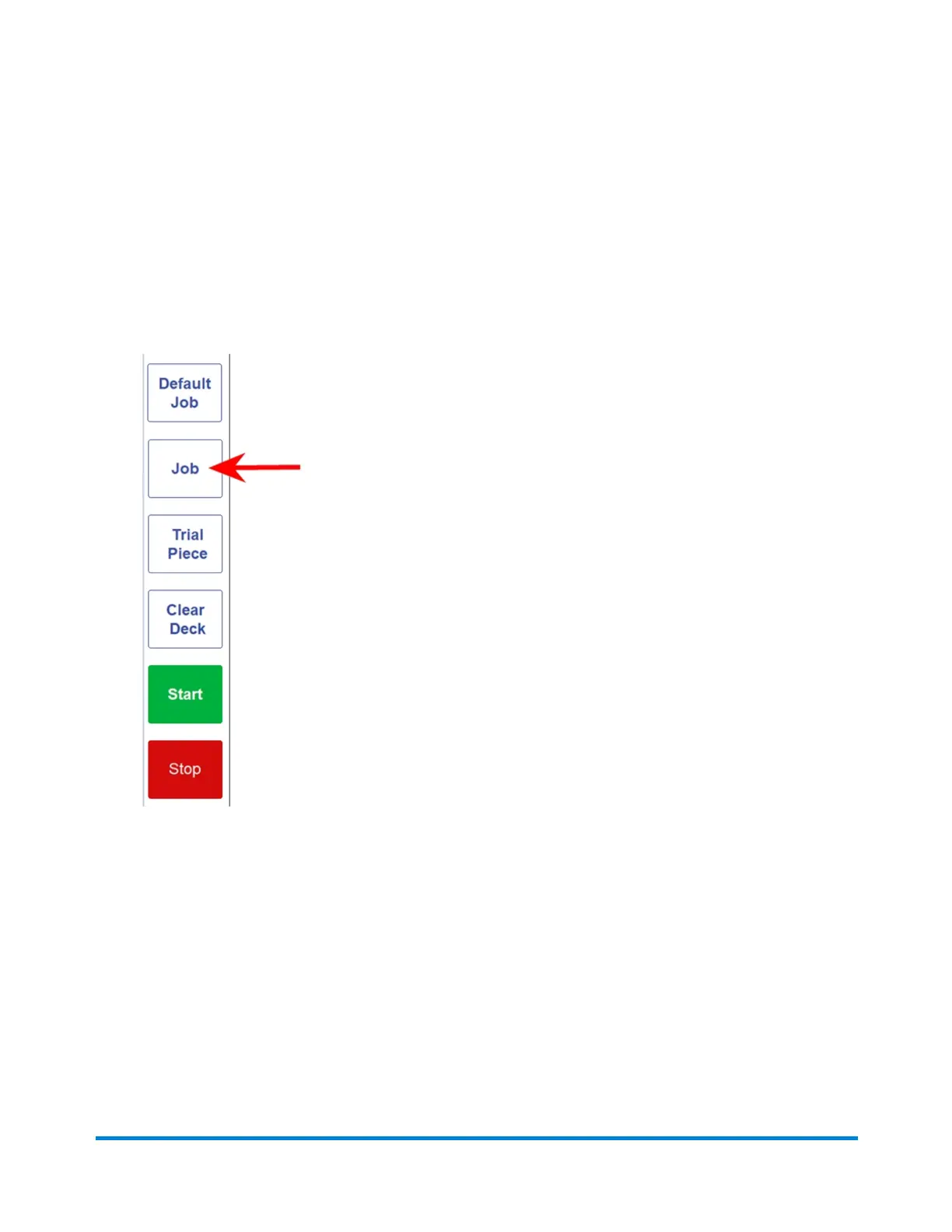
1. Tap the Job menu button to scroll through the jobs; keep tapping until the job you want displays.
You can also tap the Default Job button (most used job) if you want to run the inserter with the
default job settings.
2. Begin loading material; follow the steps in the next section.
Running a Job
Pitney Bowes Relay™ 2500, 3500, 4500 User Guide December, 2018 Page 72 of 174


 To Next Page