Setting the Envelope Stop
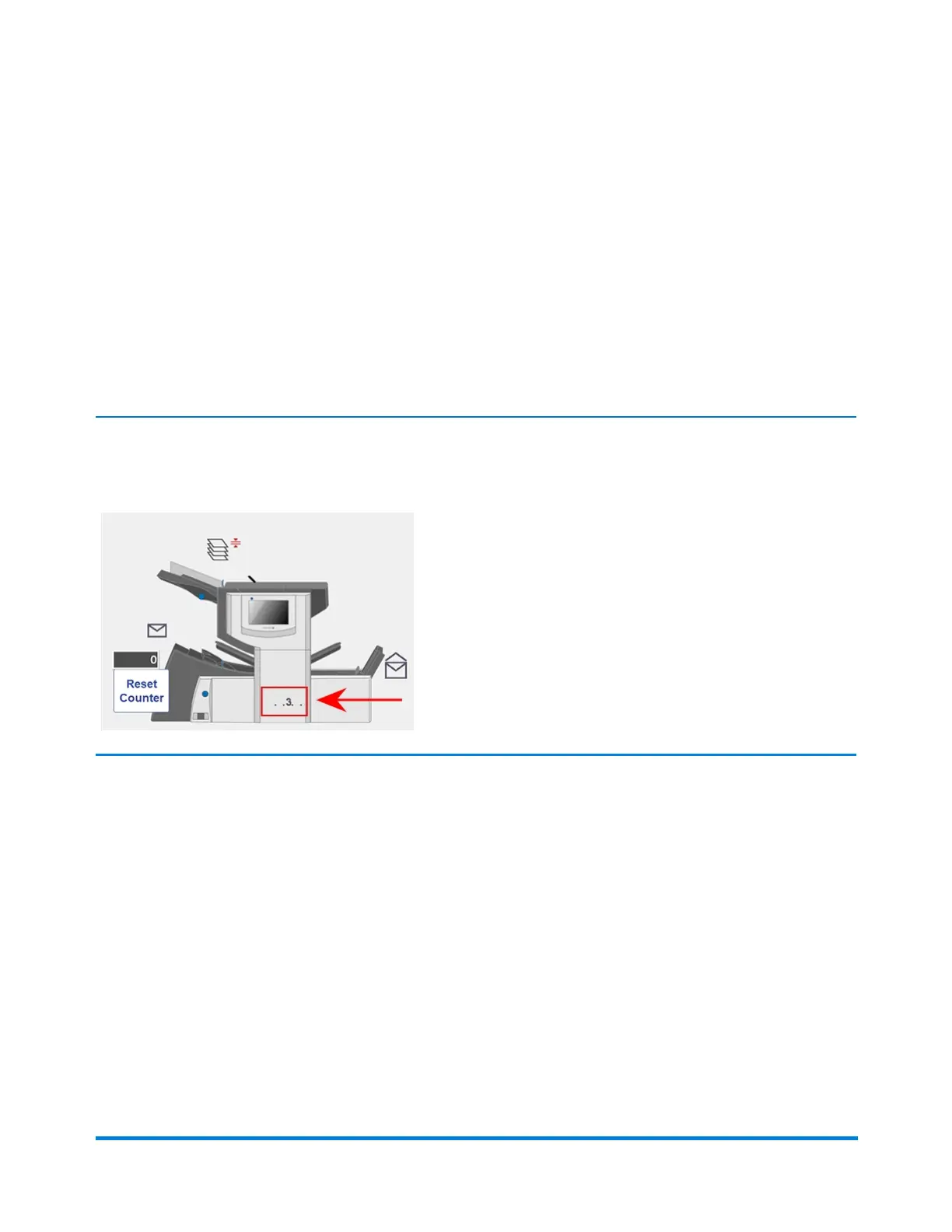
The stop has five positions numbered 1 to 5. Setting 3 is the standard setting for normal weight paper
with standard folds. A thinner, lighter insert requires a lower setting and a thicker, heavier insert requires
a higher setting.
1. Tap the + and – buttons to scroll through the envelope stop positions.
2. Tap the >> button to accept the position and advance to the next setting.
NOTE: After the envelope stop is set, the setting displays on the bottom of the inserter model on the
touchscreen. (For example, ..3.., for position 3.)
Product Overview
Pitney Bowes Relay™ 2500, 3500, 4500 User Guide December, 2018 Page 38 of 174


 To Next Page