EasyManua.ls Logo

Pitney Bowes Relay 2500 - User Manual

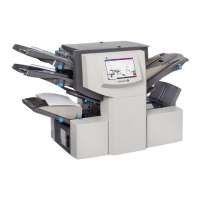
Pitney Bowes Relay 2500
182 pages
Print Icon
To Next Page IconTo Next Page
Loading...
Shipping & Mailing
Inserting
Relay™ 2500, 3500,
4500
Inserting System
User Guide
US English Edition
SV63298 RevB
December 3, 2018

Table of Contents

Questions and Answers

  • E
    eandersonSep 9, 2025
    How to fix insertion issues on Pitney Bowes Folding Machines?
    • L
      Luis FisherSep 9, 2025
      If you're having insertion issues with your Pitney Bowes Folding Machine, begin by checking the envelope troubleshooting information. Verify that the selected fold is correct for the material size. If you're using heavy or light material, the envelope stop adjustment may need to be changed. For large page count insertion, a service adjustment might be necessary.
  • A
    adriennejohnsonSep 12, 2025
    Why does Pitney Bowes Folding Machines stop for non-existent doubles?
    • M
      Marc CurtisSep 12, 2025
      If your Pitney Bowes Folding Machine stops for doubles that aren’t there or feeds doubles without stopping, check that double detect is turned ON. The double detect icon should appear alongside all items where it's operational. Also, ensure that double detect is correctly calibrated by running a trial piece whenever a new batch of material is loaded, as the new batch might have a slightly different thickness.
  • B
    Brett BeckSep 14, 2025
    How to fix poor folding on Pitney Bowes Folding Machines?
    • M
      mitchellhannahSep 14, 2025
      If you're experiencing poor folding with your Pitney Bowes Folding Machine because a fold corresponds with a perforation, adjust the fold sizes slightly to avoid this issue.
  • K
    Kimberly CamachoSep 16, 2025
    Why does my Pitney Bowes Relay 2500 Folding Machines only show the time and date?
    • L
      lharrisSep 16, 2025
      If your Pitney Bowes Folding Machine is only showing the time and date, swipe up on the tablet to resume operation, as the screen saver is likely active.

Summary

1 - Safety

Safety Information

Precautions for safe operation and power usage of the inserting system.

Warning Labels and Cautions

Information about visual warning symbols and cautionary statements.

2 - Product Overview

Hardware Components Overview

Overview of hardware components and features of Relay inserter models.

Component Descriptions

Diagram and description of the various components of the Relay inserter.

3 - Using the Touchscreen

Touchscreen Operation Basics

Basic operations including powering on, navigation, and using the touchscreen interface.

Operator Management

Procedures for logging in, managing operator accounts, and changing job names.

4 - Product Overview

Programming Jobs

Steps to program scanning and non-scanning jobs.

Configuring Job Settings

Detailed configuration of feeders, folds, sealer, paper, and envelope parameters.

Job Testing and Control

Finalizing job setup and performing trial runs for verification.

Managing Jobs

Procedures for modifying and deleting existing job configurations.

5 - Running a Job

Job Preparation

Steps for preparing the inserter and loading materials before running a job.

Running and Stopping

Procedures for running trial pieces and controlling the inserter operation.

6 - OMR Scanning

OMR Scanning Fundamentals

Explanation of OMR scanning, its types, marks, and data.

OMR Specifications and Setup

Specifications for OMR marks, positioning, head adjustment, and error handling.

7 - Barcode Scanning

Barcode Scanning Basics

Introduction to barcode scanning and 2D barcode data formats.

Barcode Specifications and Placement

Specifications for printing barcodes and guidelines for placement on sheets.

Barcode Camera Adjustment

Procedure for adjusting the barcode camera position for optimal scanning.

Barcode Scanning Error Messages

List of barcode scanning error messages and their troubleshooting steps.

8 - Error Recovery and Clearing Material Jams

Error Recovery Procedures

Steps to recover from common errors like accumulation stops or empty feeders.

Clearing Material Jams in Feeders and Plates

Procedures for clearing jams in sheet feeders, insert trays, and fold plates.

Clearing Material Jams in Internal Areas

Steps to clear jams in carriage, envelope areas, and accumulation.

Using the Manual Advance Knob

Guide on using the manual advance knob to manually feed paper out of rollers.

9 - Reports

About Reports

Overview of reports capturing mailpiece data and job information.

Generating Scanning Job Reports

Steps to generate reports for jobs that use scanning functionality.

Generating Productivity Reports

Procedure to generate job summary and productivity reports.

10 - Troubleshooting

Troubleshooting Machine Operation

Solutions for issues related to the touchscreen and inserter operation.

Troubleshooting Material Feeding Issues

Solutions for problems with envelope, sheet, and insert feeding.

Troubleshooting Specific Features

Resolving issues related to specific features like double detection.

System Error Messages

List of system error messages and their troubleshooting steps.

11 - Specifications

Material Specifications

Details on sheet sizes, paper weights, and fold configurations.

Envelope Feeder and Stacker Specifications

Specifications for envelope feeder, stacker, and envelope flap/throat requirements.

Inserter Specifications

Physical dimensions, electrical, cycle speed, feeder, and fold configurations.

Pitney Bowes Relay 2500 Specifications

General IconGeneral
BrandPitney Bowes
ModelRelay 2500
CategoryFolding Machines
LanguageEnglish

Related product manuals