SV62751 Rev. A | Operator Guide
8 | SH39 Shredder
Operator Interlock Feature
The operator interlock feature, when enabled, prevents use of the machine. This can be useful in
home office environments where there are young children present.
NOTE: When the machine is first shipped, the operator interlock feature is disabled.
Enable Operator Interlock Feature
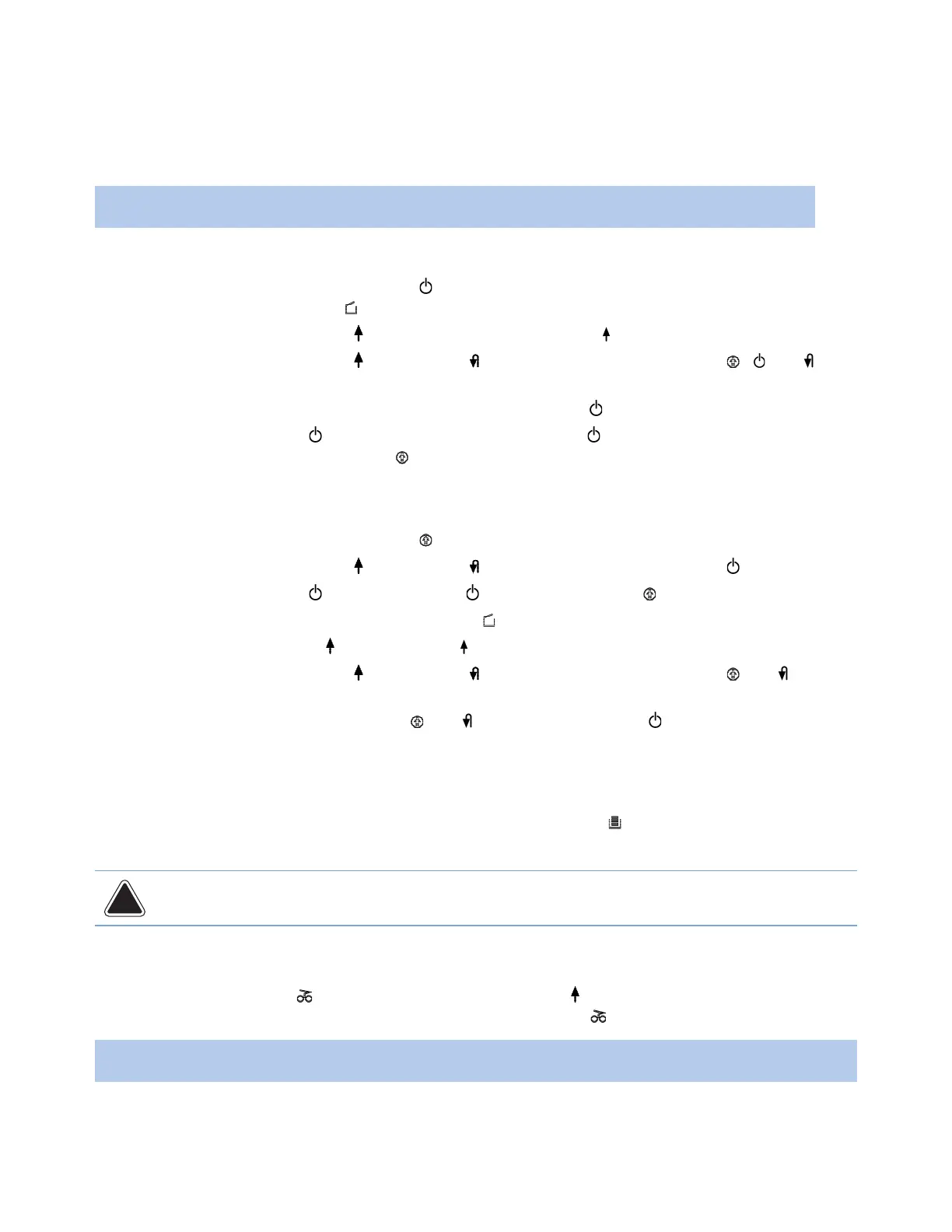
1. Make sure machine is turned on (the button is lit) with no error conditions. Pull out collection
bin (the collection bin open icon lights up).
2. Press and hold the forward
button until the forward button flashes.
3. Press and hold the forward
and reverse buttons simultaneously until the , and
icons flash.
4. Push back in the collection bin. The icons stop flashing and
button stays lit.
5. Press ON/Sleep/Stop
button to turn off the machine (the button goes out). Then next
time you turn on the machine, the icon will light, indicating the operator interlock feature is
enabled.
Disable Operator Interlock Feature
1. Make sure machine is turned on (the icon is lit) with no error conditions.
2. Press and hold the forward
and reverse buttons simultaneously until the icon flashes.
3. Press ON/Sleep/Stop
button briefly. The icon stays lit and the icon goes out.
4. Pull out collection bin (the collection bin open
icon lights up).
5. Press and hold forward
button until the icon flashes.
6. Press and hold the forward
and reverse buttons simultaneously until the and icons
flash.
7. Push back in the collection bin. The
and icon lights go out. The icon stays lit. The
operator interlock feature is disabled.
Emptying the Collection Bin
When the collection bin becomes full of paper, the collection bin full icon lights up and the machine
turns off.
CAUTION: There is no sensor to indicate when the CD/DVD bin section is full. Therefore, check the
CD/DVD bin section regularly (for example, after shredding 25 pieces) and empty the bin accordingly.
1. Pull out the collection bin and empty the contents.
2. Push back in the emptied collection bin all the way.
3. If the operation error
icon lights up, press the forward button briefly. The remaining
material in the feed slot is shredded and the operation error icon light goes out.
NOTE: The machine will only run if the collection bin is properly pushed in.


 To Next Page