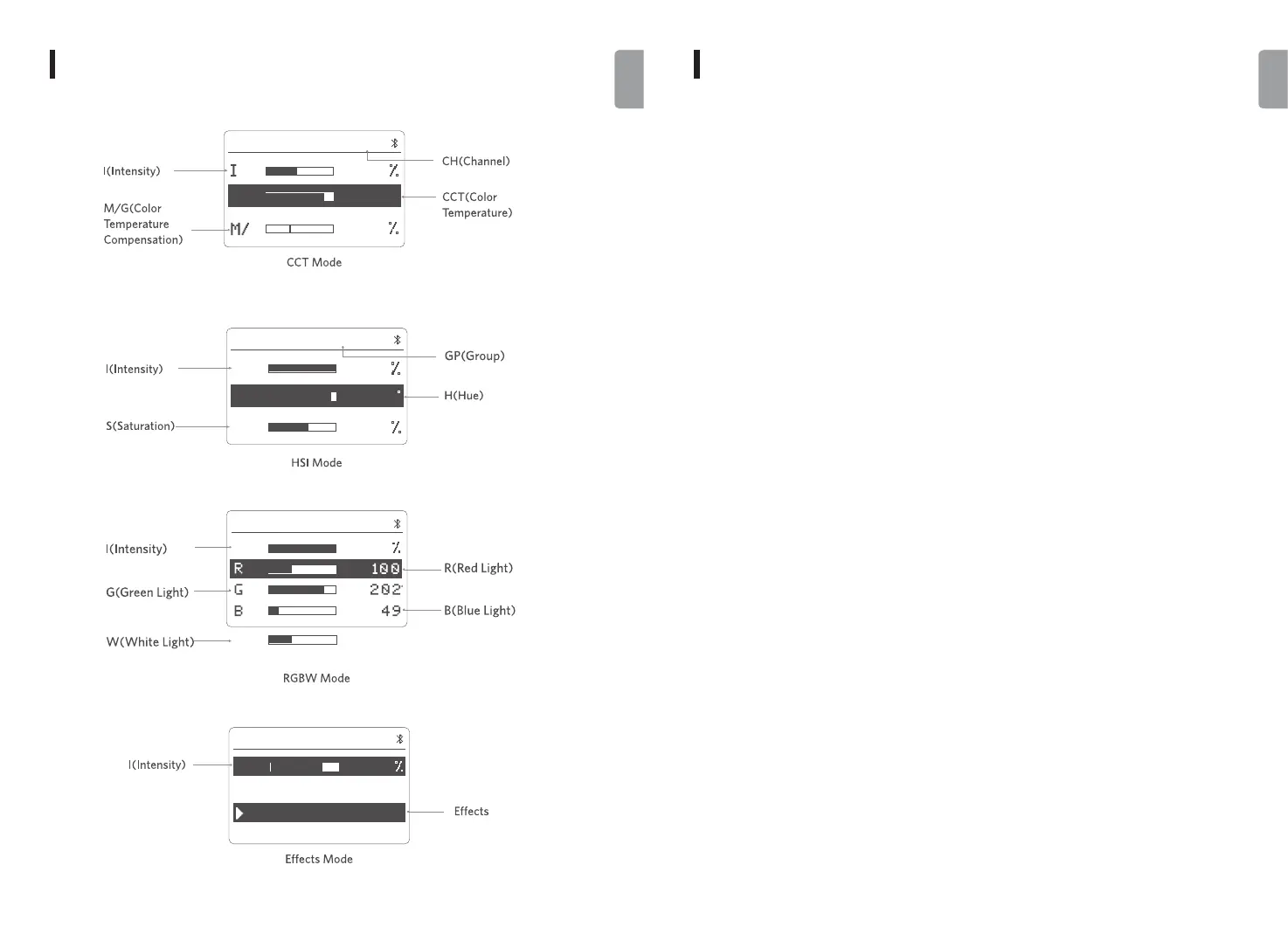
Wireless channel icon: Display the current channel number from 1 to 48.
Color temperature icon: Display the current color temperature with adjustable range from
2500K to 10000K.
Color temperature compensation icon: Display the color temperature compensation value
±100%.
Intensity icon: Display the current intensity percentage that is dimmable from 0% to 100%.
RGBW color icon: Display the current value of the red, green, blue and white color that is
adjustable from 0 to 255 each.
Group icon: Display the current group letter, and there are 6 groups from A to F in total.
Hue icon: Display the current hue value that is adjustable from 0° to 360°.
Saturation icon: Display the current saturation that is adjustable from 0% to 100%.
Effects icon: Display the name of the current effect, and there are 10 effects in total.
ICON INSTRUCTION
ICONS
-
GPA
CCT
G
CCT
8
2
0
CH48
5
00
k
4
0
HSI
0
33
49
1
00
S
I
H
CH48GPA
I
W
0
1
0
1
00
RGBW
CH48GPA
I
EFFECTS
CH48GPA
75
Lightning1
Lightning2
03 04
English
English


 To Next Page