
 Need help?
Do you have a question about the Pixel P80 and is the answer not in the manual?
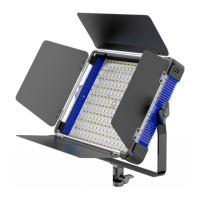
Product overview of the P80 RGB video light's features and capabilities.
Essential safety guidelines to follow before and during the use of the P80 RGB.
Detailed explanation of the meaning and function of all on-screen icons.
Instructions for correctly installing and removing the metal barn doors.
Step-by-step guide on how to turn the P80 RGB light on and off.
Procedure for setting and switching light groups for synchronized control.
How to set and change the wireless channel for remote operation.
Methods for rapidly adjusting light intensity through preset levels.
Guide to switching between different operational modes: CCT, HSI, RGBW, EFFECTS.
Operating the light in Color Temperature Correction mode and adjusting parameters.
Operating the light in Hue, Saturation, and Intensity (HSI) mode.
Operating the light in Red, Green, Blue, White (RGBW) mode and adjusting colors.
How to select and use the special effects modes available on the light.
Instructions for downloading and using the PIXEL LCS mobile app for control.
 General
| Brand | Pixel |
|---|---|
| Model | P80 |
| Category | Lighting Equipment |
| Language | English |

 To Next Page