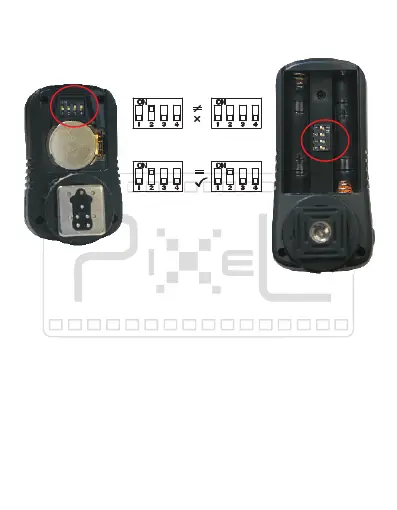
For proper operation, same channel must be set for the
transmitter and receiver.
Transmitter Receiver
Channel Setting
Set th e Transmitt er Functio n
When act as Wireless Remote Controal for shooting, you
can set the transmitter with different function.
1)Press “SET” of transmitter, the function indicator lights
up and shows the current function mode.
2)Press “SET” again, another function indicator lights up
and this mode is the working mode.
3)Select current function mode if necessary.
4)The function indicator light will turn off after 4sec, and
the transmitter will stay in the mode as your last
selected function.


 To Next Page