Open the background light of display 09
Overview 02
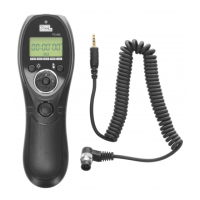
TC-252 introduction
04
The name of each part 0 5
07
Prepare for install and use
Connection with the camera 08
Shooting control
10
1
Single shooting
10
Install and replace the battery
07
Cautions
03
Continuous shooting within one second 11
[ ]shooting
1 3
Delay shooting 14
Timing plan for shooting 1 7
PIXEL TC-252 Specifications 2 4
Contents
This manual is current update of 1st Sep, 2009. Please contact
to PIXEL distributor for further information, if interesting of the
combining usage with products released after this day.


 To Next Page