Need help?
Do you have a question about the Pixel EXPERT and is the answer not in the manual?
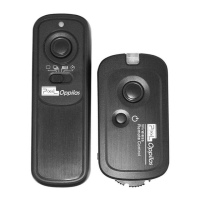
Identifies and describes the various buttons and ports on the transmitter unit.
Identifies and describes the various buttons, ports, and screen on the receiver unit.
Guides on how to properly install batteries in the transmitter and receiver.
Instructions for powering the transmitter and receiver on and off correctly.
Steps to synchronize the transmitter and receiver for wireless communication.
How to select and adjust communication channels for optimal signal reception.
Methods for mounting and holding the transmitter on a camera or tripod securely.
Instructions for connecting the transmitter to a camera using shutter and video cables.
How to switch between AV and CCTV input signals on the receiver.
Features for magnifying images and reviewing saved pictures on the receiver.
Instructions for activating and deactivating sleep and monitor modes.
How to adjust the screen brightness level of the receiver.
How to adjust the audio volume level on the receiver.
Navigation guide for accessing and using the device's menu options.
Setup for single, continuous, BULB, and delay shooting modes.
 General
| Brand | Pixel |
|---|---|
| Model | EXPERT |
| Category | Remote Control |
| Language | English |


 To Next Page