Volume adjustment 18
LCD Brightness adjustment 18
Menu 19
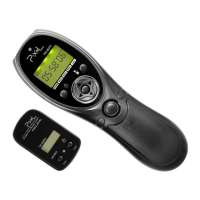
First of all, thank you for purchasing PIXEL's Expert. This is monitoring the lens view
or the CMOS view on transmitter. Receiver side supports single shooting, [BULB]
shooting and delay shooting. The transmitter supports audio and video inputs, and
CMOS camera lens; the receiver supports audio and video outputs to TV.
Please read this manual and make sure fully understand before using the product. With
this manual, you will easily handle the operation method and the attentive things.
32
Remote Shooting 21
PIXEL Expert Specifications 22
Overview
Thank you very much for purchasing PIXEL high-performance product
This manual is current update of 1st May, 2011. Please contact to
PIXEL distributor for further information, if interesting of the
combining usage with products released after this day.
Contents



 To Next Page