9
8
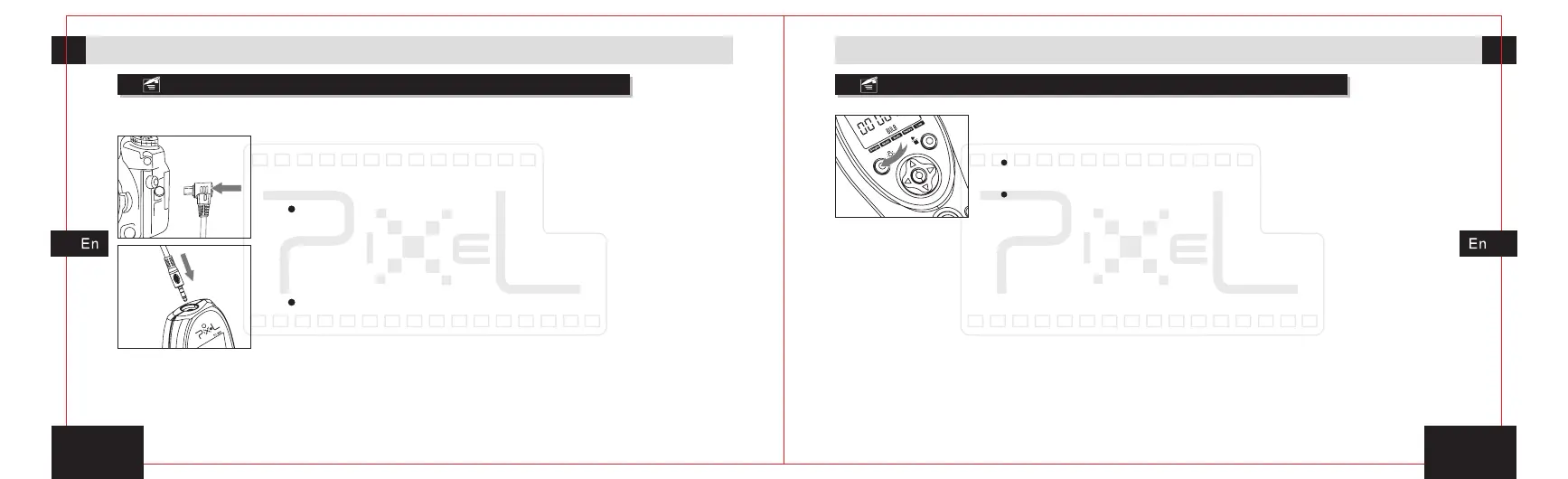
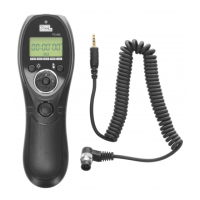
Connection with the camera
Open the background light of display
3s
Preparation for installation and usePreparation for installation and use
1. First, fix the camera on the tripod or other fixed bracket.
2. Open protective cover of external shutter socket and
put the shutter plug of shutter connect cable in place,
then make sure it has been fixed firmly.
For most of camera shutter socket, there is mis-plug interface,
please note insert direction so as to avoid damage to shutter
socket.
3. Insert the input plug of shutter connect cable into the
control signal output socket of TC-252.
The timer remote control will not able to control the camera if the
shutter connect cable hasn't insert correctly.
4. Open the camera power.
Press and hold the background button for 3 seconds, the
background light will be turned on.
Open the background light and press the button twice each 6
seconds, the background light will keep lit.
The background light will not be close by hand; it will turn off
after 6 seconds automatically without any operation.


 To Next Page