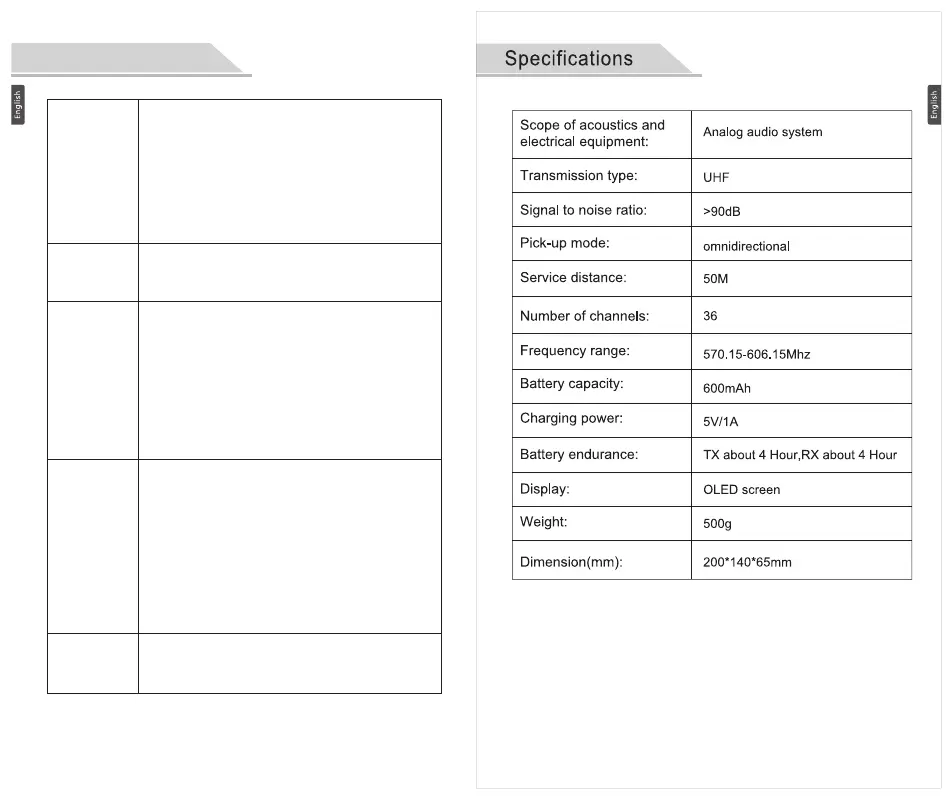
8 9
Troubleshooting
No signal/
there
is noise
When
speaking
loudly
The sound
is distorted.
No sound/
very small
soundShort
wireless
service
distance
Large
wind noise
Check the signal channel number of the
transmitter shall be the same with that of the
receiver.It may be interfered, please change the
signal channels of the transmitter and the
receiver. The distance is beyond the service
range, please reduce the service distance;
effective outdoor service distance is 50 meters, if
there is shelter or for indoor use, the working
distance will be decreased.
The microphone is a highly sensitive pick-up,
please adjust the distance between the
microphone and the sound source.
Check if the windproof cover of the microphone
has been installed, and please adjust the
sensitivity DB level.
The output volume of the transmitter is too much,
please adjust the sensitivity DB level. Check if the
transmitter or the receiver is in mute state, if it is in
mute state, "MUTE" is shown on the display
screen and the power key can be pressed once to
deactivate the mute. Check if the microphone plug
of the transmitter or the output plug of the receiver
is completely inserted into the socket. Check the
setting of the volume parameter.
The service distance may be affected because the
transmitter and the receiver are blocked by the
building.The transmitter and the receiver shall not
be covered by the objects as far as possible in
order to facilitate signal transmission.In a crowded
environment, the human body may attenuate the
radio waves so that the transmitter and the
receiver shall not be blocked as far as possible.It
may be interfered, please change the signal
channels of the transmitter and the receiver.


 To Next Page