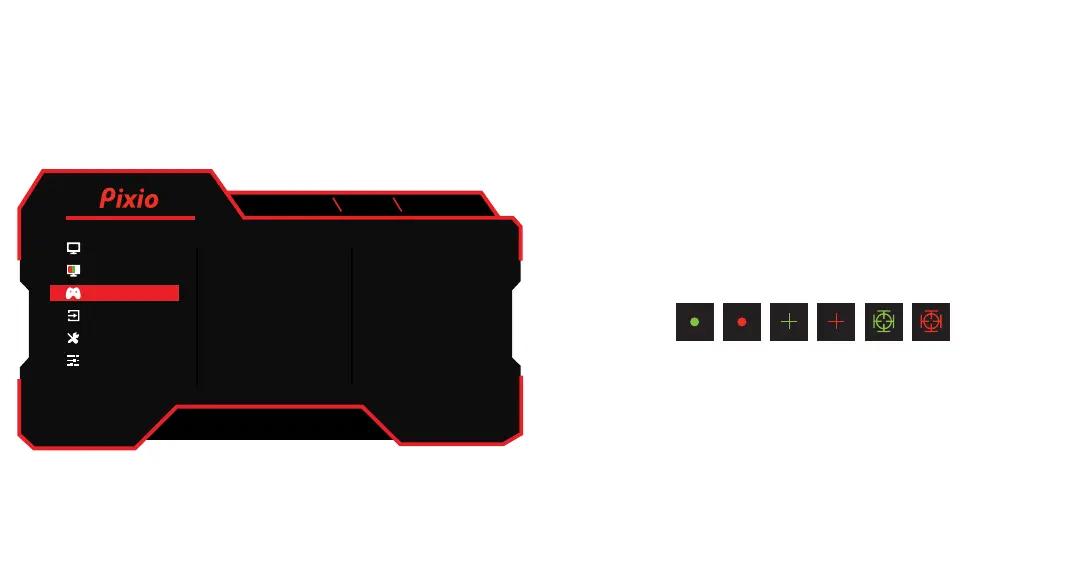
Gaming Setup
•Adaptive Sync: Turn Adaptive Sync On or Off.
•Overdrive: Select Overdrive from Off, Low, Middle, and High.
•Game Assist: Select Game Plus from Time, Crosshair(LoS),
and FPS Counter.
•HDR: Turn HDR On or Off.
•DCR: Turn DCR On or Off.
•MPRT: Turn MPRT On or Off.
Timer: Select Timer from Off, 15:00, 30:00, 45:00, 60:00
and 90:00
Crosshair(LoS): Select Crosshair type.
FPS Counter: Turn FPS Counter On or Off.
DP1(1.4)
3840x2160 160Hz Adaptive Sync
Adaptive Sync 90
50
50
User
Full
50
Overdrive
Game Assist
HDR
DCR
MPRT
Color
Gaming Setup
Input
System Setup
User Data
V1.0
Display



 To Next Page