You can use the timer in 2 different modes:
1. As a minute minder. The timer does not switch off a cooking zone.
2. As an automatic switch-off function. The timer switches off the relevant
cooking zones as soon as the set time has elapsed.
You can set the timer up to 99 minutes.
Mode 1 - Minute minder
1. Switch on the appliance (you can use the minute minder even you have not
selected a cooking zone).
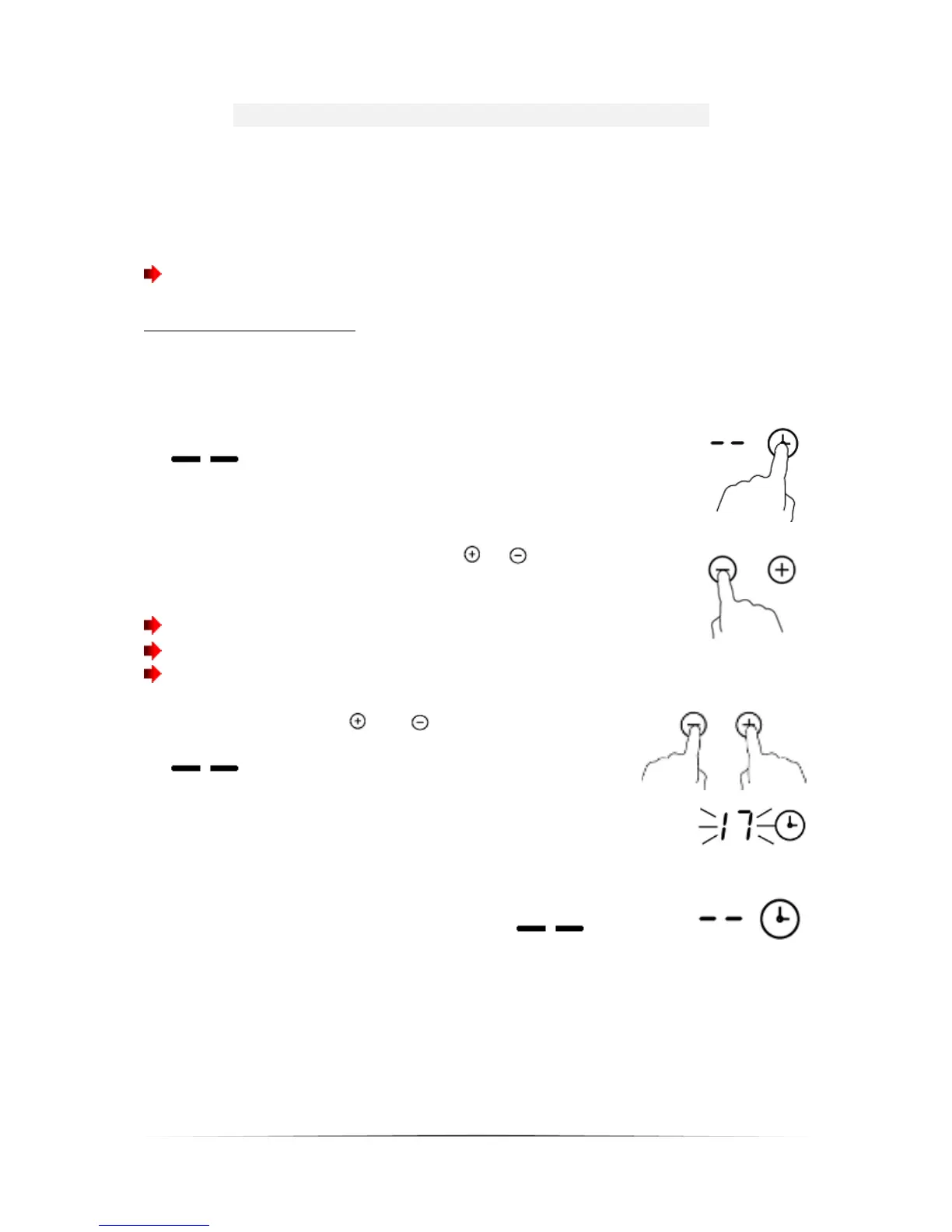
2. Touch the timer-sensor; the timer indicator displays
.
3. Set the desired time by touching the or sensors.
Each touch increases/decreases the value by 1 minute.
Touch and hold the sensor to increase/decrease the value by 10 minutes.
If the set time exceeds 99 minutes, the timer changes to 0 minutes.
4. When you touch the and sensors simultaneously,
the timer function is deactivated. The indicator displays
.
5. The count-down will start as soon as you have set the
time. The indicator displays the remaining time and the
timer display flashes for 5 seconds.
6. When the set time has elapsed, you will hear a beep for
30 seconds and the timer indicator displays .


 To Next Page