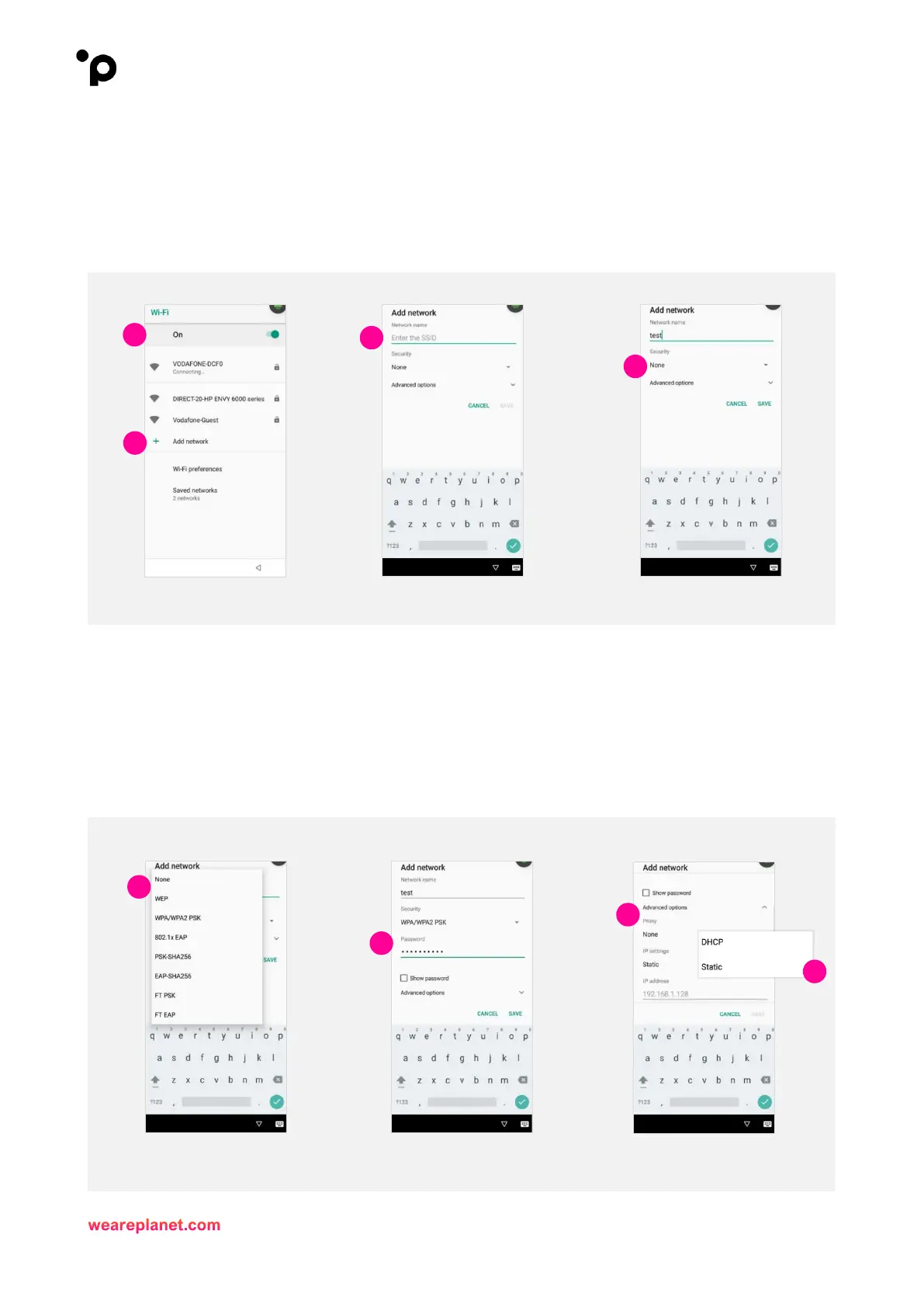
At this stage, Android will take over and you will see the following screen.
7. Ensure the “Wi-Fi” option is set to “On”. The terminal will display all available Wi-Fi networks.
8. Then, select “Add Network” at the bottom of the screen.
9. When prompted, enter the network name of your Wi-Fi network.
10. Next, select “Security”.
11. From the dropdown list, select the security type related to your Wi-Fi network.
From a Security perspective Planet recommend using WPA/WPA2 PSK
12. Then, enter the Wi-Fi password.
Select the “Show Password” option should you wish to view the password being entered.
13. Now, select “Advanced Options”.
14. IP Settings choose “Static”.



 To Next Page