19
Switch
POE-161SPOE-161
100 meters
Power
Data
Power
Data
PoE
Power
Data
AC
DC
PTZ Camera
1000Base-T UTP
PoE
1000Base-T UTP with PoE
Power Line (AC)
AC
DC
Power Line (DC)
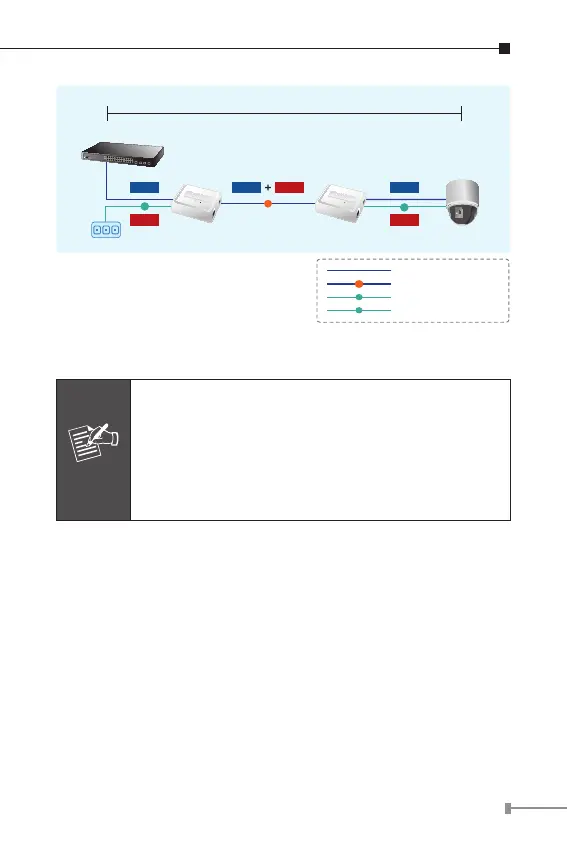
Figure 4: Connection architecture over POE-161/POE-161S
1. According to IEEE 802.3at Power over Ethernet
pre-standard, the POE-161 will not inject power
to the cable if not connecting to IEEE 802.3at
devices.
2. Please ensure the output voltage is correct
before applying power to remote device.
5-2 POE-161S
The following section describes the hardware features of POE-
161S. Before connecting any network device to the POE-161S,
read this chapter carefully.
Before Installation
If your network environment is very difcult to nd a power
socket for your AC-DC Adapter of networked device, the POE-
161S provide DC power for this Ethernet Device conveniently
and easily.



 To Next Page