SIP Analog Telephone Adapter
40
address.
PC IP address
The IP address of PC port. (In the Birdge mode, the Default IP:
192.168.0.1
PC MAC Address
The MAC of PC port
Enable DHCP Server
It will allot the IP address automatically when enable this function.
IP Address
The range for DHCP IP address.
Lease Time
DHCP server lease time
DMZ and MAC Clone
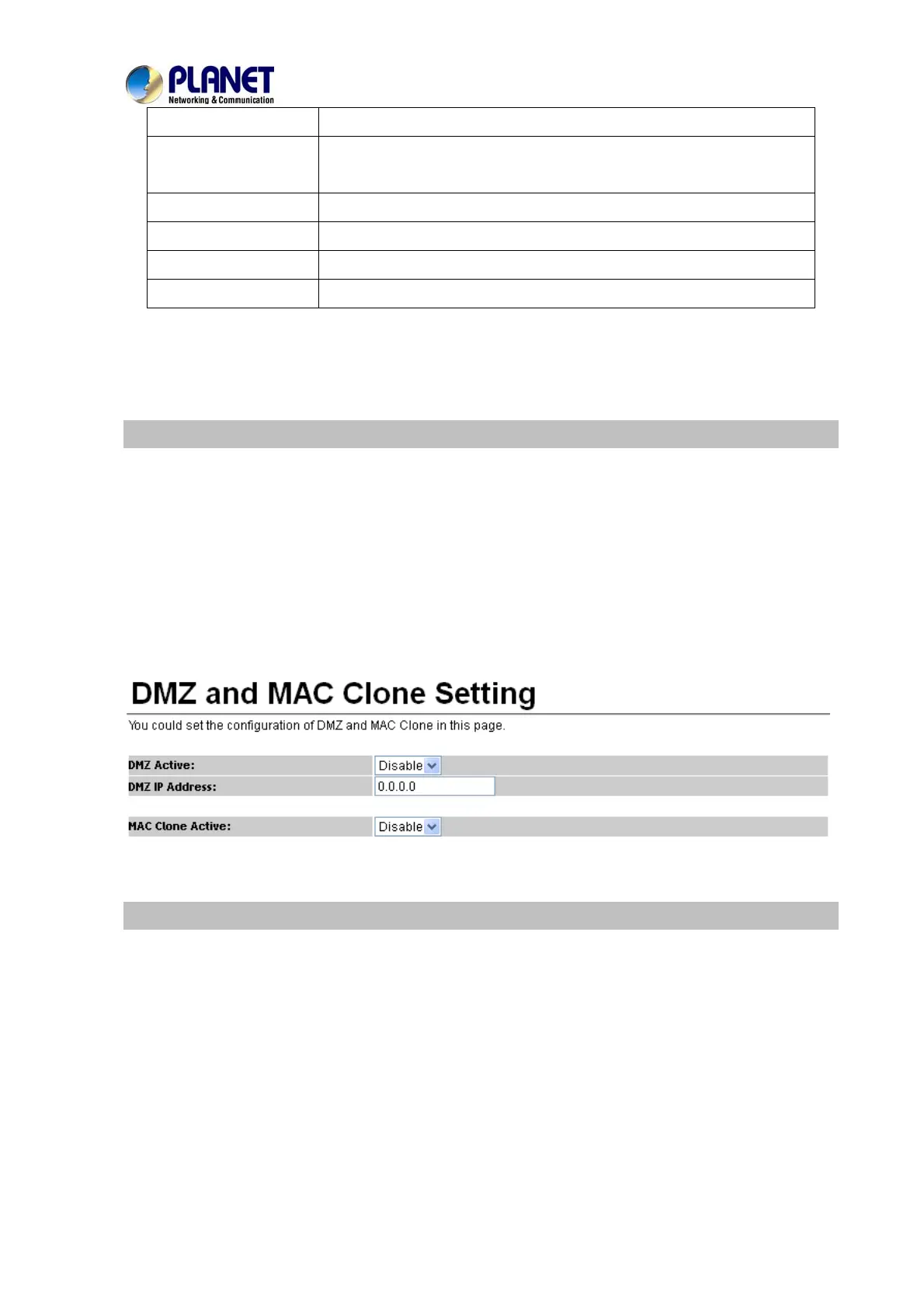
This page defines the DMZ and MAC Clone setting on this page.
DMZ Activity: If set up as On, all of the packets (except SIP packets) will send to the specific IP
address.
DMZ IP Address: The DMZ host IP address.
MAC Clone Activity: This page defines the MAC Clone Enable/Disable. This function will copy the
MAC address from NIC (Network Interface Card) which is placed in PC to LAN port of ATA. That is
because some ISP will limit the MAC address for PPPoE dial-up connection.
Virtual Server
This page defines the Virtual Server setting on this page. You could define 24 virtual service information
on this page. When you finish the setting, please click the Submit button.



 To Next Page