- 40 -
4.4.1 EAP-MD5 Authentication
1. Go to Start > Control Panel, double-click on “Network Connections”.
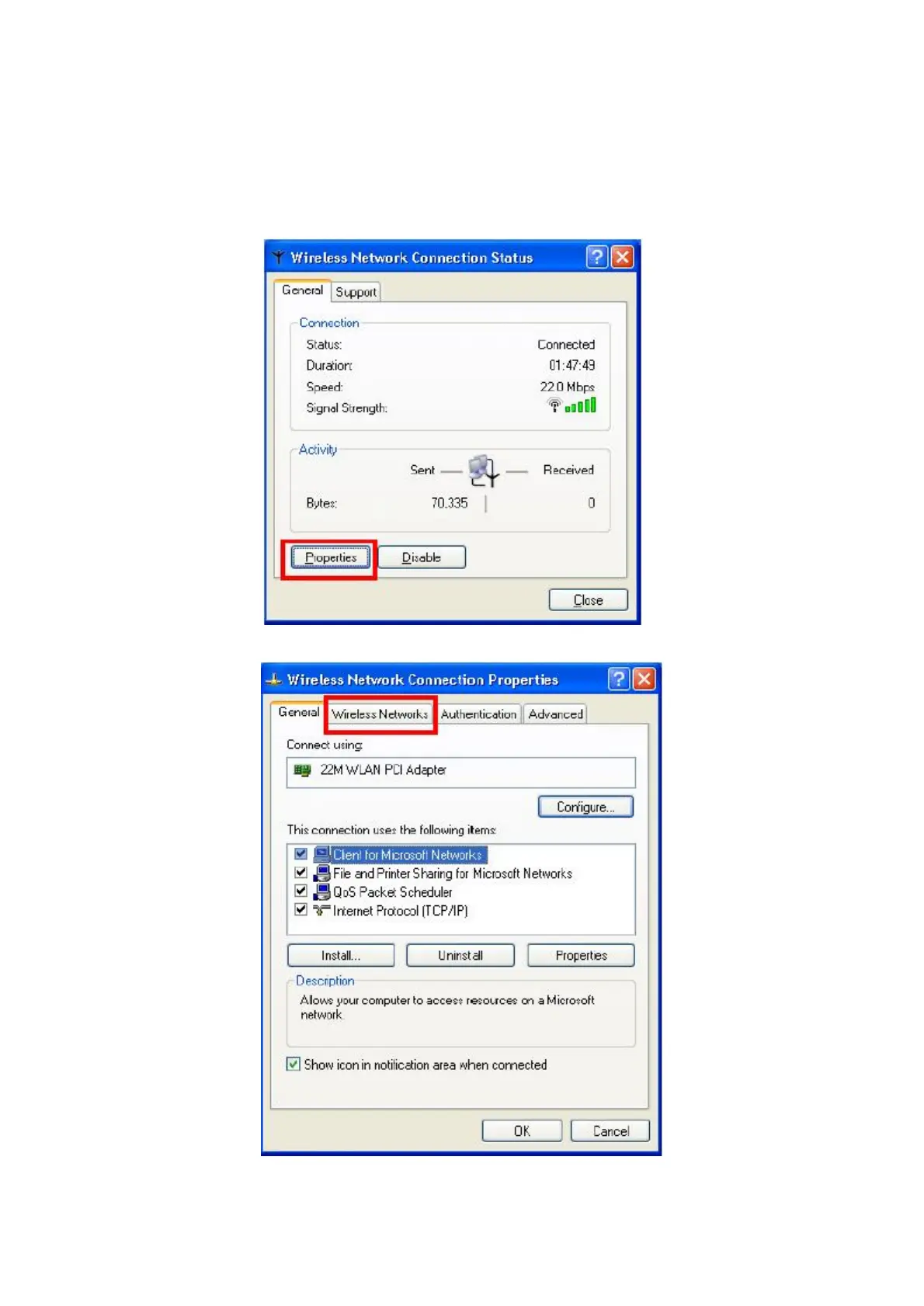
2. Right-click on the Wireless Network Connection which using WL-3555.
3. Click “Properties” to open up the Properties setting window.
4. Click on the “Wireless Network” tab.
5. Click “Properties” of one available wireless network, which you want to associate with.



 To Next Page