- 42 -
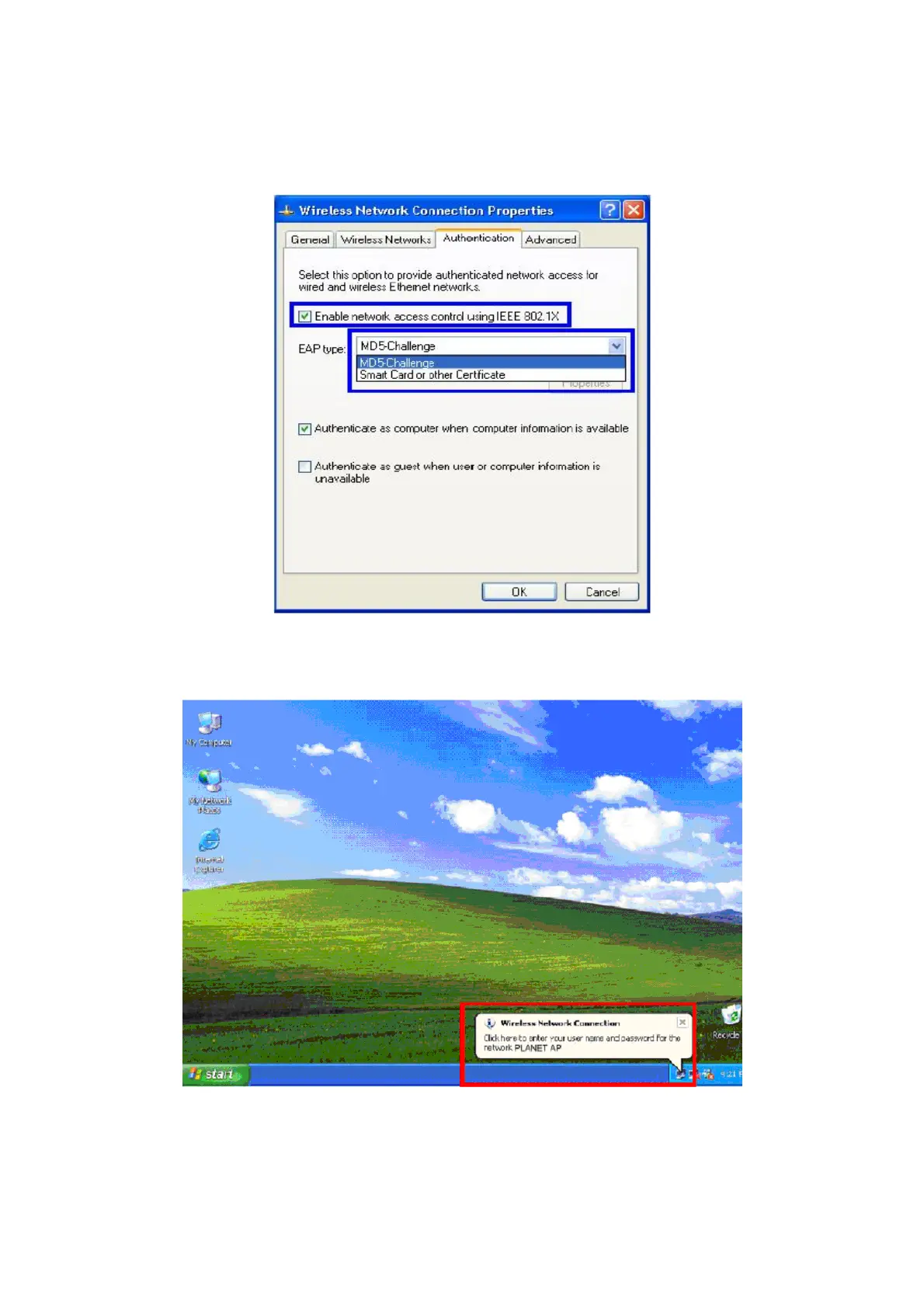
9. Select “Authentication” tab.
10. Select “Enable network access control using IEEE 802.1X” to enable 802.1x authentication.
11. Select “MD-5 Challenge” from the drop-down list box for EAP type.
12. Click “OK”.
13. When wireless client has associated with WAP-4000, a user authentication notice appears in system
tray. Click on the notice to continue.
14. Enter the user name, password and the logon domain that your account belongs.
15. Click “OK” to complete the validation process.



 To Next Page