User Manual of WDAP-C3000AX, WDAP-3000AX, WDAP-W3000AX
- 106 -
There is another way to configure the MAC OS X wireless settings:
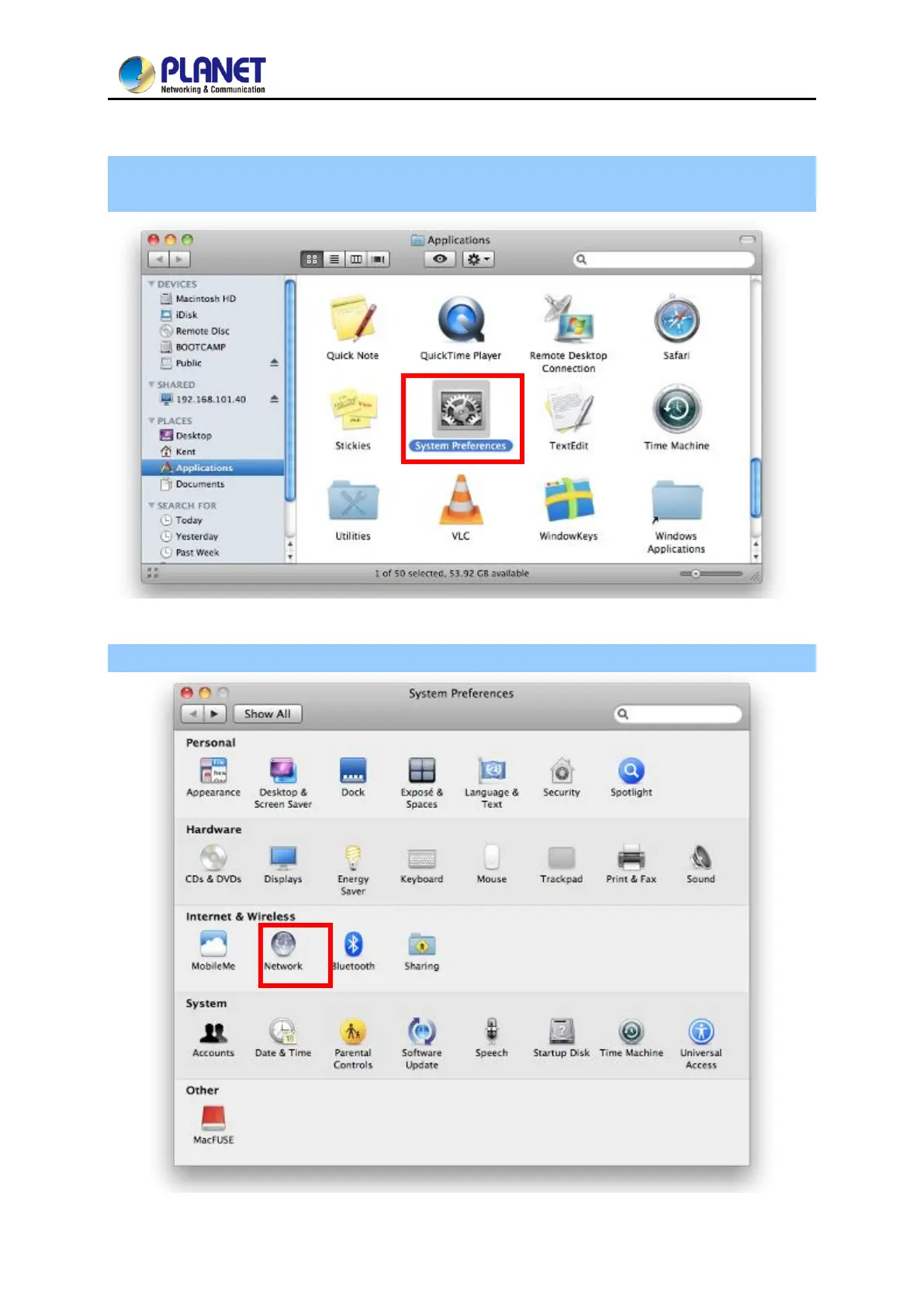
Step 1: Click and open the [System Preferences] by going to Apple > System Preference or
Applications
Figure 5-13 System Preferences
Step 2: Open Network Preference by clicking on the [Network] icon
Figure 5-14 System Preferences -- Network


 To Next Page
 Loading...












