User Manual of WDAP-C3000AX, WDAP-3000AX, WDAP-W3000AX
- 114 -
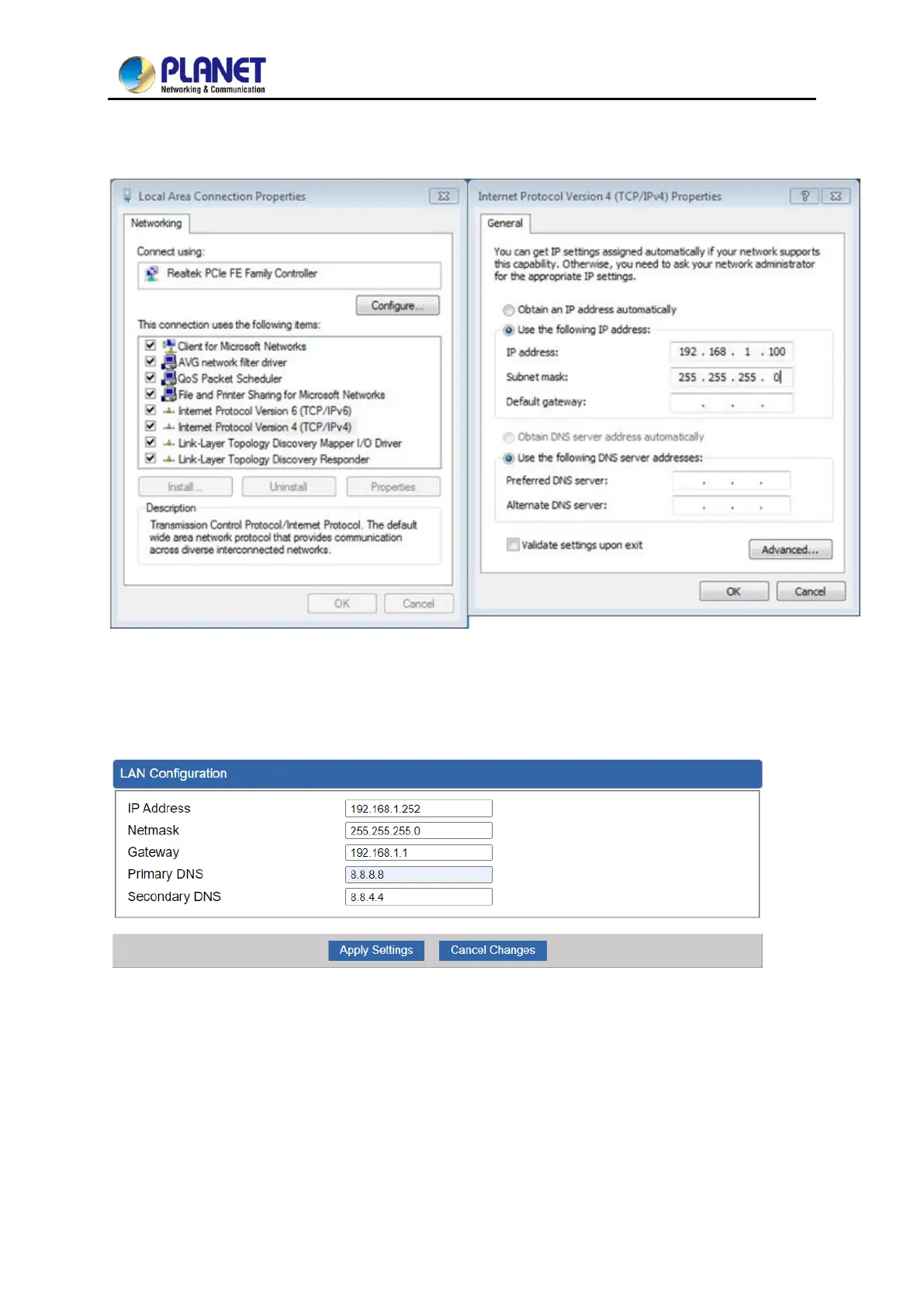
Step 1. Use static IP in the PCs that are connected with AP-1(Site-1) and AP-2(Site-2). In this case,
Site-1 is “192.168.1.100”, and Site-2 is “192.168.1.200”.
Step 2. In AP-2, change the default IP to the same IP range but different from AP-1. In this case, the IP
is changed to 192.168.1.252.


 To Next Page
 Loading...












