User Manual of WDAP-C7210E_WDAP-W1200E_WDAP-850AC
-83-
The page includes the following fields:
Object Description
Group Name
Enter an IP group description
IP Address
Enter an IP address range or use scan to select
Mark
Enter the mark string, or not
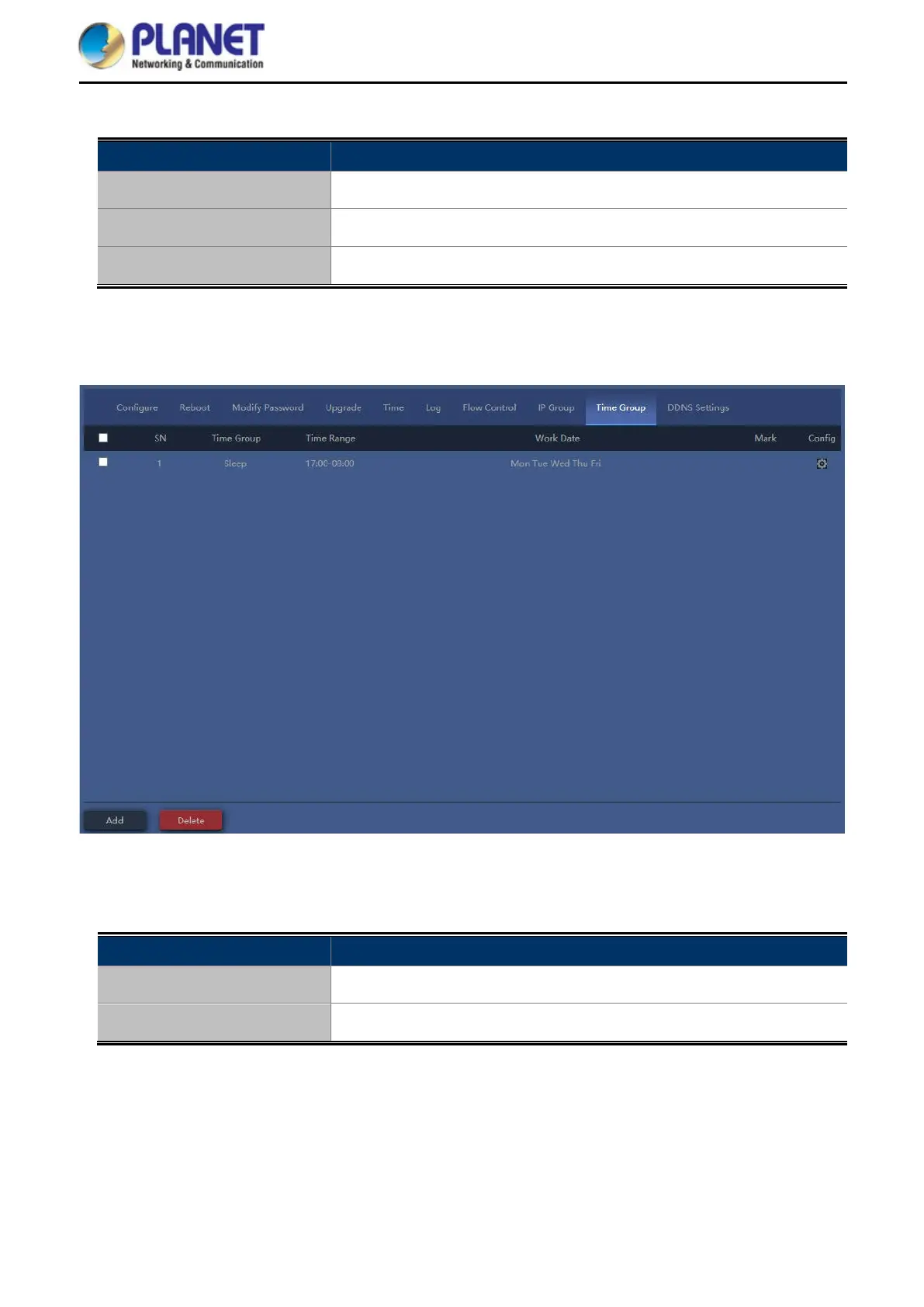
4.7.7.9. Time Group
Figure 5-62 Time Group
The page includes the following fields:
Object Description
Add Press the “Add” button to add time group in list
Delete Press the “Delete” button to delete the group



 To Next Page
 Loading...