6
Operating Systems Configuration
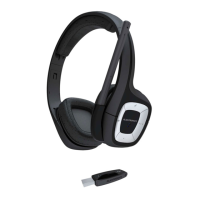
Your .Audio 995 headset works with any USB-
compliant computer. The headset will automatically
be set as the active audio device once the wireless
USB Adapter is plugged in. Below are details on
how to set the audio device for the most popular
operating systems.
NOTE On-ear controls may not function properly
with operating systerms earlier than Windows XP.
Windows XP
®
1 Go to Start > Control Panel > Sounds and
Audio Devices.
2 On the Audio tab, select “Plantronics
Wireless Audio” as the Sound Playback
and Sound Recording device.
3 On the Voice tab, select the “Plantronics
Wireless Audio” as the Voice Playback and
Voice Recording device.
4 On the Volume tab, adjust the Volume
Slider as necessary. Do not select the
Mute option.
5 Select OK.





 To Next Page