20
Optional Plantronics software must be downloaded to access the Plantronics Control Panel.
Load Plantronics software by visiting www. plantronics.com/software and click on the
download button.
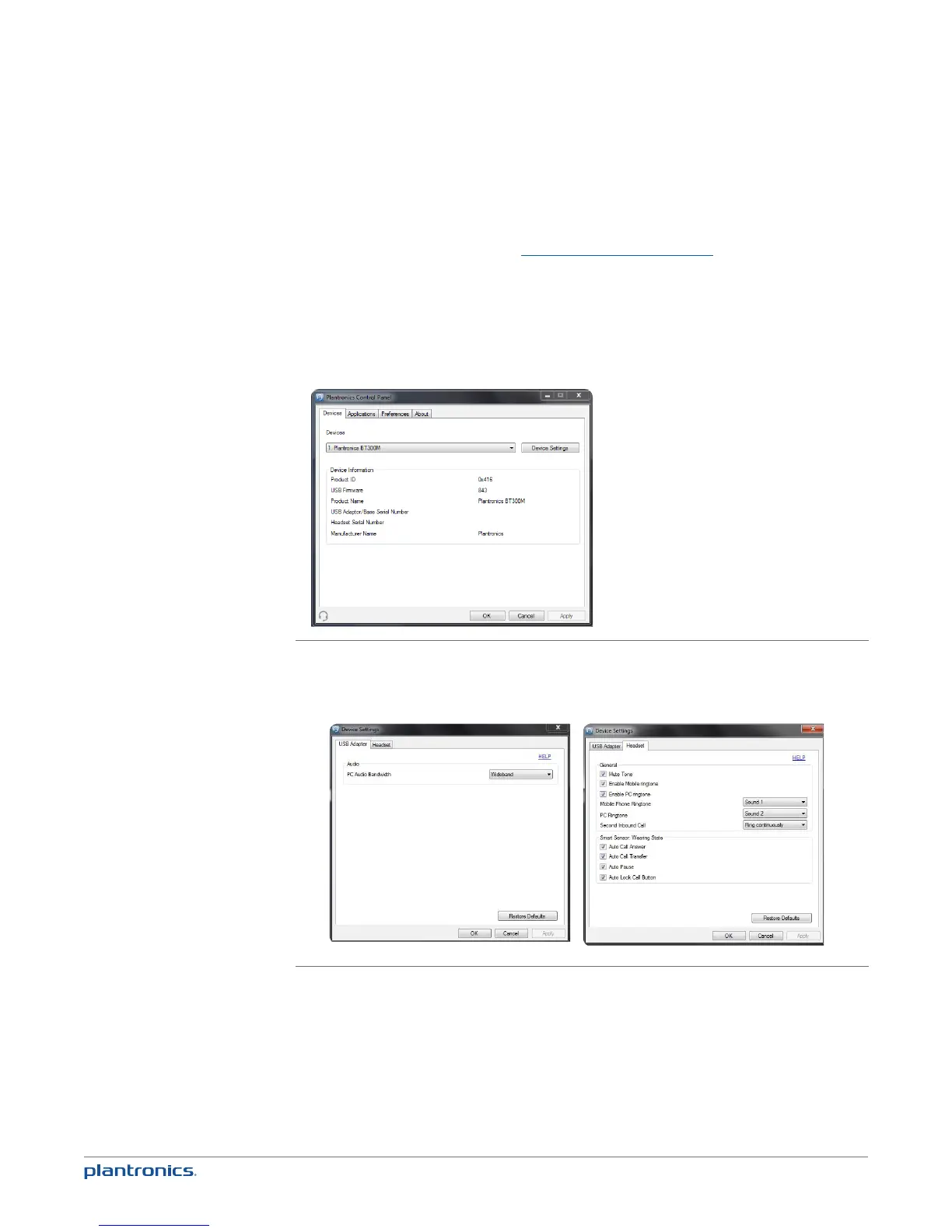
Plantronics Control Panel
If you have chosen to download and install the optional Plantronics software you may make
changes that affect the performance of your headset by using the Plantronics Control Panel.
To start this utility, click Start > Programs > Plantronics > Plantronics Control Panel.
Devices tab
Select your Plantronics BT300M USB adapter from the pull-down menu then select Device Settings to
configure settings for your headset system.
Optional Plantronics software







 To Next Page