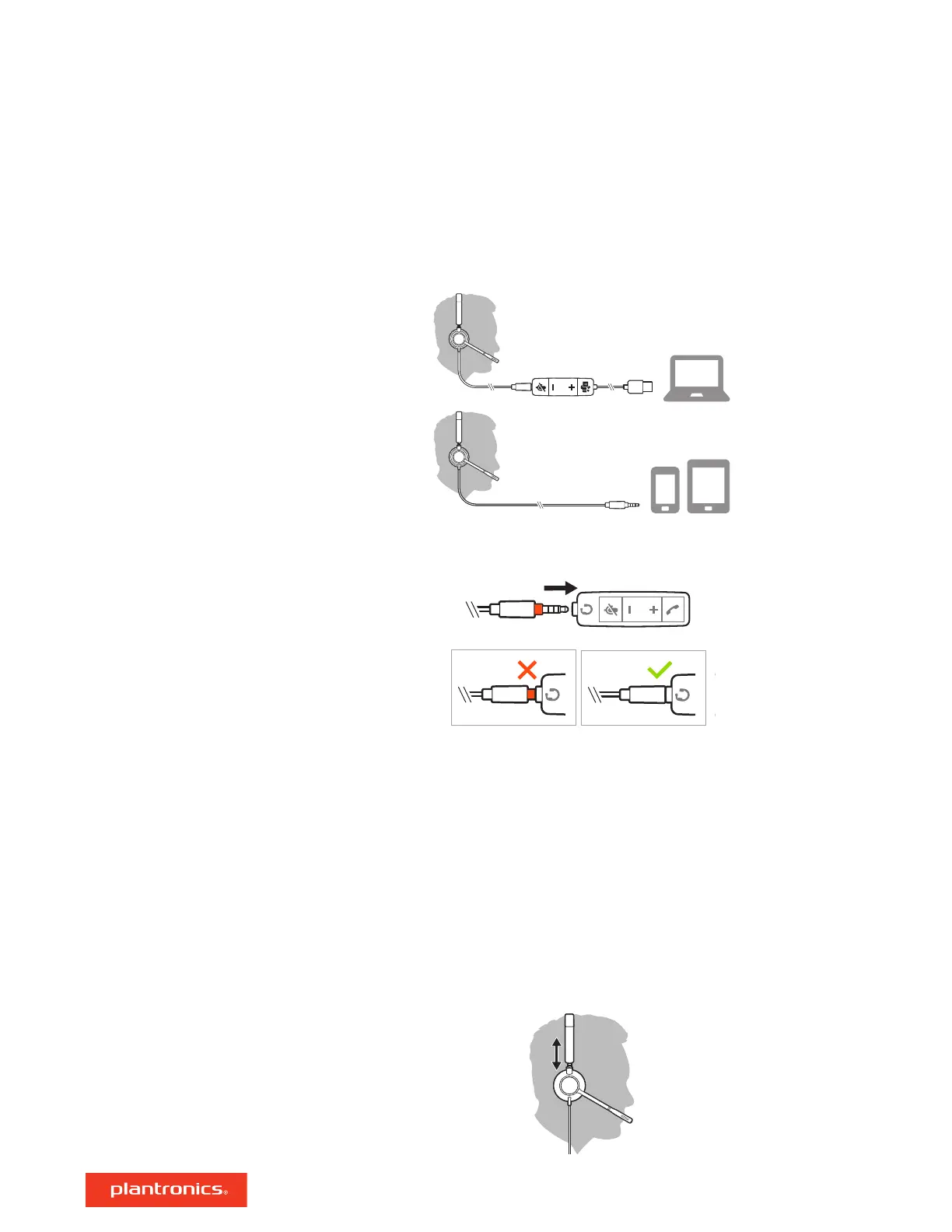
Power on your headset by connecting to your computer or mobile device.
• Via USB-A/USB-C connector
NOTE Headset call control functionality may vary in mobile devices.
• Via 3.5 mm connector (Blackwire 3315/3325 only)
NOTE Headset call control functionality is not available.
Plantronics Hub for Windows/Mac is an invaluable headset tool.
1 Download Plantronics Hub for Windows/Mac by visiting plantronics.com/software.
2 Using Plantronics Hub, manage your headset settings.
• Call control for softphones
• Change headset language
• Update firmware
• Turn features on/off
Adjust the headband
Lengthen or shorten the band until it fits comfortably. The cushions should sit comfortably over
the center of your ears.
Setup and software
Power and setup
Load software
Fit
4






 To Next Page