7
Connecting the headset
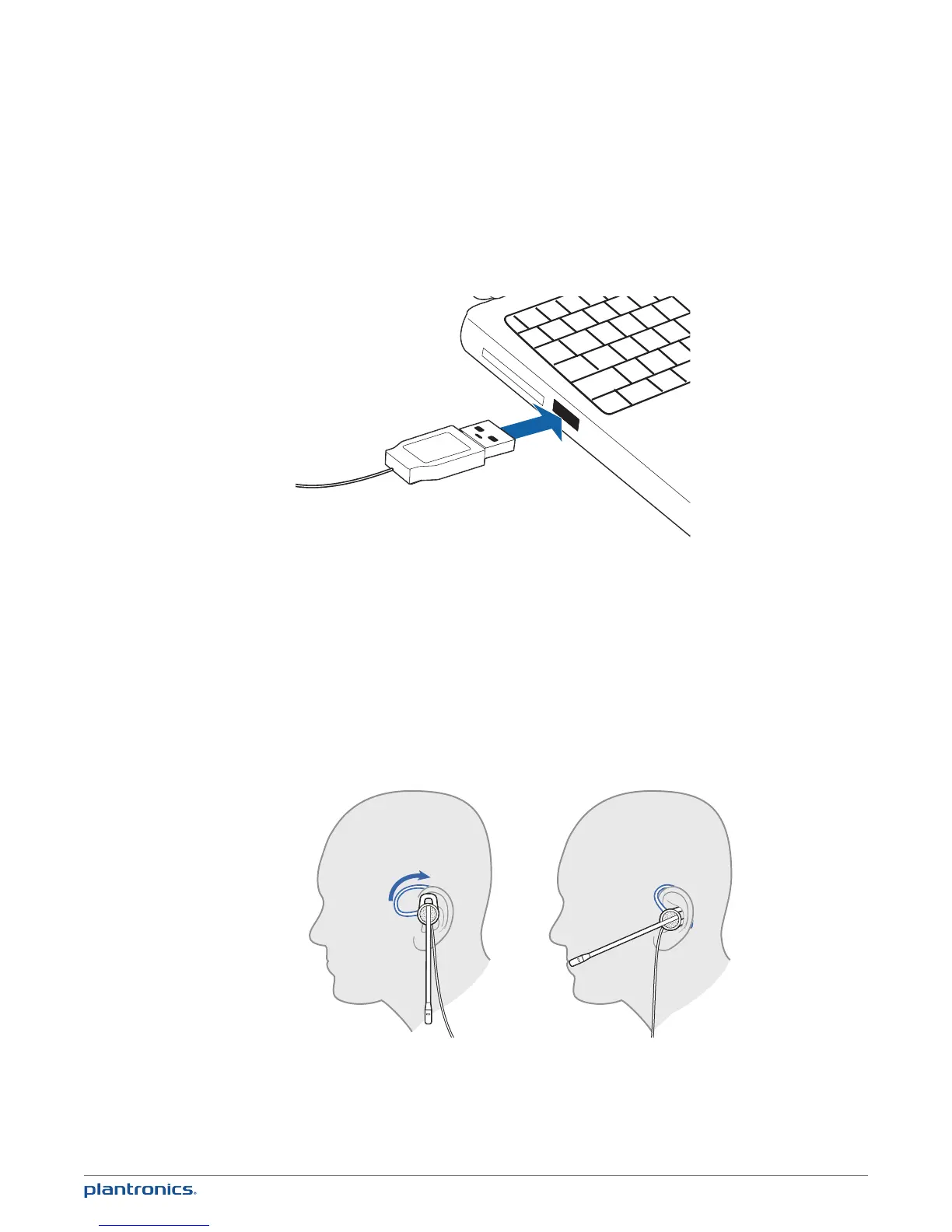
Simply plug the headset into the USB port on your PC.
NOTE For call control and other features, download Plantronics software at
http://www.plantronics.com/businesssoftware.
Wearing the headset
The headset comes fitted with the ear loop and medium ear gel.
1 To wear the headset, simply place the ear gel in your ear with the loop at the top of your ear
and rotate the microphone boom forwards. The microphone should be pointed to the corner of
your mouth. If it cannot be comfortably positioned there, you can rotate the ear loop and gel to
fit your ear.
Using your headset







 To Next Page