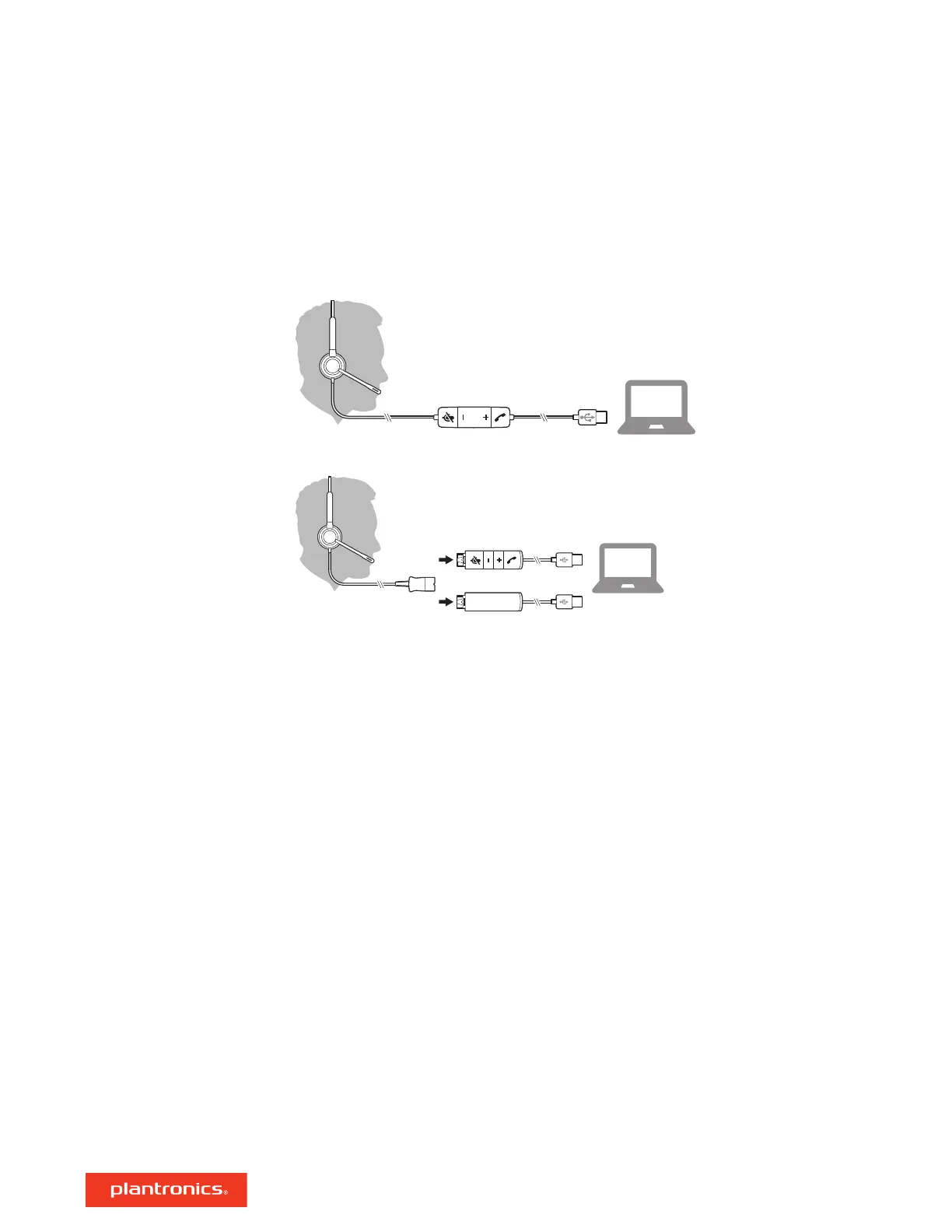
Power on your headset by connecting it to your computer.
Your headset connects in one of 2 ways:
• With USB connector
• With DA70/DA80 audio processor with Quick Disconnect (QD)
IMPORTANT Some softphones require the installation of Plantronics Hub for Windows/Mac to
enable headset call control (answer/end and mute) functionality.
Download Plantronics Hub for Windows/Mac by visiting plantronics.com/software.
Manage your headset settings on your computer with Plantronics Hub:
• Call control for softphones
• Update firmware
• Turn features on/off
• View user guide
Setup
Load software
4





 To Next Page