4. How to increase or decrease your microphone volume (how loud your
callers hear you).
5. Locating and making adjustments for phone compatibility.
6. Replacing the two AA batteries in your amplifier base.
7. Amplifier ports / connections explained
SETUP FOR PHONE WITHOUT A HEADSET PORT
The first thing you need to determine is whether your telephone has a headset
port or not. In this section, it assumes that your phone does not have one.
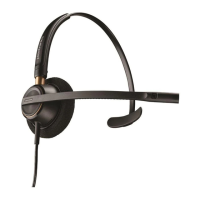
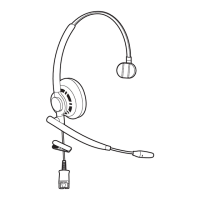
If you want to use your Plantronics HW510 or HW520 headset on a
phone without a headset port, you’ll need a headset amplifier/adapter. Below are
the step-by-step instructions on how to set up your headset if you currently have
an amplifier. If you do not have an amplifier/adapter, contact us so we can
provide you with the needed information.
STEP 1. Make sure that the amplifier base has fresh batteries installed.
Amplifiers typically use double A batteries, but AC Power Adapters are generally
available as well.
STEP 2. Unplug the telephone HANDSET coil cord from the phone.
STEP 3. Plug the clear plastic clip on the end of the handset coil cord into the
headset amplifier base. Look for a port that has an icon of a telephone handset
(not phone). Make sure that when you plug this cord in you hear it click.
STEP 4. Locate the telephone interface cable that came with the amplifier base
and make sure it’s plugged into the amplifier port that has an icon of a phone (not
handset). Make sure it clicks into place.







 To Next Page