STEP 5. Dial your phone call and have a conversation as normal.
STEP 6. When done with your phone call, take the handset receiver and hang it
up.
NOTE: 1. To make multiple calls, return to step 3 through 6.
2. To use the handset (instead of the headset), deactivate the headset
button on the amplifier base and then pick up the telephone handset.
This can even be done while on a headset call.
SETUP FOR PHONE WITH A HEADSET PORT
If your phone has a headset port, please follow these instructions to setup your
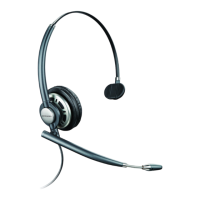
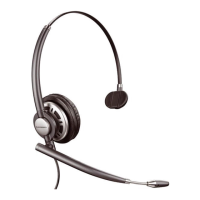
Plantronics HW510 or HW520 wired headset. This setup requires the use of a
lower control cable, sometimes referred to as a direct connect cable and
eliminates the need for an amplifier/adapter base. This cable has a Quick
Disconnect (QD) on one end and a clear plastic modular connector on the other.
STEP 1. Put on your headset and make sure that the microphone is two fingers
width from the corner of your mouth.
STEP 2. Locate the lower control cable / direct connect cable
STEP 3. Plug the Quick Disconnect from your headset to the Quick Disconnect
connector on the lower control cable.
STEP 4. Locate the headset port on your telephone.





 To Next Page