6
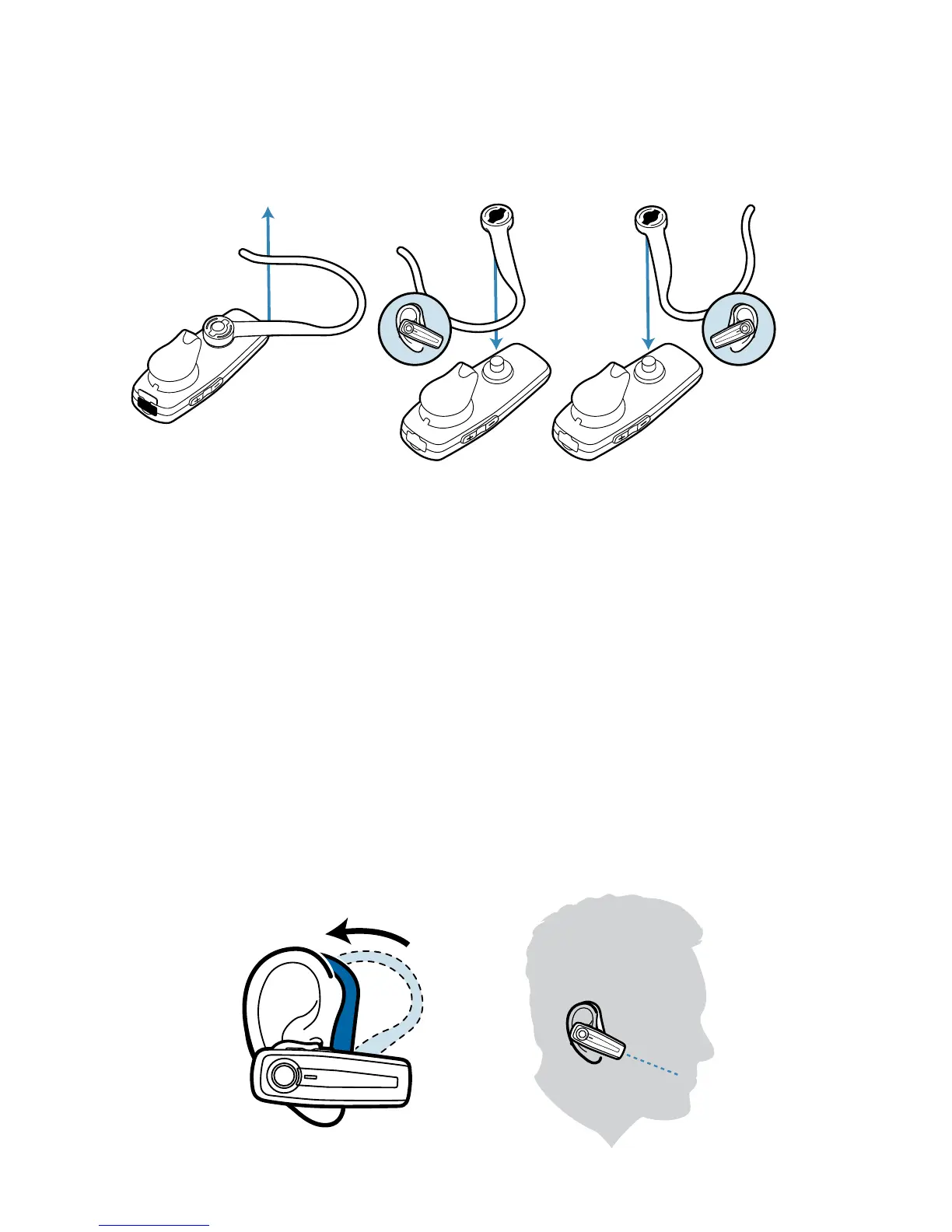
1 To remove the earloop, gently pull up on earloop near the
Plantronics name until you hear a snap.
2 Position earloop as shown above, then gently snap back
onto post.
3 Place the earloop behind your ear.
4 Rotate the headset so that the speaker/eartip rests
comfortably in your ear.
5 Align the microphone with the corner of your mouth.
Callers can hear you best when you point the microphone towards
the corner of your mouth.
Adjusting the Fit
Right Left
2
1
3
4
5






 To Next Page