5
Pairing Your Headset
How to Pair Your Headset if it Has Been Previously Paired
With Another Device
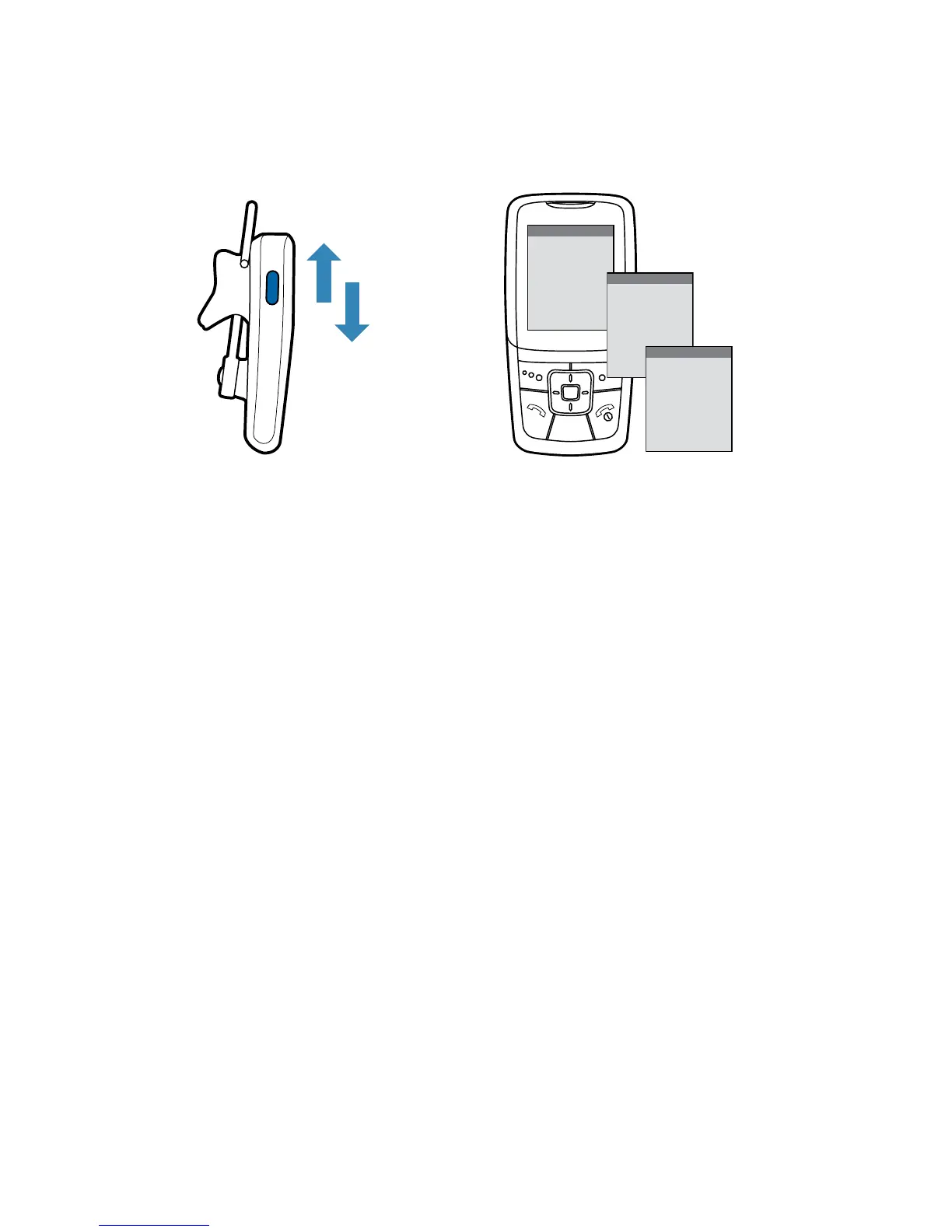
1 Turn the headset off.
Slide the power switch off, then wait until the indicator turns red
and then turns off.
2 Turn the headset on.
Slide the power switch on. After the headset is powered on, press
and hold the call control button until the indicator light continues to
flash red and blue.
3 Use the commands on your phone to locate your headset.
For most phones, select Settings/Tools > Connections > Bluetooth
> Search > 2XXPlantronics. See your phone’s user guide for
more information.
4 When prompted for the passkey, enter 0000.
Pairing is successful when the indicator on your headset flashes
blue. Your headset is now connected and ready to use.
4
3






 To Next Page