MAKE A TEST CALL.
english 7
make
a test call
II
PART
1. Put on headset. Refer to your headset’s User Guide to
adjust the microphone position for best performance.
2. Lift the phone’s handset off the cradle and place it on your desk.
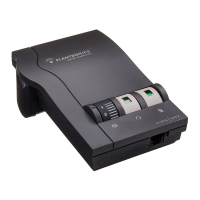
3. Make sure your Vista amplifier settings are in default. See
page 4 for details.
4. Call a friend or colleague.
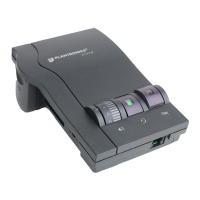
5. Adjust the Incoming Volume using the Incoming Volume
Thumbwheel. Refer to page 10 for more details.
6. Adjust the Outgoing Volume Control until the person on
the other end can hear your voice at an appropriate level.
See page 10 for more details.
7. If your friend cannot hear you, or you hear a buzz or hum,
try changing the Compatibility Switch. See page 5 for more
details.
8. Try activating the Mute function by depressing the Mute
Switch (colored indicator showing). Release the Mute
Switch (no colored indicator showing) to deactivate the
Mute function. See page 11 for more details.
9. If you used batteries in your Vista amplifier, try removing the
batteries. If you lose power, your phone model requires
power for your Vista amplifier. Replace the batteries.
6


 To Next Page