To save a manual setting press the
"ENTER" key, and the present lighting
intensity Zone 1 will be saved.
Press the "RIGHT" key in main window
of Manual Mode, hen Zone 2 "yyy%"
will blink. In this state, if you press the
"UP/DOWN" key, the lighting intensity
level of
Zone 2 "yyy%" will increase or decrease
accordingly. To save a manual setting
press the "ENTER" key, and the
present lighting intensity Zone 2 will
be saved.
● Slave Mode
In Slave Mode, the lighting intensity
of the Plasson Bulbs is controlled by
an analog control signal (1-10VDC). The
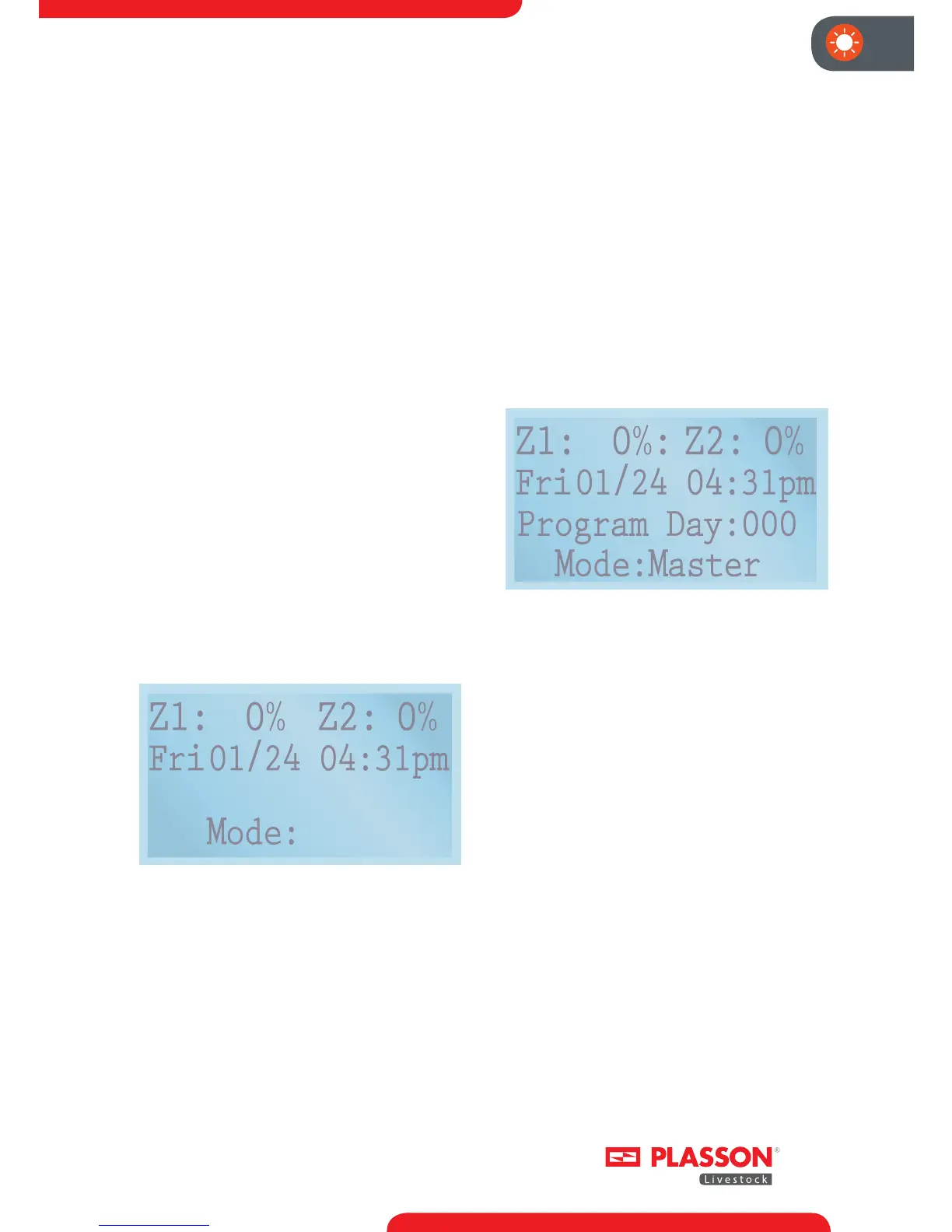
main screen of Slave Mode displays
like this:
Slave
Fig. 8: Main Screen of Slave Mode
"Mode: Slave" means that the dimmer
is in slave operation mode.
"xxx xx/xx xx:xx am" displays the current
DAY OF WEEK/MONTH/DAY/TIME.
"Z1:xxx% Z2:yyy%" says that the
lighting intensity level of Zone 1 is
xxx% and the lighting intensity level
of Zone 2 is yyy%. In Slave Mode, the
lighting intensity is controlled by an
external analog signal, so the "UP/
DOWN/LEFT/RIGHT" keys don't aect
the operation and program of the
dimmer.
● Master Mode
In Master Mode, the lighting intensity
of the Plasson Bulbs is controlled by the
on board program. The main screen of
Master Mode displays Figure 9.
Fig. 9: Main Screen of Master Mode
"Mode: Master" means that the dimmer
is in master operational mode.
"xxx xx/xx xx:xx am" displays the current
DAY OF WEEK/MONTH/DAY/TIME.
"Z1:xxx% Z2:yyy%" says that the
lighting intensity level of Zone 1 is
xxx% and the lighting intensity level
of Zone 2 is yyy%. "Program Day xxx"
means that present date in master
mode is "xxx".
Keypad Control if Dimmer-Controller
is in normal operational state:
● You can select the "POWER" button
to turn the system on and o. If the
unit is in power o state, the LCD is
also turned o.
● You can always select the ""BACK" key
on the front panel of the dimmer if
you wish to go back one level within
the interface.


 To Next Page
 Loading...