10
Enter a plant name. This can be freely selected. Blanks and special characters are not
accepted. If possible, avoid using the same plant name more than once. This can lead to
confusion in your PLEXLOG portal overview.
Enter your reseller ID. If you do not know your Reseller ID, you can find it in PLEXLOG Portal
under "My Portal". Otherwise, please contact your PLEXLOG administrator or the PLEXLOG
hotline.
All fields must be filled in correctly. After successful input please press the "next" button.
Steps 2
Proceed with the definition/configuration of the interfaces as described for the
tester identification (p. 4 - 7).
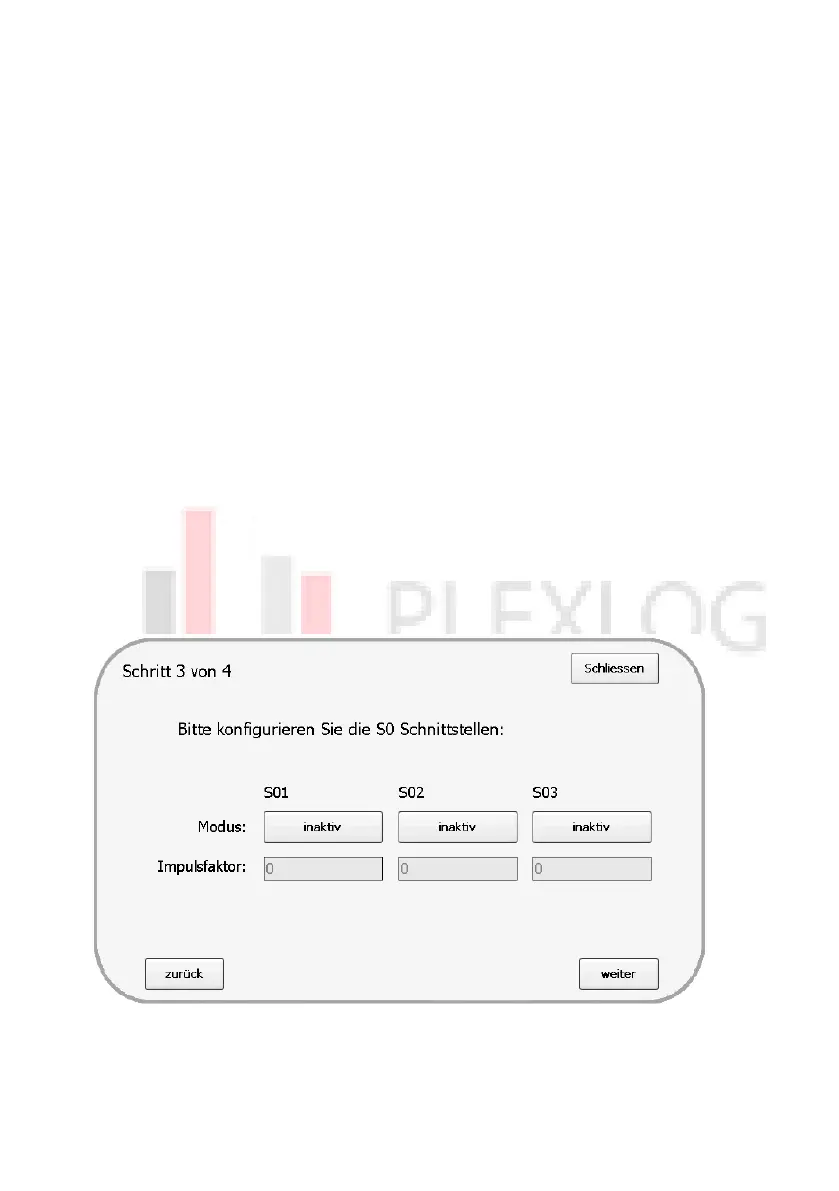
Step 3:
Define any connected S0 counters. The PL data logger provides three S0 connection
options for you (see Figure 2 "Assignment of connection terminals").
Figure 10:


 To Next Page